Last week, Facebook announced that over 50 million accounts had been hacked. The issue isn’t just this hack of Facebook accounts but also the loss of account entry keys that integrate with Facebook Connect. This could potentially lead to further data loss and companies are still trying to figure out how far the losses could go. If you’re a Facebook user, what does this mean for you and what should you do?
The hack itself is already fixed but if you use Facebook Connect to log into other websites, the pain may not be over. If you’re one of the millions of people who select Log In with Facebook when it pops up on a website, the potential loss is still unknown.
How to tell if your Facebook account has been hacked
In this particular instance, if you were subject to this hack, you will have been automatically logged out of Facebook. The company did this on your behalf and added a notification on the top of your News Feed explaining why and what you need to do next.
If you did not get logged out of Facebook and do not see a notice on top of your News Feed, you were likely not part of this hack. If you want to be sure you haven’t been hacked, log into Facebook and navigate to Settings, Security and Login and check ‘Where you’re logged in’. If you see somewhere you don’t recognize, select the three gray dots on the right and select Log Out. Then immediately change your password.
What to do if your Facebook account has been hacked
If you find you have been hacked, in this particular attack or a different one, you have things you need to do. You should follow the steps above to log out and change your password. Then do the following:
Turn on two-factor authentication
If you’re not already using two-factor authentication everywhere you can, you really should be. It is a strong security feature that adds an extra step to logins but is very, very difficult for a hacker to overcome. If you don’t use it on Facebook, turn it on. Now. Then enable it on every other site or social network you use.
Check Facebook application access
One neat thing about Facebook is the apps. They offer everything from games to fitness tracking. They can also access a lot of your personal information so it’s a good idea to check what is connected and what apps can access what data. Go to Settings, and Apps and check that you recognize, or still want the apps you find there. Select the gray X and Remove the ones you don’t use.
Don’t use Facebook Connect
Yes it is fast and yes it is convenient but as this hack demonstrates, Facebook Connect offers a way into your personal life that no app should have. I would strongly suggest you stop using any ‘Log In with Facebook’ option and log in manually. It does take a few extra seconds but could potentially save your identity from being stolen or worse.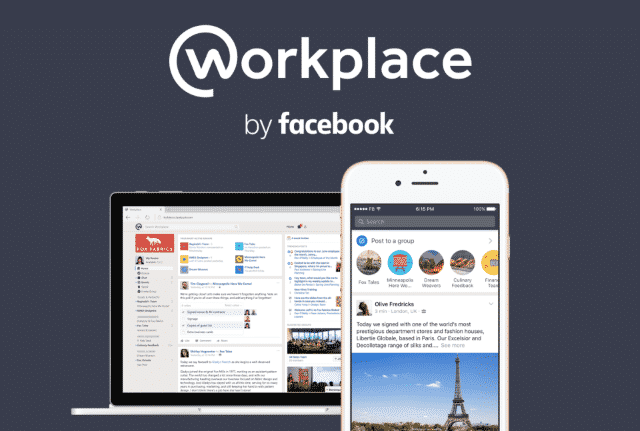 Facebook has released its first salvo into enterprise productivity with Facebook Workplace. Unveiled over in London, U.K. the new app is the familiar version of Facebook we all know but with a productivity twist. It is the company’s aim to bring it into every workplace and finally make money on something other than advertising.
What is Facebook Workplace?
Facebook Workplace debuted around 19 months ago as Facebook for Work. It looks and feels like Facebook but the features are all designed to function within an organization. You still have the familiar chat, trending topics, video, groups, reactions and so forth. But now, each is tweaked so it works with enterprise groups.
So for example, video allows the sharing of videos within a work group while groups allow video conferences, group chats and file sharing. Facebook Live is a presentation platform that can be broadcast to the entire company or specific groups. If your company collaborates with other organizations, groups can be set up so everyone can talk about projects too.
Facebook will charge for this service, $3 per head for the first 1000 users within an organization and $2 thereafter. It is the first time Facebook have charged outright for a service. It’s cheaper than other productivity apps lick Slack, but Facebook isn’t freezing them out. It wants to work with them to make an ecosystem that works together for the benefit of everyone. Facebook is already working with Box and Microsoft to do just that. More apps are bound to follow.
What do businesses get out of Facebook Workplace?
Aside from trying to make the usual Facebook features work friendly, why would a business want to use it? There are several reasons and some of them are compelling.
For one, the vast majority of people, a quarter of the world’s population in fact, know how to use Facebook. They know how to post, search, interact, chat, share documents, images, movies and ideas. They are familiar with the layout, how features work best and how to get the most out of the platform. That will shorten the training overhead massively and means rolling Facebook Workplace out and making it productive can take minutes instead of the usual couple of days.
Second reason, Facebook can be used anywhere at any time. On the go, on a smartphone, tablet, desktop, laptop or whatever. There is nothing to install, nothing to host, nothing to configure and it can all run without any investment from the enterprise aside from per seat licensing.
Facebook have said security is their top priority with Facebook Workplace. While we don’t know the specifics, we know that they will have to back up that statement with facts before enterprises buy into it.
Thank you for reading Dave's Computer Repair Blog, if you ever need computer repair or data recovery assistance give us a call or fill out the contact form on the bottom right of the website.
📞 Call Dave's — 908-428-9558