Data Recovery
in
New Jersey.
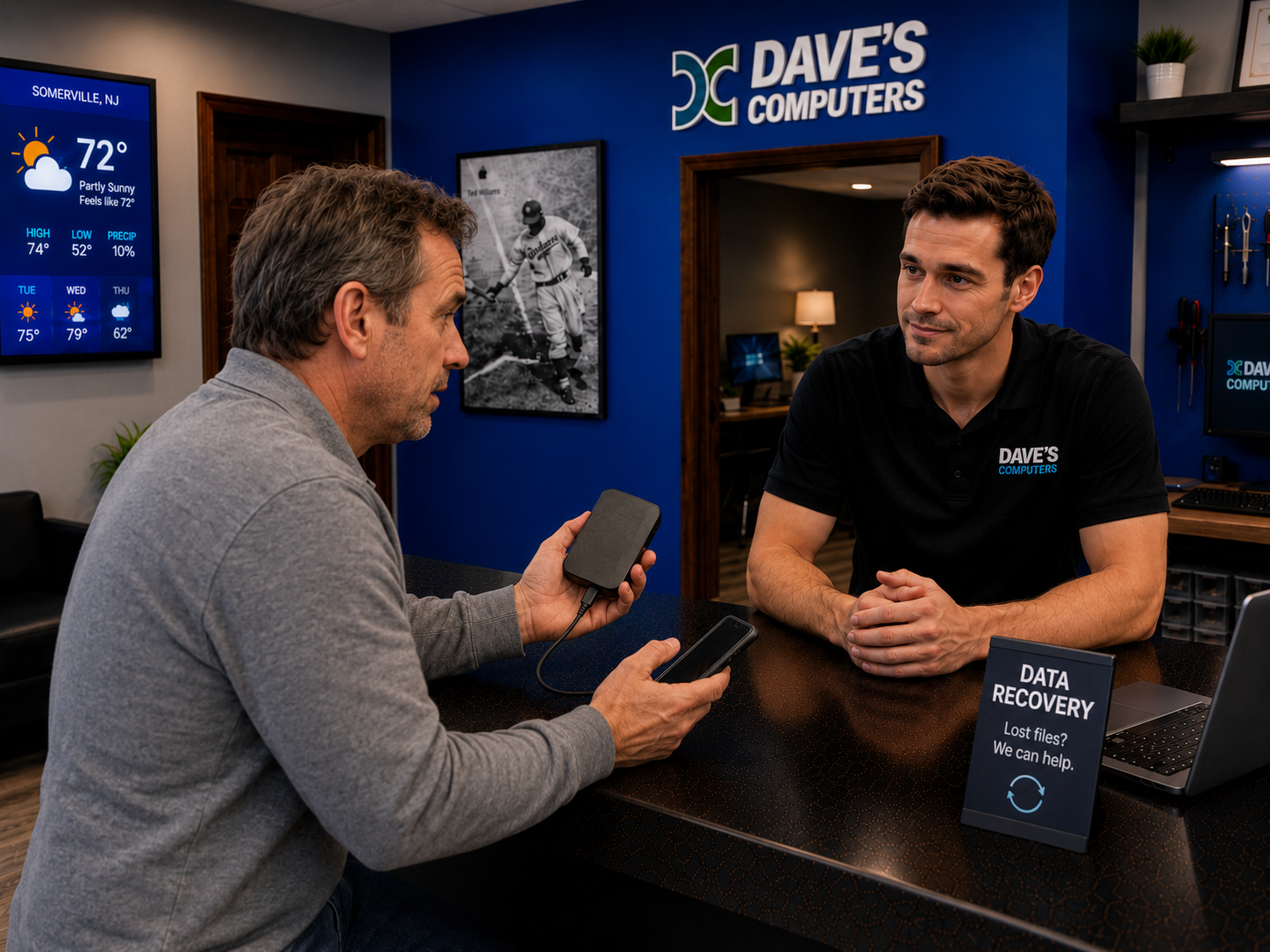
Searching "data recovery near me" from anywhere in NJ? Drop your drive at our Somerville shop: photos, documents, and videos recovered in-house. Your drive never leaves the state.
What we recover for NJ customers.
If it stores files, we can probably get them back. Customers drop off from across central New Jersey: Somerset County, Hunterdon, Middlesex, and beyond. We also handle Mac data recovery, failed SSD drives, and failed external hard drives in-house. From a single deleted folder to a server that won't mount, it's the full range of professional data recovery services, what some customers call data restoration. Same work, same result: your files back.
Laptops
Won't boot? Water damage?
Desktops
Crashed or dead PC
Hard drives
Internal or external
USB drives
Flash & thumb drives
NAS & RAID
Server & network drives
SD cards
Cameras & tablets
Not sure?
Bring it in. We'll check
How recovery works.
Four simple steps at our 75 N Bridge Street shop: one bench, one data recovery company doing its own work. No surprises.
Drop it off
At our Somerville shop, or we'll pick up
We diagnose
Free estimate, no obligation
We recover
Files pulled off & transferred safely
You pick up
On a new drive, USB, or cloud
Local NJ recovery vs. shipped overseas.
Most "data recovery" companies ship your drive out of state, sometimes out of the country. That's the national data recovery firm model. We don't: the data recovery specialists who take your drive in Somerville are the same hands that work on it.
Shipped far away
- Your drive leaves NJ, sometimes goes overseas
- 2–4 weeks of waiting, sometimes longer
- Quotes start at $800–$2,000+
- Talk to a call center, never the tech
In-house in Somerville
- Your drive stays in our shop
- Most jobs done in 2–5 days
- $75 diagnostic · clear flat pricing
- Talk to Dave, the guy doing the work
- See your file listing before you pay
- 400+ Google reviews · 4.9 stars
Searching Google for "data recovery near me"? Watch out.
If you Google "data recovery" in New Jersey, you'll see a few names that pop up with 3, 4, even 5 different "locations" all over the state, each claiming to be the local data recovery experts. Here's what's actually going on:
- Multiple "NJ locations" under one name = your drive is shipped. A real recovery lab is one location with the actual clean-room equipment. Multiple addresses are pickup-only fronts: your drive gets boxed up and sent out of state.
- Some of those Google listings are flat-out fake. Out-of-state operators are creating bogus Google Business Profiles posing as local NJ repair shops with on-site labs they don't actually have. The address goes to an empty office or a virtual mailbox.
- If your drive does need a real clean-room lab, ours has been doing this since 1995, decades before these fake listings ever showed up. Real equipment, real address, real engineers.
Start with a $75 diagnostic.
Every recovery at our 08876 shop begins here. No hidden fees: the full data recovery cost breakdown is public.
Data Recovery Diagnostic
Flat fee · applied to your recovery if you proceed
Recovery pricing quoted before any work begins. No surprise bills. · In a rush? See expedite option ↓
Skip the line. Get it done first.
Add the expedite fee and your drive jumps to the front of the queue, worked on before everything else in the shop. Best odds of getting your files back fast.
- Your drive is worked on first
- Often done in 24–48 hours
- Better odds on failing drives: time matters
- Direct line to Dave on your job
Mention "expedite" when you call
Physically failing drive? Here's exactly how it works.
If a drive has a real mechanical failure (clicking heads, motor problems, burnt electronics) and we determine we cannot even start the recovery process here, the $75 diagnostic is refunded and we refer you to our partner lab. Important: if we can recover your data, there is no refund. The refund only applies when the drive is too physically damaged for us to begin work at all.
We diagnose ($75)
Can't even start? Refund.
If a mechanical failure means we can't begin any recovery process at all, your $75 is refunded
Referred to our partner lab
All the work happens at their location: clean-room recovery, they quote you direct
Every drive brand. Every model family.
From a 2003 IBM Deskstar to a 2025 Samsung NVMe: if it stores files, we've seen it. Tap any category to see the full brand and model list.
Desktop & internal hard drives (HDD)
ST1000DM010, ST2000DM008, ST4000DM004, ST8000DM004, ST12000DM0007, ST16000DM006; BarraCuda Pro ST2000DM009, ST4000DM006; Exos X16, X18, X20, X24, 7E2, 7E8, X10, X14
Common failures: Bad sectors, BSY firmware, clicking heads, "drive not initialized" in Windows Disk Management
WD Blue WD10EZEX, WD20EZRZ, WD40EZRZ; WD Black WD1003FZEX, WD2003FZEX, WD4005FZBX, WD6003FZBX; WD Gold WD2005FBYZ, WD4002FYYZ, WD8002FRYZ, WD121KRYZ; WD Purple WD10PURZ, WD20PURZ, WD40PURZ; WD Green (legacy, pre-2015)
Common failures: Clicking, "not initialized," SMR RAID rebuild failures on base WD Red, PCB failure, slow spin-up
P300 HDWD110, HDWD120, HDWD130; X300 HDWR11A, HDWR21E, HDWF110, HDWR51A; N300 HDWQ140, HDWG21C; S300 HDWT31A; MG07ACA14TA, MG08ADA400N, MG09ACA18TE
Common failures: Motor stall, PCB failure, read/write head crash, "device not ready" errors
Deskstar 7K1000, 7K2000, 7K3000, 7K4000, NAS; HGST Ultrastar 7K2, 7K4, 7K6, 7K8, DC HC310, DC HC320, DC HC510, DC HC530, DC HC550, DC HC560
Common failures: Head crash on older Deskstar units, logic board failure, firmware lock
SpinPoint F1 HD501LJ, F3 HD103SJ, F4 HD204UI; P80, P120; Note: Samsung sold HDD division to Seagate in 2011; post-2011 Samsung-branded drives are Seagate-made
Common failures: Controller failure, firmware corruption, bad sector growth on older F1/F3 units
Maxtor DiamondMax 16, 17, 21, Plus 9, Plus 10, Plus 11; MaXLine III; Quantum Fireball CX, EX, LCT; IBM Deskstar 75GXP, 60GXP, 120GXP (the notorious "Deathstar"), 7K250, 7K400
Common failures: PCB failure, head stiction, motor seizure after long storage, still common in NJ office cleanouts
MPG3102AT, MPG3204AT; MHV2040AT, MHV2080AT, MHY2120BH, MHY2250BH; enterprise MPE and MAT series
Common failures: Head actuator failure, PCB burn, common in older Sony VAIO and Toshiba laptops from 2002–2008
Laptop hard drives (2.5" HDD)
Momentus 5400.4, 5400.6, 7200.4, XT (SSHD); BarraCuda 2.5" ST500LM034, ST1000LM048, ST2000LM015; FireCuda SSHD ST500LX025, ST1000LX015, ST2000LX001
Common failures: Clicking after drops, bad sectors from vibration, SSHD cache chip failure causing boot loops
WD Blue WD5000LPVX, WD10JPVX, WD20NPVZ; WD Black WD5000LPLX, WD7500LPLX, WD1000LPLX; Scorpio Blue WD3200BEVT, WD5000BEVT, WD7500BPVT
Common failures: Head crash from drops, not spinning, "clicking of death," logical corruption after power loss
L200 HDWL110, HDWL120; MQ01ABD050, MQ01ABD075, MQ01ABD100, MQ04ABF100; MK1655GSX, MK3265GSX, MK5076GSX
Common failures: Motor stall from drops, PCB damage, very common in Toshiba Satellite and HP laptop recoveries
TravelStar 5K250, 5K320, 5K500, 7K500, 7K750, 7K1000; HTS541010A9E680, HTS547575A9E384, HTS725050A7E630
Common failures: Head wear from sustained use, surface errors, logic board failure on older TravelStar units
Samsung SpinPoint M8 HM321HI, HM501II, HM641JI; M7 HM160HI, HM250HI; Fujitsu MHV2040AH, MHV2080AH, MHY2120BH, MHZ2160BH, MHZ2320BH
Common failures: Firmware corruption, controller issues, head actuator seizure, common in Sony VAIO and Fujitsu Lifebook
Solid state drives: SATA & NVMe SSD
SATA: 840 EVO, 850 EVO, 860 EVO MZ-76E, 870 EVO MZ-77E, 860 QVO MZ-76Q, 870 QVO MZ-77Q, 850 Pro MZ-7KE; NVMe: 960 EVO, 970 EVO, 970 EVO Plus, 980, 980 Pro MZ-V8P, 990 Pro MZ-V9P, 990 EVO; Portable: T3, T5, T7, T7 Shield, T7 Touch, X5
Common failures: 840 EVO read speed degradation; 970 EVO Plus thermal failure; sudden death after firmware update; controller failure invisible to BIOS
WD Blue SATA WDS100T2B0A, WDS250G2B0A; WD Green SATA WDS240G2G0A; WD Black NVMe SN750 WDS100T3X0C, SN850X WDS100T2X0E; SanDisk Ultra 3D SDSSDH3, Extreme Pro SDSSDXPM2, SSD PLUS SDSSDA
Common failures: SN750/SN850 firmware brick, SanDisk sudden death syndrome, WD Green cache collapse, "not detected" after Windows update
BarraCuda SATA ZA250CM1A002, ZA500CM10002, ZA1000CM10002; FireCuda 510 ZP500GM3A001, 520 ZP500GM30002, 530 ZP500GM3A023; IronWolf 510 NVMe ZP960NM30011; FireCuda SSHD ST500LX025, ST1000LX015; Nytro Enterprise SSD (SAS/SATA)
Common failures: SSHD NAND cache failure causing boot loops; FireCuda 510/520 controller issues; BarraCuda SSD DRAM failure
SATA: BX500 CT480BX500SSD1, MX500 CT500MX500SSD1, CT1000MX500SSD1, CT2000MX500SSD1; NVMe: P1 CT1000P1SSD8, P2 CT500P2SSD8, P3 CT500P3SSD8, P3 Plus, P5 CT1000P5SSD8, P5 Plus CT1000P5PSSD8; T500 NVMe CT1000T500SSD8
Common failures: P1/P2 QLC NAND wear; BX500 controller failure (no DRAM); MX500 FW bug causing write stall; "drive disappears" mid-session
SATA: A400 SA400S37, A2000 SA2000M8; NVMe: KC3000 SKC3000S, NV1 SNVS, NV2 SNV2S, NV3 SNV3S, KC2500 SKC2500; IronKey D300S, S1000, D500S, Keypad 200; DataTraveler DT100G3, DT70, DTXM, DTVP30
Common failures: A400 controller failure; NV1 sudden death (QLC); KC3000 firmware corruption; IronKey lockout after too many PIN attempts
Corsair MP400, MP500, MP600, MP700; SK Hynix Gold S31, Platinum P41; ADATA SU800, SX8200 Pro, XPG SX8100, Gammix S50; PNY CS900, CS3040, XLR8; Lexar NM790, NM620, NS100 SATA; Patriot P300, Burst Elite
Common failures: QLC NAND write cliff on budget models, MP600 thermal failure without heatsink, ADATA SX8200 Pro thermal failure
External & portable drives
My Passport WDBYFT, WDBYVG, WDBPKJ, WDBAGF; My Book WDBBGB, WDBACW, WDBFJK; Elements WDBU6Y, WDBPCK; WD_Black P10 WDBA3A, P40 WDBAWY, P50 WDBA3A; WD Easystore; WD My Cloud Home, EX2, EX4, PR2100, PR4100
Common failures: Drop damage, PCB failure, "not initialized," USB bridge controller failure, password-encrypted drive lockout
Backup Plus STDR, STDS, STHP, STHM; Expansion STEA, STEB, STEC; One Touch STKY, STKZ, STLR; Slim STCD; Game Drive STGD (Xbox/PS); Backup Plus Hub STEL; Desktop STAC, STBC; FireCuda Gaming Hub
Common failures: Beeping (head not parking), USB bridge failure, drop damage, "device is not ready," corrupted partition table
T7 MU-PC1T0T, T7 Shield MU-PE2T0S, T7 Touch MU-PC500K; T5 MU-PA1T0B, T3 MU-PT1T0B; X5 Thunderbolt 3 MU-PB1T0B; Bar Plus MUF-128BE4, Fit Plus MUF-128AB
Common failures: Sudden undetected on Fit Plus, T7 controller failure, not mounting after macOS/Windows update, T7 Touch fingerprint sensor failure
LaCie Rugged STFR, d2 Professional STFY, Mobile Drive STLP, Porsche Design STPP, 1big Dock STHS, Bolt3 Thunderbolt 3, 2big RAID; G-DRIVE GDRHFNB10001ADB, G-RAID, G-SPEED Studio R, ArmorATD; Buffalo LinkStation LS220D, LS420D; TeraStation TS3210DN, TS5410DN
Common failures: Thunderbolt bridge failure, G-RAID stripe failure, LaCie Rugged drop damage (enclosure survives, platters shift), Buffalo NAS firmware brick
Transcend StoreJet 25A3, 25M3, ESD230C, ESD310C; Silicon Power Armor A60, A62, A85, Stream S07; IOmega ZIP 100, 250, 750; REV 35/70GB; Jaz 1GB/2GB; ScreenPlay multimedia drive; StorCenter NAS
Common failures: ZIP Click of Death (classic); USB controller failure; REV head failure; IOmega media still turns up in NJ small business cleanouts
NAS, RAID & network storage arrays
IronWolf ST1000VN002, ST2000VN004, ST4000VN008, ST6000VN001, ST8000VN004, ST10000VN0008, ST12000VN0008, ST16000VN001; IronWolf Pro ST4000NE001, ST8000NE001, ST12000NE0008, ST16000NE000, ST20000NE000; IronWolf SSD ZA960NM10011
Common failures: RAID member failure after vibration, bad sector cascade during rebuild, ignored IronWolf Health Management alerts leading to total failure
WD Red (SMR): WD20EFAX, WD40EFAX, WD60EFAX; WD Red Plus (CMR): WD20EFPX, WD40EFPX, WD60EFPX, WD80EFPX, WD101EFBX; WD Red Pro: WD2002FFSX, WD4003FFBX, WD6003FFBX, WD8003FFBX, WD121KFBX; Ultrastar DC HC310, HC320, HC510, HC530, HC550, HC560, HC590
Common failures: WD Red SMR RAID rebuild failure (data loss risk), degraded array, Ultrastar firmware, TLER timeout errors on desktop drives used in NAS
N300 HDWQ140, HDWQ160, HDWG21C, HDWG31E; 4TB/6TB/8TB/10TB/12TB/14TB/16TB variants; MG Enterprise MG07ACA14TA (14TB), MG08ADA400N (4TB), MG08ACA16TE (16TB), MG09ACA18TE (18TB)
Common failures: RAID member failure during heavy write cycles, MG Series vibration damage in undersized enclosures, N300 head failure on older units
DS118, DS220+, DS223, DS420+, DS720+, DS920+, DS1520+, DS1821+, DS2422+; RS1221+, RS1621xs+, RS3621xs+; FS1018 FlashStation; SA6400 All-NVMe; Synology HAT5300/HAT5310 NAS HDDs; SNV3 NVMe SSD cache
Common failures: RAID volume degraded after single drive failure, accidental volume deletion, DSM OS corruption, volume encryption password loss
TS-228A, TS-431K, TS-453D, TS-664, TS-873A, TVS-472XT, TVS-872XT, TVS-h874; TBS-453DX NASBook; TS-h1277AXU rackmount; QM2 PCIe NVMe expansion; QuTS hero ZFS-based series
Common failures: RAID-5/6 double drive failure, QuTS hero ZFS pool failure, NVMe cache drive failure corrupting volume, accidental factory reset
Drobo 5N, 5N2, B810n, FS; Netgear ReadyNAS 102, 214, 516; WD My Cloud EX2 Ultra, EX4100, PR2100, PR4100; NETGEAR Stora; Buffalo TeraStation TS3210DN, TS51210RH
Common failures: Drobo BeyondRAID proprietary format (requires original enclosure or Drobo software), LinkStation firmware brick, ReadyNAS X-RAID failure
USB flash drives, SD cards & memory cards
USB: Cruzer Blade SDCZ50, Cruzer Glide SDCZ60, Ultra SDCZ48, Ultra Flair SDCZ73, Ultra Fit SDCZ430, Extreme Go SDCZ800, iXpand SDIX30N, SDIX90N; SD/microSD: Ultra SDSQUA4, Extreme SDSQXA1, Extreme Pro SDSQXCD; CFexpress Type B SDCFE
Common failures: Controller failure on Cruzer series, snapped connector on Ultra Fit, corrupted filesystem, accidental reformat
Samsung Bar Plus MUF-128BE4, Fit Plus MUF-128AB, Type-C MUF-256DA; microSD Evo Plus MB-MC128KA, Pro Plus MB-MD512SA, Pro Endurance MB-MJ64KA; Kingston DataTraveler DT100G3, DT50, DT70, DT80M, DTMAX; IronKey D300S, S1000, D500S, Keypad 200
Common failures: IronKey lockout after max PIN attempts (hardware encrypted, may be unrecoverable); Fit Plus sudden undetect; Pro Endurance wear on surveillance cams
Lexar JumpDrive S47, JumpDrive Tough, Professional 1066x LSDMI1TBBNA1066A; PNY Turbo Attaché 4 FD32GATT431KK, Elite-X Fit; Verbatim Store 'n' Go 49189, 97717, PinStripe, Metal Executive; Patriot Supersonic Rage Prime, Xporter
Common failures: Verbatim generic controller failure, Lexar SD corrupted during camera eject mid-write, PNY Turbo NAND failure
Sony Tough M series SF-M; Delkin Devices Black V90; ProGrade Digital Gold V60/V90; Angelbird AV Pro V60/V90; generic Class 10 UHS-I and UHS-II from cameras, GoPro, DJI drones, dashcams, action cameras, trail cams, security cameras
Common failures: Filesystem corruption from mid-write camera removal, accidental reformat, physical crack, water damage; photos and videos are the #1 recovery request in this category
Apple / Mac storage (Fusion Drive, proprietary SSD, OWC)
Apple Fusion Drive 1TB/2TB/3TB: Toshiba/HGST HDD + Apple proprietary NAND; iMac 21.5" 2012–2019 fusion configs; Mac mini 2012/2014/2018 Fusion; Seagate ST1000LM048 inside many iMac 21.5" units
Common failures: NAND portion fails taking full volume offline; Core Storage logical volume corruption after power loss, requires special handling
MacBook Air/Pro 2013–2017 PCIe blade SM0128G, SM0256G, SM0512G, SM1024G (proprietary connector); MacBook Pro 2018–2020 T2 chip onboard NVMe; MacBook Air/Pro M1/M2/M3 soldered NVMe (APFS encrypted); Mac Pro 2019 SSD Module
Common failures: T2/M-chip Macs: chip-level failure makes data inaccessible without working logic board; APFS encryption complicates chip-off recovery significantly
OWC Aura Pro X2 (MacBook Pro 2013–2015), Aura Pro X (MacBook Air 2010–2011), Aura Pro SSD (Mac mini 2014); OWC Mercury Electra 6G SATA SSD; Crucial MX500 (Mac Pro 2013 installed); OWC Atlas FXpro CFexpress
Common failures: Aura firmware corruption after macOS major update, APFS container damage, OWC controller failure on older first-gen Aura cards
Enterprise, SAS, RAID controllers & legacy media
Seagate Exos 10E2400 ST1200MM0129, Savvio 15K.3; HGST Ultrastar C15K600, C10K1800; WD Ultrastar SS530 SAS SSD; Toshiba AL14SEB090N; HPE Proliant SAS (Seagate OEM); Dell PowerEdge SAS ST1200MM0009; IBM DS series SAS
Common failures: Bearing failure on 10K/15K RPM units, SAS backplane power surge, RAID controller battery failure causing cache corruption
LSI MegaRAID SAS 9260, 9271, 9361; Adaptec 5805, 6805, 7805; Dell PERC H700, H710, H730, H740P, H755; HP Smart Array P410, P420, P440, P841; Areca ARC-1882IX; HighPoint RocketRAID; Broadcom MegaRAID 9460-16i
Common failures: Controller BBU failure wipes RAID config; double-drive failure on RAID-5; firmware upgrade wipes config; NJ small business server recoveries
LTO-6 (2.5TB), LTO-7 (6TB), LTO-8 (12TB), LTO-9 (18TB); DAT160/DAT320; DLT/SDLT; AIT Sony; QIC-80/120 legacy; CD-R/CD-RW (TDK, Verbatim, Taiyo Yuden); DVD-R/DVD+R (Verbatim MKM, Maxell, Sony); BD-R/BD-RE; M-DISC; Iomega ZIP 100/250/750; MO (Magneto-Optical)
Common failures: Tape demagnetization, binder hydrolysis (sticky shed), CD/DVD disc rot (dye layer oxidation), ZIP Click of Death, still common from NJ law offices and studios
Data recovery questions.
Can you get my files back?
Most of the time, yes. Deleted files, crashed operating systems, and dead laptops usually have recoverable drives. Physically broken or burnt drives are harder, but often still doable.
How long does it take?
Most recoveries are done in 2–5 days. If a drive needs to go to our lab partner, it can take 1–3 weeks.
What does it cost?
Every job starts with a $75 diagnostic. That's the flat fee to inspect the drive. After that, we quote the recovery upfront. No surprise bills.
What's the expedite option?
For an extra $100 on top of the diagnostic, your drive goes to the front of the queue, worked on before anything else. Most expedited jobs are done in 24–48 hours, and for failing drives where time really matters, it can mean the difference between recovering your files and losing them.
Are you "data recovery near me" if I'm in central New Jersey?
If you're in Somerville, Bridgewater, Hillsborough, Branchburg, Raritan, Manville, or anywhere else in Somerset / Hunterdon / Middlesex County, yes, we're a quick drive. Our shop is at 75 N Bridge Street in downtown Somerville, right off Route 22 and a few minutes from I-287 and Route 206. Walk-ins welcome during business hours.
Do you do on-site or in-home data recovery?
No, recovery is done at our Somerville shop only. Drives need controlled bench equipment and software that doesn't travel. You're welcome to drop off in person or use curbside drop-off if you call ahead.
Do you ship my drive out of state?
No. Your drive stays in our Somerville shop. If it needs a clean-room lab, we use a trusted local partner, and we tell you before anything moves.
Will I see my files before I pay?
Yes. Before you pay for the recovery, you see a listing of the recovered files, names, folders, and sizes, so you can confirm the things you actually care about came back. You pay for verified results, not a promise.
Who actually works on my drive?
Dave does. This is a one technician shop, so the person you hand your drive to at the counter is the person who runs the recovery on the bench. That is also why our 400+ Google reviews sit at 4.9 stars: there is nobody here to pass the blame to.
What if you can't recover anything?
If we attempted the recovery and the data turned out to be unrecoverable, you pay the $75 diagnostic, no recovery fee on top. That's different from the refund case below.
When is the $75 diagnostic refunded?
Only if the drive is physically failing (a mechanical issue we can't open or work on safely) and we can't begin any recovery process at all. In that case the $75 is refunded and we refer you to our trusted lab partner who has been doing clean-room recovery since 1995. The refund does not apply if we successfully recover your data, even partially.
How do I get my files back after?
We put them on a new drive, USB, or cloud storage, whatever works for you.
Data Recovery by Town
Every recovery happens on our bench at 75 N Bridge St in Somerville, never shipped out. Pick your town for turn-by-turn directions, local details and how drop-off works from where you live.
More data recovery services questions.
Is it worth paying for professional data recovery?
It depends on what's on the drive. If it holds family photos, business files, or anything without a backup, usually yes. The $75 diagnostic tells you what's recoverable before you commit to a recovery price, and you see a listing of the recovered files before you pay for the recovery.
Can I recover my data for free with software?
For a file you deleted from a healthy drive, sometimes. But if the drive clicks, beeps, has gone very slow, or isn't showing up at all, running recovery software on it can make things worse and lower the odds of getting your files back. Stop using the drive and bring it in before trying anything else.
How are you different from national data recovery companies?
Many companies that show up for data recovery near me searches are out-of-state labs with a local-sounding page and a mailing address. My shop is at 75 N Bridge St in Somerville. You hand your drive to me at the counter, I work on it with professional PC-3000 and DeepSpar recovery hardware on my own bench, and it stays in New Jersey.
Do you recover external hard drives and USB flash drives?
Yes. External and portable hard drives, USB flash drives, SD and memory cards, laptop and desktop drives, SSDs, and NAS and RAID arrays. See USB flash drive recovery and SD card data recovery for those two in detail.
Can you repair my hard drive, or just recover the data?
The goal is getting your files back, not putting the failed drive back into service. A drive that has started failing shouldn't be trusted with your data again, even if it seems to work for a while. Recovered files go onto a new drive, a USB drive, or cloud storage.
Lost something important?
Call or stop by our Somerville shop at 75 N Bridge St. We'll take a look. Serving Somerset County and the surrounding NJ area.