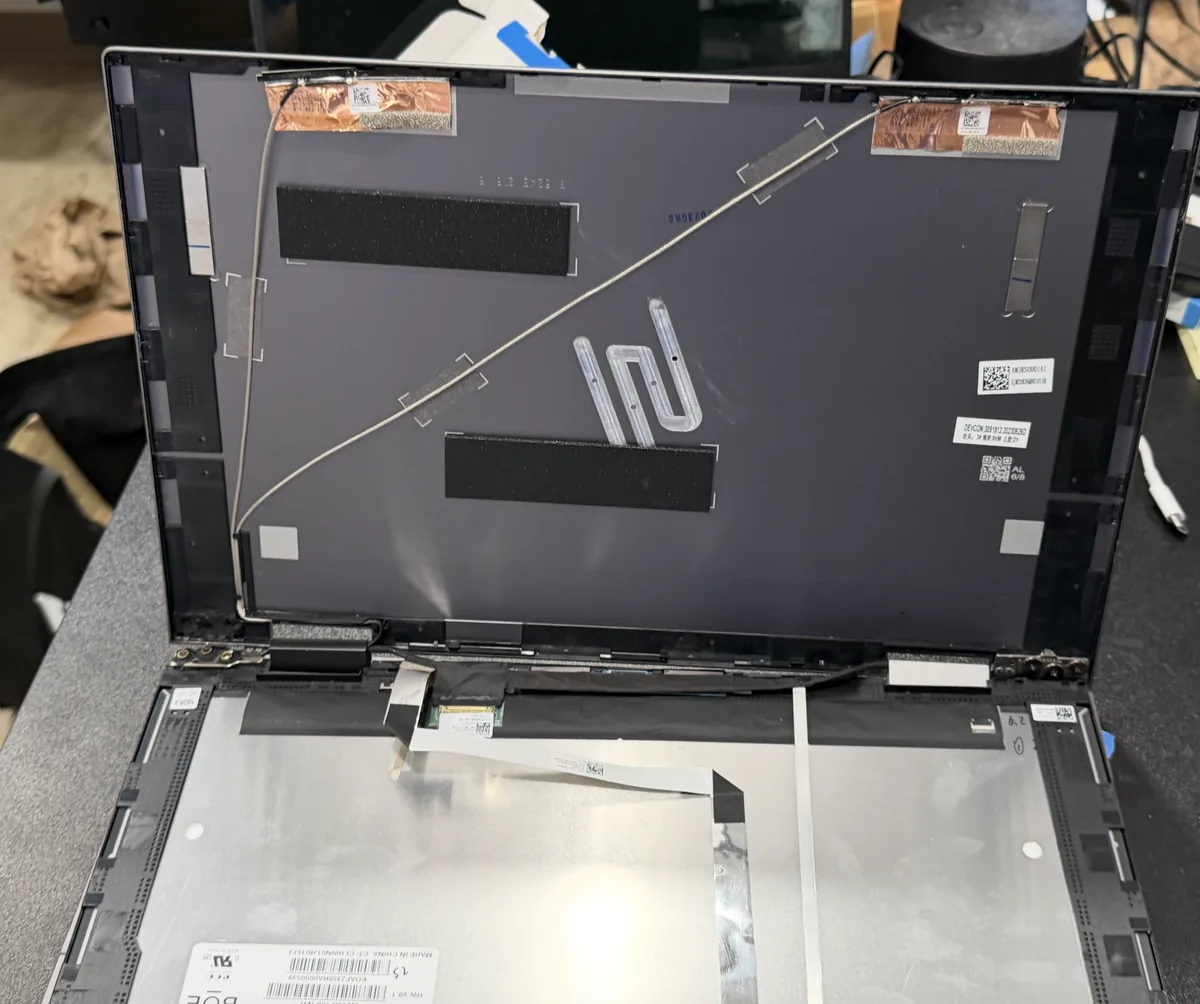
Do you do LCD screen replacement?
Yes, on a laptop, "screen replacement" and "LCD screen replacement" are the same repair. The LCD panel (liquid crystal display) is the layer of the display that actually produces the image; when it's cracked, showing lines or spots, or staying black, we replace that panel with one matched to your model's resolution and finish. We handle LCD display replacement for HP, Dell, Lenovo, ASUS, Acer, MSI, and most other notebook brands.
Do you fix Chromebook screens?
Yes. We replace Chromebook screens for Dell, HP, Acer, Lenovo, ASUS, Samsung, and Google models, touch and non-touch. Chromebook panels are model-specific, so the fastest path is our
Chromebook screen repair page. Send your model and serial number for a free quote.
How much does laptop screen repair cost in NJ?
Most standard panels run
$180–$275 installed. Touchscreen, high-resolution, and OLED panels can run higher depending on your model and size. The estimate is completely free at drop-off with no obligation. We quote the exact price once we see your laptop in person. A phone quote is almost always inaccurate, which we won't do to you. For a full breakdown by panel type, including our 24-hour expedited replacement option, see our
laptop screen repair cost guide.
Can you fix a cracked laptop screen near me in New Jersey?
Yes. Dave's Computers in Somerville NJ provides laptop screen repair and replacement near you in New Jersey. We serve customers from Bridgewater, Raritan, Hillsborough, Edison, Princeton, and across central NJ. Walk-ins always welcome, no appointment needed. Free estimate at drop-off.
How does the $75 deposit work?
If you approve the estimate, a $75 + tax deposit orders your exact screen and is applied toward your total. Decide not to proceed? No deposit is taken.
Do I need an appointment, or can I just walk in?
No appointment needed. Walk-ins are how most screen repairs start here. Bring your laptop to 75 N Bridge St in Somerville any time we're open: Monday–Friday 10–5, Saturday 9–2. You'll get a free estimate at drop-off, usually within minutes.
What happens when I drop off my laptop?
Four steps: drop it off (no appointment), we diagnose it, you get a text with the exact price, and you approve before any work begins. Then you pick it up fixed. Most screens are done in 2–3 business days. No surprises, and no work starts without your OK.
What should I bring when I drop off my laptop?
Just the laptop and your charger: that's it. The charger lets us test the new panel under normal power. No need to share your password: we can fully test the display without logging into your account, and we pull the panel's model number ourselves as part of the diagnostic.
How long does the diagnostic take before I get my exact quote?
For most screen damage you'll get your estimate right at drop-off. A cracked panel is usually a quick visual diagnosis. If the symptoms point to something deeper (cable, backlight, or board), we confirm the exact quote within 24–48 hours. Either way, you approve the price before we order anything.
How long does laptop screen replacement take?
Most screens are done in 2–3 days after the part arrives. If your exact screen happens to be in stock, sometimes same day. Touchscreen or rare models can take a bit longer. We'll give you a realistic time estimate at drop-off.
Will I lose my files during a screen replacement?
No. A screen replacement is an external repair. We don't touch your hard drive, files, or settings. Everything stays exactly where you left it. Your data is completely safe during a screen swap.
What if my screen is just flickering, not cracked?
Bring it in. Flicker, lines, dim screens, and backlight failures are all issues we fix. Sometimes it's just a loose cable that we can reseat for significantly less than a full replacement. We diagnose first and tell you what it actually needs before any work starts.
My laptop turns on but the screen stays black. Is it definitely the screen?
Not always, and that's exactly why we diagnose before quoting. A black screen with the laptop running can be the panel, the backlight, the display cable, or the graphics side of the motherboard. One quick clue: shine a flashlight at the screen at an angle: a faint image means the backlight, not the panel. Bring it in and we'll pinpoint it, or start with our guide on
what a black screen on a running laptop actually means.
My laptop display is damaged but the glass isn't cracked. Can you repair the display?
Yes. Laptop display repair covers more than cracked glass. A dim or dark display, a dead backlight, vertical lines, or a display that shows nothing while the laptop runs are all fixable. Sometimes the fix is a loose display cable we can reseat for far less than a panel; other times the panel itself needs replacement. We diagnose which one it is before quoting, so you never pay for a display repair you didn't need.
Can you fix my laptop's built-in monitor?
Yes. Screen, display, monitor: whatever you call it, it's the same panel, and we fix it. If your laptop monitor is cracked, black, dim, or showing the wrong colors, we repair or replace the built-in monitor on any brand. Got a separate desktop monitor acting up instead? Start with our guide on
whether a damaged monitor is worth fixing.
Do you repair notebook screens, or just laptops?
Same thing: "notebook" is just another name for a laptop, so notebook screen repair is exactly what we do all day. Every size from 11.6-inch to 17.3-inch, every brand from HP and Dell to MSI and Razer, touch or non-touch, with the same 0–5 installed pricing and 90-day warranty as any laptop computer screen we fix.
Can you fix a hairline crack in a laptop screen?
A hairline crack can't be patched or sealed. LCD panels aren't repairable once the glass or crystal layer is damaged, and hairline cracks almost always spread with heat and normal lid pressure. The fix is a panel replacement, the same repair as a shattered screen. Skip the internet "toothpaste" tricks. They don't work on laptop panels. Bring it in before the crack walks across your display.
The bezel or hinge around my screen is cracked. Do you fix that too?
Yes. A cracked laptop bezel (the plastic frame around the screen) or a broken hinge often comes along with screen damage, and it's worth fixing early, because a failing hinge can tear the display cable and turn a cheap repair into an expensive one. We repair or replace bezels, hinges, and lid covers, either together with a new panel or on their own.
Do you repair screens on older or discontinued laptops?
Yes. Panels for discontinued models can usually still be sourced, often for years after the laptop leaves production. If your screen is genuinely unobtainable, or the machine honestly isn't worth the repair, we'll tell you straight at the free estimate instead of taking your money.
Can you recover my files or fix other problems while it's in?
Yes. That's the advantage of a full-service shop.
Data recovery is our specialty, and while your laptop is open we can also handle a battery, RAM, or SSD upgrade in the same visit, one teardown, one trip. See our
laptop upgrade service for what's possible while it's on the bench.
Do you come to my home or office, or is it drop-off only?
We're a drop-off shop, and for screen repair, that works in your favor. Everything happens at our own bench in Somerville: no travel fees built into the price, faster turnaround, and your laptop never rides around in someone's van. Drop-off takes about five minutes, no appointment needed.
Do you fix touchscreen laptops?
Yes. We work on both standard and touchscreen/digitizer panels. Touch models typically cost a bit more because of the extra digitizer layer, but we handle them regularly across all major brands.
Is it worth fixing my screen or should I buy a new laptop?
Under 5 years old and otherwise healthy? A new screen beats buying a new machine. You keep your files, settings, and software. If it's older or has other issues brewing, we'll say so at the estimate.
Why bring it to you instead of Geek Squad or the manufacturer?
Three reasons. Price: our 0–5 is parts and labor, all-in. Big-box repairs quote a labor rate first and add the panel on top. Time: chains typically ship laptops out to a central repair depot, and manufacturer mail-in service often takes a week or two round-trip; we do the work at our own bench in Somerville, usually in 2–3 days. Accountability: you're talking to the shop that does the work, backed by 400+ Google reviews, not a ticket number.
What warranty do you offer on a replaced screen?
Every screen replacement comes with our 90-day warranty on both the part and the labor. If the panel develops a defect (dead pixels, flicker, backlight failure) within those 90 days, we make it right at no charge. New accidental damage (a fresh crack or drop) isn't a defect, so that's not covered, but we'll always give you a straight answer about which one you're looking at.
How do you test the new screen before I pick it up?
Two things before any laptop goes home. First, the replacement panel has to match your original spec (same resolution, brightness, and color) so the picture looks the way it did from the factory. Second, after the swap we let the machine run on the bench: a panel that's going to flicker or lose its backlight usually shows it early, and we'd rather catch that than have you catch it. If it doesn't pass, it doesn't leave.
Who actually does the repair?
Our own in-house technicians, at our own bench at 75 N Bridge St in Somerville. Nothing is outsourced and nothing gets shipped to a depot. The shop that takes your laptop in is the shop that fixes it, and it's been that way since 2011. That's also why our quotes are honest: the people pricing the job are the ones doing it.
How do I find my laptop screen model number?
Every laptop screen has a model number printed on a sticker on the back of the panel: visible only with the screen removed. The first few letters identify the manufacturer: B = AU Optronics, LP = LG Display, LTN = Samsung, NV\/HB = BOE, N = Innolux, LQ\/LM = Sharp. Our techs read this off your panel as part of the diagnostic to source the exact correct replacement. You don't need to open the laptop yourself. Bring it in and we identify the panel for you.
What laptop screen sizes and resolutions do you replace?
We replace screens in all common laptop sizes: 11.6", 13.3", 14", 15.6", and 17.3", in resolutions from HD (1366×768) and FHD (1920×1080) up through QHD (2560×1440) and 4K (3840×2160). We also handle high-refresh gaming panels (120Hz, 144Hz, 165Hz, 240Hz) and OLED displays. We match the exact original spec so brightness, color, and refresh rate stay the same after the repair.
How is laptop screen size measured?
Laptop screens are measured diagonally, corner to corner of the glass only, not including the bezel (the plastic frame around the screen). So a "15.6-inch laptop" has roughly 15.6 inches from one corner of the visible display to the opposite corner. If you're not sure what size your laptop is, we confirm the exact spec when you drop it off, no measuring required on your end.
What's the difference between dead pixels, stuck pixels, and hot pixels?
Dead pixels appear black and don't light up. They're permanently failed and can't be revived. Stuck pixels are locked on one color (red, green, or blue) and sometimes recover on their own or with pixel-fixing software. Hot pixels are stuck bright white. A few isolated dead pixels are usually livable; clusters or pixels that keep spreading mean the panel is failing and warrants replacement. Bring it in and we'll tell you honestly whether it's worth replacing yet.
My screen has lines, ghosting, or backlight bleed. What does that mean?
Each symptom points to a different cause: vertical lines usually mean a failed display cable or damaged LCD; horizontal lines typically indicate panel failure; ghosting or image retention means the panel's response circuitry is degrading; backlight bleed (uneven brightness around edges) is a panel defect; dim screen is usually a failing backlight or inverter. We diagnose which one it is before quoting, sometimes it's just a loose cable that costs far less than a full panel.
Should I replace my laptop screen myself?
Usually not worth the risk: wrong panels, torn ribbon cables, and snapped bezel clips are the most common DIY casualties on our bench, and undoing a botched attempt often costs more than the original repair would have. Our flat rate covers the correct part, the install, the testing, and the 90-day warranty.
Do you sell laptop screens by themselves?
No. We do not sell screens separately. All replacement panels are sourced and installed by our technicians as part of a complete repair service. This way we can guarantee the right part for your exact laptop, test it properly before final assembly, and back the work with a 90-day warranty on parts and labor.
Do you use OEM or aftermarket replacement screens?
We source OEM-equivalent panels, same manufacturer, same model number, same specifications as your original. For most laptops, the original screen was already made by a third-party supplier (AU Optronics, LG, Samsung, BOE), so a properly matched replacement is functionally identical to the one your laptop shipped with. We avoid low-grade aftermarket panels that compromise brightness or color accuracy.
IPS vs TN laptop screens. What's the difference?
IPS (in-plane switching) panels offer wider viewing angles and more accurate color, almost every modern laptop uses IPS. TN (twisted nematic) panels are older, cheaper, with narrower viewing angles and washed-out color at angles, but faster pixel response (still found in some budget and older gaming laptops). We match whatever your laptop originally shipped with. Upgrading from TN to IPS is sometimes possible if a compatible IPS panel exists for your model.
Do you replace 120Hz, 144Hz, 165Hz, and 240Hz gaming laptop screens?
Yes. We replace high-refresh gaming panels at all common rates: 120Hz, 144Hz, 165Hz, 240Hz, and 360Hz, for ASUS ROG, MSI, Alienware, Lenovo Legion, Acer Predator\/Nitro, HP Omen, and Razer laptops. We source the matching refresh-rate panel for your model. Installing a lower-refresh panel in a high-refresh laptop loses the spec you paid for, so we always match the original.
Can you replace an OLED laptop screen?
Yes. We service OLED panels on Dell XPS, Lenovo Yoga and ThinkPad X1, ASUS ZenBook and ProArt, HP Spectre, and MSI Creator models. OLED replacement panels cost more than standard LCDs due to the technology and limited supply, but the depth of black and color accuracy are worth preserving on premium machines. We quote the exact part after diagnostic, OLED parts vary widely.
Do you replace 4K and UHD laptop panels?
Yes. 4K (3840×2160) and UHD panels are common on Dell XPS, HP Spectre and Envy, Lenovo ThinkPad and Yoga, ASUS ZenBook Pro, and MSI Creator laptops. They're more expensive to replace than FHD panels and the part needs to match exactly. Installing an FHD panel in a 4K laptop usually doesn't work and can damage the display circuitry. We source the correct resolution and confirm the spec before ordering.
Matte vs glossy laptop screen. Can I switch when replacing?
Sometimes. Matte (anti-glare) panels reduce reflections: better for offices and outdoor use. Glossy panels show more vivid colors and deeper blacks, better for media. For some laptop models both matte and glossy versions of the panel exist and we can install your preference if available. For others only one finish was made and we have to match the original. We'll tell you what's available for your specific model at drop-off.
What's the difference between eDP 30-pin and 40-pin connectors?
The connector at the bottom of the LCD panel comes in different pin counts depending on what the panel does: 30-pin eDP handles most modern standard panels, 40-pin eDP is used for high-refresh gaming panels (120Hz+), touchscreens, and some 4K panels, and 20-pin or 50-pin shows up on older or specialty laptops. The connector must match exactly. Wrong connector means the panel won't display or can damage the board. Our techs verify the connector before ordering. This is one of the most common reasons DIY screen replacements fail.