Looking for In-Home Computer Repair in NJ? There's a Better Way
We made house calls for 13 years. Now we fix everything at our Somerville shop, and you save hundreds. Can't carry it? Pull up out front and we'll lift it, unplug it, and set it back up for you.

A Home Visit Sounds Easier. Here's the Part No One Tells You.
Three honest reasons after 13 years of doing it.
You pay while we wait
Updates and scans take hours. The clock keeps ticking the whole time.
One visit rarely fixes it
Slow PCs and viruses usually need 2–4 hours, not 1. You end up with a band-aid.
It costs 2–4× more
$160/hour at home vs. a flat $175 at our shop. Same job, big difference.
The Same Repair, Two Prices
A real slow-PC tune-up at home vs. at our Somerville shop.
🏠 $160 / hour
🏪 Flat $175
Flat $175 covers most slow-PC and tune-up jobs. Data recovery and parts are quoted separately.
Customers Who Tried In-Home First
We hear these stories all the time. In-home techs do their best, but a service van just doesn't have what a workshop has.
Paid $340 for someone to come fix my slow computer. Three hours of him sitting in my dining room watching scans. It was slow again in two weeks. Brought it to Dave's, flat $175, and it's been running like new for eight months.
The first technician I hired said it was a virus and reinstalled Windows — and lost 15 years of family photos. Dave's recovered every single one from the old hard drive. I cried. I will never let anyone but them touch a computer again.
A company sent a young man to my house for a "tune-up." He couldn't figure it out and said I needed a new computer. Took it to Dave's and they had it running in a day — turned out to be a bad stick of memory. They had spare parts to test. The in-home guy didn't.
Geek Squad came out twice and the WiFi still dropped every hour. Dave's looked at it for ten minutes and said the router was the problem, not the computer. Twenty bucks for a new cable and we were done. Saved me hundreds.
I was nervous about disconnecting my desktop and the in-home tech charged me $160 just to set it up again after he replaced the hard drive. Dave's labeled all my cables at pickup so my husband and I could plug it in ourselves. So thoughtful.
Three different in-home companies told me my laptop was unfixable and I should buy a new one. Dave's diagnosed it the next day — a $40 part. I'm typing this review on the same laptop two years later. Don't give up before you call them.
Names shortened for privacy. Stories represent typical customer experiences from our 300+ reviews on Google.
We Come Out to Your Car. That's the Whole Trip.
Three simple steps. We do the hard parts.
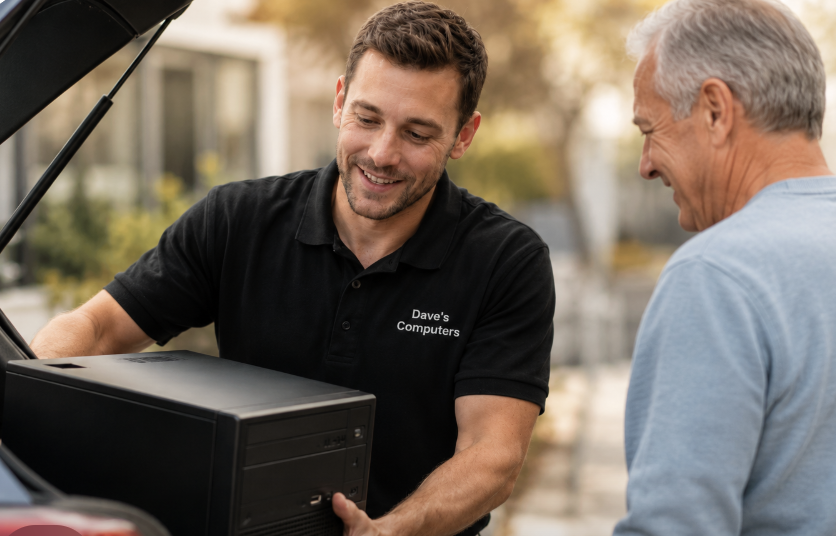
Drive & Park
75 N Bridge St, Somerville. Free parking right at the door.
Call from Your Car
Dial (908) 428-9558. Stay seated — we walk out to you.
We Carry It In
We unplug everything, photograph the cables, and bring it inside.
📌 At pickup, we make it easy:
- We plug everything back in at home — or show you exactly how
- We label the back of your computer so cables make sense
- You get a printed step-by-step guide to keep at your desk
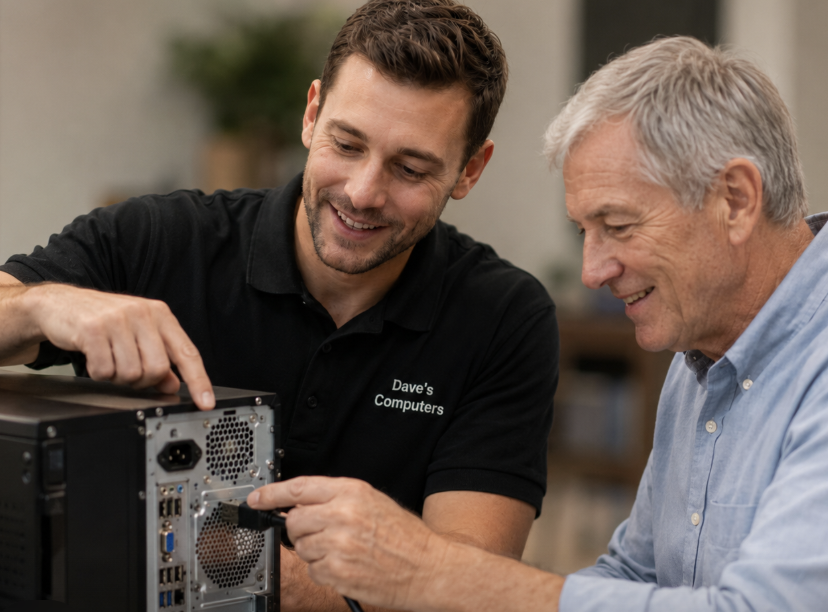
Bring Us Your List: A La Carte Computer Help
Most people don't come in with one problem. They come in with a list: two to five things the computer won't do, scribbled on paper or typed into a phone. That's exactly how we work. We go through your list item by item and check each one off. Quick tasks like an email setup can often be done while you wait. A full list stays with us for 24 to 48 hours, because we would rather test everything properly than hand you back a machine where three of the five problems come back next week. Here are the situations that land on our bench again and again.
Locked out of your email: Yahoo, AOL, Comcast, Gmail, Microsoft
One we see every single week: someone gets a new phone or computer, and suddenly the email address they've had for 20 years won't let them in. The password that always worked gets rejected. The recovery code goes to an old cell number they no longer have, or a second email address they forgot existed. After three tries the account locks completely, and now they're worried about losing every message, contact, and photo attachment since 2005. Bring the machine in and we work through the recovery with you, then set things up so this doesn't happen again.
Outlook won't connect to your email
A classic on our bench: a new computer, Outlook installed, and a Yahoo, AOL, or Comcast account that simply refuses to sign in. The password is correct, but Outlook rejects it anyway, over and over, with no explanation. Fifteen years of folders and contacts need to come across intact, and the phone still has to sync. It looks like a five-minute job and turns into an afternoon of frustration at home. On our bench it's often a while-you-wait fix, and you leave with email working everywhere.
“Here's my list of programs. Please install them.”
New computer, or a fresh Windows install, and now nothing is on it: no Office, no printer software, no Quicken, no photo program, no antivirus. People hand us a handwritten list and we install every item, sign in the ones that need accounts, confirm each one opens, and remove the factory junk that came preloaded while we're in there. You get the machine back ready to use, not ready to configure.
The loud fan or the dead keys
A desktop that sounds like a hair dryer, or a laptop where the E key and the spacebar stopped responding. Small parts, but they're the kind of repair that goes sideways fast at a kitchen table: the wrong replacement part ordered online, a ribbon cable that tears, screws that vanish. We source the correct part, install it, and stress test the machine before you pick it up.
“Can you just show me how?”
Not everything is broken. Sometimes the question is how to attach a photo, how to move files to the new computer, where documents actually go when you save them, or how to stop the pop-up that appears every morning. Bring your questions with the machine. We walk you through it on your own computer, in plain English, and write down the steps so you have them at home.
Buying a new computer without getting burned
The big-box aisle is a wall of lookalike laptops, and the specs on the tag don't tell you which one will feel slow in a year. We help you pick the right machine for what you actually do, and you can even have it shipped straight to our shop. We handle the full new computer setup: we move everything from the old computer (files, photos, email, bookmarks, printer), strip the bloatware, and you take home a computer that works the second you plug it in.
Speed up an older computer instead of replacing it
A five-year-old machine that takes three minutes to boot and freezes with two browser tabs open feels finished, but often it isn't. Many of these computers are healthy and just starved for memory or stuck on an old-style hard drive. We test yours, tell you honestly whether an upgrade makes sense or the money is better spent on a new machine, and if it's worth doing, you get back a computer that feels new for a fraction of the price of one.
Laptop battery replacement
The laptop that dies the second the charger comes out, shuts off at 40 percent, or has a battery so swollen the trackpad stopped clicking. Swollen batteries are not a wait-and-see item; they get worse. We source the correct battery for your exact model, install it, and verify the machine charges and holds properly before pickup.
Microsoft Office and Word problems
Word disappeared after an update. Office keeps demanding activation on a computer where it worked for years. You're paying for Microsoft 365 monthly and also bought Office once, and nobody can tell you which one the computer is actually using. We sort out what you own, what you're paying for, and get Word, Excel, and Outlook opening your files again.
“OneDrive moved my files and I can't find anything”
One day the Documents folder is empty, everything has a little cloud icon on it, and a message keeps saying storage is full. Nothing was deleted, but nothing is where it used to be either, and every folder asks you to sign in. OneDrive and iCloud confusion is one of the most common items on the lists we see. We find your files, put them where you expect them, and set the cloud up to help you instead of ambushing you.
Expired antivirus pop-ups that won't go away
The McAfee or Norton that came with the computer expired two years ago, and now it nags every hour demanding renewal. Sometimes there are two or three security programs installed at once, all fighting each other and slowing everything down. We remove what's expired or duplicated, set up protection that actually runs, and the pop-ups stop.
Get years of iPhone photos onto your computer
Eight thousand photos on the phone, a warning that phone storage is full, and a computer that either doesn't recognize the iPhone at all or imports three pictures and stops. Bring the phone and its cable with the computer. We get the photo library across, organized, and viewable, so the pictures finally live somewhere bigger than a phone.
Add a second monitor to your setup
You bought a second screen and now it shows nothing, mirrors the first one instead of extending it, or displays everything in text so small it's unreadable. Half the time the cable in the box is the wrong one for the ports involved. Bring the computer and the monitor together: we connect them, set the arrangement and text size the way you want, and label which cable goes in which port.
Camera or microphone not working for video calls
The grandkids call and see a black square. Zoom says the microphone is in use by another application. The camera worked last month and now every meeting starts with “can you hear me?” We test the camera and mic on our bench, fix what's blocking them, and place a real video call before you pick up, so the next family call just works.
Wipe your old computer before selling or donating it
Deleting your files and emptying the recycle bin does not remove them; the next owner can get much of it back with basic tools. Your taxes, passwords, and photos deserve better than that. We securely erase the drive and reset the machine so it's safe to hand to a stranger, and if it's not worth selling, we handle computer recycling too.
Make a recovery USB before you need it
The one item nobody puts on their list until it's too late. A recovery drive is a small USB stick that can bring a computer back when Windows won't start, and it can only be made while the machine is still healthy. Add it to the bottom of your list when you drop off. It takes us little time, costs little, and the day you need it, it's the difference between an annoyance and an emergency.
Something not on this list?
This page could never fit everything. We are an a la carte shop: if it involves a computer, put it on your list and call us at (908) 428-9558 or bring the machine to 75 N Bridge St in Somerville. We'll tell you straight whether it's a while-you-wait item or one to leave with us.
Off Your First Repair
Bring this page in or show it on your phone at drop-off.
New customers only. Valid on labor only. Must present at drop-off. One per household. Not valid with other offers.
Find Our Somerville Repair Shop
One location serving all of Somerset County and central New Jersey.

📍 Dave's Computers
Somerville, NJ 08876
Behind Bank of America — free parking at the door
Saturday: 9am–2pm
Sunday: Closed
Somerset ~15 min • Edison ~20 min
FAQ — In-Home vs In-Shop Repair Across New Jersey
Do you actually come to my house in NJ?
No — we don't offer in-home or on-site computer repair for home customers. All work happens at our Somerville shop. In-shop repairs cost less, get done faster, and we do a much more thorough job. If you can't carry your computer in, we come out to your car when you arrive.
I'm scared to unplug my computer. Now what?
Don't unplug anything. Snap a photo of the back of your computer with your phone before you leave — that's all we need. Drive over, park in our lot, and we'll come out, finish unplugging it, and carry it inside for you.
At pickup, show us your photo and we'll show you exactly where each cable plugs in. We can also label the back of the tower so the cables make sense forever after.
How does the $30 new-customer discount work?
Print the coupon above (or show it on your phone) at drop-off. $30 off labor for new customers. One per household. Not valid on parts, data recovery, or specialty services.
How long does an in-shop repair take?
Most slow-PC tune-ups, virus removals, and basic fixes are ready same-day or next business day. We give you a realistic estimate when you drop off, and we call before doing any extra work that costs more.
Why is in-shop really cheaper than in-home repair?
Because we don't charge you while a virus scan or update runs. At our shop, your computer can sit on the bench for hours doing its thing — we're working on someone else's machine the whole time. In your home, you'd be paying $160/hour to watch a progress bar.
Do you serve businesses with on-site IT?
Yes — for businesses, we do offer on-site IT support across New Jersey. The information on this page is for home customers only. See our Business IT Support page.
What areas do you serve from Somerville?
Customers come to our shop from throughout Somerset County and central NJ — including Bridgewater, Somerset, Franklin Township, Bound Brook, Raritan, Manville, Warren, and Watchung. All work is done at our Somerville shop.
Do computer repair shops still make house calls?
Very few — and after 13 years of making them ourselves, we understand why. A house call bills you for travel and for every minute a scan runs, and the van outside carries no spare parts, no test bench, and no second opinion. Our replacement for the house call is the car-side handoff: park in our lot, call, and we come to you. Shop-grade repair, house-call convenience, no hourly meter.
Does Geek Squad come to your house, and is that my only option?
Best Buy does offer scheduled in-home visits for some services — and anything complicated still tends to end with the computer heading to a store or a depot anyway. The other option is a local bench: drop off, or park and let us carry it, and talk directly to the person doing the work. We compared the two in local repair vs. Geek Squad and looked at how long Geek Squad repairs take.
What is mobile computer repair, and why do you not offer it?
Mobile repair means a technician works from a vehicle at your location, and the honest limitation is the vehicle: it cannot carry a parts inventory, spare power supplies, known-good RAM and drives for testing, or a bench where diagnostics can run for hours. Mobile visits often end with “I need to take this with me” — the drop-off you were trying to avoid, only now on someone else’s schedule. We skip the middle step: your machine goes straight to a fully equipped bench.
I searched in-home computer repair near me. How do I vet whoever shows up?
Carefully — you are inviting them into your house. Look for a real street address you could visit, years in business under one name, proof of insurance, and a review history that matches the person at your door. A first name and a cell number is not a business. One advantage of a storefront: you can walk into ours any business day, which is its own background check.
Someone called offering to fix my computer at home or remotely. Is that a scam?
Treat it as one. Legitimate shops do not cold-call, and neither do Microsoft, Apple, or your bank. Unsolicited offers of a home visit or remote access — often following a fake invoice or virus email — are the opening move of the most common fraud we clean up after. Hang up, and never let an unsolicited caller connect to your machine. If one already did, change your passwords from a different device and bring the computer in for a full sweep.
Can you fix my computer remotely instead?
Sometimes, and we will say so when it fits. Remote support suits a narrow slice: software questions on a machine that boots and gets online. It cannot test hardware, recover a failing drive, replace a part, or revive a computer that will not start — which covers most of what actually goes wrong. One rule either way: safe remote support is something you request, never something that calls you first.
My computer will not even turn on. Does that not mean you have to come to me?
The opposite — a dead computer is the easiest one to transport, because nothing is running and nothing can be interrupted. Snap a photo of the back, unplug the cables, and bring the tower with its power cord. The fix needs what a living room does not have: known-good parts to test against until the real fault shows itself.
How do I transport a desktop computer in my car without damaging it?
With far less ceremony than you would think for a fifteen-minute drive. Stand the tower upright on the floor behind the front seat, or belt it onto the seat with a towel underneath, and drive normally. That is genuinely all. And if lifting it is the hard part, skip it: park in our lot and we carry it both ways.
Do I need the original box or special packing to bring my computer in?
No box, no foam, no bubble wrap. Packing rules exist for shipping companies and cross-country movers, not for a short drive to Somerville. A seat, a seatbelt or a towel, and a normal drive is all any machine needs — laptops just ride in their bag.
My iMac or all-in-one is too big and awkward to move. Now what?
All-in-ones look intimidating but weigh less than most towers. Lay a blanket across the back seat or trunk, rest the machine on it, and drive normally — then stay in the car and we carry it in. iMacs of every generation are regulars on our bench; see our iMac repair page.
What do I actually need to bring — the whole setup?
Almost never. Desktop: the tower and its power cord. Laptop: the laptop and its charger. Monitor, keyboard, mouse, and speakers stay home unless one of them is a suspect — and if the problem involves your printer, bring it too and we test the pair together.
I physically cannot lift my computer. Can someone help me get it to you?
Yes — that is exactly what the car-side handoff is for. Park, call from the driver’s seat, and we come out and carry the machine in; at pickup we load it back into your car. Plenty of customers also send a son, daughter, or neighbor with the machine. No appointment, nothing to explain — we call you directly with the diagnosis.
My real problem is the Wi-Fi. How can you fix that from your shop?
Because the first question — is it the computer or the router? — is answered on our bench in minutes. If your machine connects instantly to our network, the computer is healthy and we hand you the specific router or provider step to take at home, instead of a two-hour house call that reaches the same conclusion. If it will not connect here either, we found your problem, and we fix it on the spot.
My printer will not work with my computer. Does that not need a home visit?
Only if the printer refuses to travel — and it fits on a back seat just fine. Bring both machines: we pair them on the bench, install the correct driver, print a test page, and label which cable goes where. Printer house calls are the classic slow hourly job; on the bench it is quick and verified before you pick up.
Can you set up my brand-new computer so it works the second I get home?
Yes. Bring the new machine — still in the box is fine — and the old one. We move your files, photos, email, and bookmarks, strip the factory bloatware, bring updates current, and sign in your printer and programs, then verify nothing was left behind. Details on our new computer setup page. At home, you plug in one power cord.
What if the problem only happens at my house?
Intermittent faults are a bench specialty, not a blind spot. Here we can stress-test for hours — heat, load, restart cycles — which reproduces most “random” problems that never perform on cue during a one-hour visit. And if a machine tests perfect here but misbehaves at home, that result points somewhere specific: the outlet, the power strip, or the network. We tell you exactly what to check, free, instead of billing an afternoon of guessing.
Do you take walk-ins, or do I need an appointment to drop off?
Walk-ins are welcome any time we are open — no appointment system, no scheduling window, no waiting on a van. Monday to Friday 10am–5pm, Saturday 9am–2pm. The only “appointment” you might make is the call from our parking lot so we can come carry your machine inside.
What does in-home computer repair actually cost per hour in NJ?
Home-visit services in our area typically bill by the hour, and real jobs are rarely one hour — a slow-PC cleanup or infection removal runs two to four hours of scans and restarts, so the meter multiplies fast. That math is exactly why we stopped offering house calls. On our bench the same work is a flat $175, because your machine can run its scans while we work on someone else’s.
Does Best Buy or Staples repair computers — and how are you different?
They do — and for many jobs the work waits in a queue or ships out to a service center. The difference here is scale in your favor: one bench, one accountable person, your drive never leaves Somerville, and when you call, you reach the technician who actually has your machine open. Our full comparison: local shop vs. big-box repair.
Is my data safer at your shop than with a stranger in my house?
Consider what each option knows about you afterward. An unknown home-visit tech leaves with knowledge of your machine and your address. A storefront gives you the reverse: a fixed business you can walk into, thirteen years of reviews under one name, and repair done in one place by one person — your computer never ships anywhere. More on this in is it safe to take your computer to a repair shop.
Pull Into the Lot. We Take It From There.
Call us, drive over, pull into the lot. We'll handle the rest.
📞 (908) 428-9558