Data Recovery for Montgomery, NJ
Every recovery starts with a $75 diagnostic. From Skillman Park, our Somerville shop is about 28 minutes north by way of Belle Mead and the Route 206 bypass. Bring in the drive or the whole computer, and we will send you the diagnosis and a flat price by text. Nothing is recovered until you approve.
75 North Bridge St, Somerville NJ 08876 · Private parking · Walk-ins welcome, no appointment needed
Contact Us First. It Takes Two Minutes.
No appointment is needed, but a quick message before you leave Montgomery saves you a wasted trip. Tell us what happened to the drive and we'll tell you what to bring and what not to do in the meantime.
- Whether to bring the whole computer or just the drive
- How to keep a clicking or failing drive from getting worse
- Whether rush service makes sense for your deadline
Bring the Drive In.
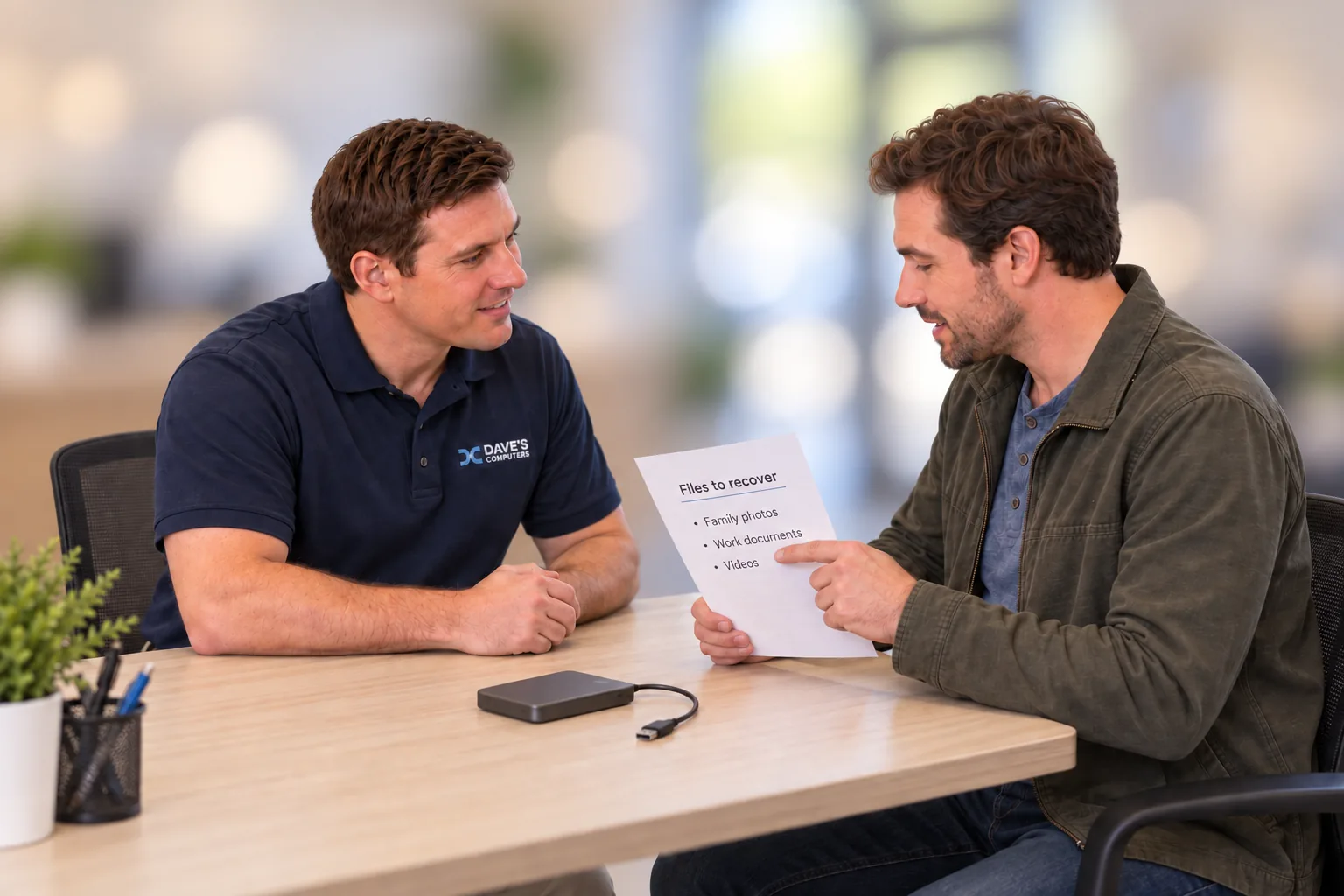
No appointment. Check in at the kiosk.Walk in during shop hours and check in on our kiosk. The screen explains how data recovery works in large, easy-to-read text, confirms your turnaround time, and asks you to tick a box and sign on screen. Tell us which files matter most (a family's farm and property records, a scientist's work laptop files, a student's science fair data, years of travel photos) so we look for those first.
We work on internal hard drives and SSDs, external USB drives, flash drives, SD and camera cards, desktops and laptops, and NAS or RAID boxes. We do not recover data from phones.
- Monday to Friday
- 10am to 5pm
- Saturday
- 9am to 2pm
- Sunday
- Closed
$75 to Find Out What's Recoverable.
Standard diagnostic: 2 to 3 days.The diagnostic tells us why the files disappeared (a failing drive, a deleted folder, a corrupted partition, a dead computer around a healthy drive) and how much of your data can realistically come back. You get an honest answer, not a sales pitch.
Your drive stays on our bench in Somerville the whole time. We don't box it up for a lab in another state, so you're never waiting on a shipping label to find out what happened to your files.
- Diagnostic FeeDrive evaluation and recovery assessment
- $75
- Rush ServiceWe offer rush. Ask about it at drop-off
- Available
Credited if you go ahead. When the recovery is approved, the $75 comes off your recovery price. It's not an extra charge.
We Text You the Plan.
Nothing gets copied until you say yes.At check-in we text your ticket number so you know your drive is logged. When the diagnostic is done, we text what we found in plain language: which folders are readable, roughly how much data that is, and the flat price to copy it to a new drive. Reply yes and we start. Reply no and nothing else is charged.
Your ticket # is #40891.
We'll text you once the recovery diagnostic is complete. 👍
Get Your Files Back.
Diagnostic fee already deducted.We text you when the recovery is finished. Come by during shop hours, pay the balance, and take your files home. In the example here, the recovery was quoted at $299. The $75 diagnostic you paid at drop-off comes off that, so the balance due at pickup is $224 plus NJ sales tax.
- Data Recovery (quoted)
- $299.00
- Diagnostic Paid at Drop-Off
- -$75.00
- Subtotal
- $224.00
- NJ Sales Tax (6.625%)
- $14.84
Avoid the Fake Data Recovery Listings
Around Montgomery, some listings for data recovery are simply drop-off spots that forward drives to labs out of state. Shipping a failing drive adds days and risk, and a lost box means lost files. Our shop keeps your drive local, on our own bench.
Your drive goes in a box
- The local listing only collects the drive, then ships it to a lab you've never seen, often in another state.
- A failing drive gets bounced around in a delivery truck, and a package can be delayed, damaged, or lost.
- Your family photos or client files pass through strangers' hands and a shipping depot.
- You wait on transit both ways before anyone even looks at it, and the person at the counter can't answer your questions.
Your drive stays in Somerville
- All recovery work is done on-site, on our own bench at 75 N Bridge St. Your drive never leaves the building.
- You hand it to the person who actually does the work, and you can call the shop directly at 908-428-9558.
- Standard diagnostic in 2 to 3 days with no shipping time, and rush service is available.
- If your drive needs something beyond what we do in-house, we tell you plainly and can give you the contact for a recovery partner. The choice stays yours.
Quick test: before you hand over a drive anywhere, ask "Will my drive be recovered here, in this building?" If the answer involves shipping, you're looking at a drop-off point, not a lab.
Data Recovery for Montgomery Township, From Belle Mead to Blawenburg
Montgomery Township was incorporated in 1798 and named for General Richard Montgomery, who fell at the Battle of Quebec in 1775. Its population nearly doubled in the 1990s and is now roughly 24,000. As farmland turned into neighborhoods, family records moved from filing cabinets onto hard drives.
Skillman Park and village history
Skillman Park opened in 2015 on 247 acres that once held Skillman Village, keeping much of Charles Leavitt's early tree-lined layout. If your photos from the park's trails are stuck on a failing SD card, bring it in and we will diagnose it before anything else.
Farm families and old records
Farms of 300 to 500 acres were once common in Montgomery. If your family's old deeds and photos are scanned onto a single drive and it fails, we check it in our Somerville shop and text you a flat price first.
Professionals near Princeton
If you commute to the Princeton area and keep work files on a laptop or a home NAS, and that device stops responding, bring it to us. If the job goes beyond our in-house work, we can share the contact for a recovery partner.
Montgomery Township communities we serve
Heads up: Dave's Computers doesn't have a location in Montgomery. Every recovery happens at our shop at 75 N Bridge St, Somerville, and your drive never leaves the building.
Directions from Montgomery to Our Somerville Shop
From Skillman Park you head north on Belle Mead-Blawenburg Road, join US 206, and follow the Route 206 bypass all the way to Bridge Street in Somerville.
From Skillman Park in the Skillman section of Montgomery
- Leave the park by Dodds Road, Larocque Circle and Main Boulevard West. The park roads take about half a mile; follow them out to Belle Mead-Blawenburg Road.
- Turn right onto Belle Mead-Blawenburg Road (County Route 601). This is a long, quiet stretch of about 4.9 miles heading north through Belle Mead.
- At the end of the road, turn left onto US 206. Stay on US 206 North for about 0.7 miles.
- Bear straight onto the US 206 Bypass (Peter J. Biondi Memorial Bypass). Ride the bypass for roughly 6.3 miles.
- Go right on South Bridge Street. Head north about a mile into downtown Somerville; after you cross Main Street the name changes to North Bridge Street.
- Turn left at 75 N Bridge St., our driveway. Look left for the blue Dave's Computers arrow sign. Park in the private lot and start your check-in on our kiosk.
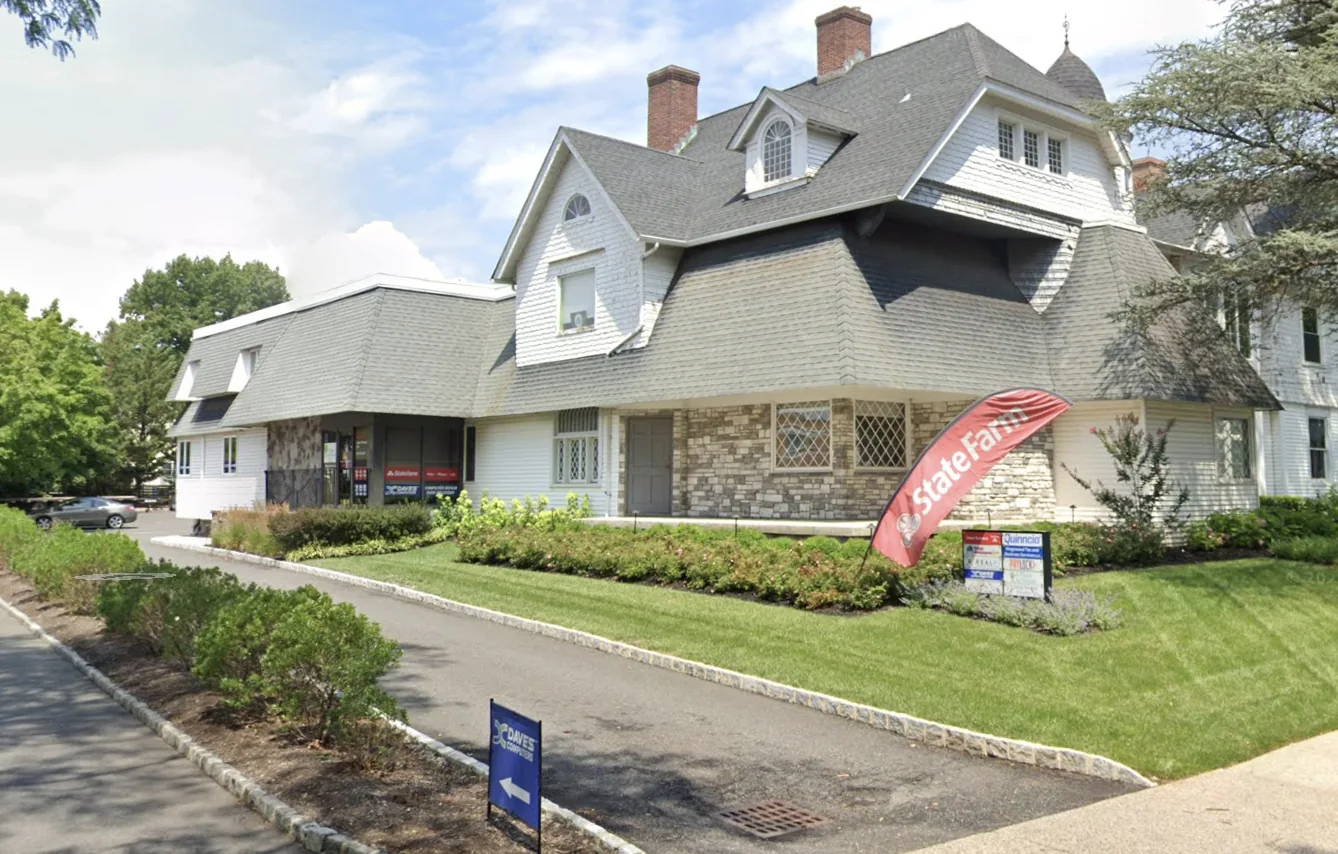
A Real Office, With Our Own Parking
We work out of a commercial office building on North Bridge Street, not a spare room in someone's house. It's the large gray-shingled building with the stone front and the tall brick chimneys.
- Find the blue arrow sign. Our Dave's Computers sign sits at the curb right at the driveway entrance.
- Pull into the private lot. Follow the driveway along the left side of the building to the parking lot. Parking is free.
- Look for our windows. Our entrance is in the single-story wing facing the lot, with Dave's Computers signs in the windows.
A Few More Things
Need It Sooner?
Standard turnaround is 2 to 3 days. We also offer rush service; we'll go over timing and cost with you at drop-off.
Rush AvailableCan't Carry It In?
Heavy tower or a NAS box full of drives? Call us from the parking lot at 908-428-9558 and we'll come out to your car to carry it in.
Call Us FirstWant the Full Picture?
See everything we recover on our data recovery in New Jersey page, or read how data recovery pricing works before you come in.
Montgomery Data Recovery FAQ
How much is the data recovery diagnostic?
$75. It covers checking the drive, finding out why the files are missing, and telling you what can be recovered. If you approve the recovery, the $75 is credited toward the price.
When is the $75 refunded?
When you hand us the drive directly (a bare drive, external drive, USB flash drive or SD card) and we can't recover your data, the diagnostic is refunded. If the drive has to be removed from a laptop or desktop, that removal is labor, so the diagnostic isn't refunded even if recovery isn't possible.
How long does it take?
The standard diagnostic takes 2 to 3 days. We also offer rush service, and we'll go over it with you in person at drop-off.
How far is your shop from Montgomery?
From Skillman Park in the Skillman section of Montgomery it's about 13.7 miles and 28 minutes, mostly on Belle Mead-Blawenburg Road, US 206 and the US 206 Bypass. The shop is at 75 N Bridge St, Somerville, with a private parking lot. Look for the blue Dave's Computers arrow sign at the driveway.
Is there a charge just to find out whether my Montgomery family's old hard drive can be saved?
Every recovery starts with a $75 diagnostic, which usually takes 2 to 3 days. If you approve the recovery, the $75 is credited toward it. We text you the diagnosis and a flat price, and you decide.
Do you ship my drive to another lab?
No. All recovery work is done on-site at our Somerville shop, and your drive never goes in the mail. If a drive needs work beyond what we do in-house, we'll tell you and can give you the contact for a recovery partner, so you decide what happens next.
Can you recover files from my phone?
No. We recover data from hard drives, SSDs, external drives, USB flash drives, SD cards, computers, and NAS or RAID systems, but not from phones.
Do I need an appointment?
No. Walk in Monday to Friday 10am to 5pm or Saturday 9am to 2pm and check in at the kiosk. Questions first? Call 908-428-9558.
Bring the Drive In Today.
$75 diagnostic. Honest answers. The same technician since 2011.
908-428-9558Mon-Fri 10am-5pm · Sat 9am-2pm · 75 N Bridge St, Somerville NJ · About 28 minutes from Montgomery