Windows 10 End of Support: Microsoft Just Gave You Another Year. Here's How to Use It.
If you are still on Windows 10, you are far from alone, roughly a quarter of the world's PCs are right there with you, and there is genuine news. Windows 10's official end of support came and went on October 14, 2025, and the security lifeline Microsoft offered, the consumer Extended Security Updates program, was set to expire this October. In late June, Microsoft quietly extended it: consumer ESU now runs through October 12, 2027.
That is a real reprieve, but it is a bridge, not a destination. Here is what the extension actually gives you, how to claim it, and the honest decision tree we walk Windows 10 owners through at the shop, whether the right answer for your machine is enroll, upgrade, or replace.
What just changed, in plain English
Since end of support, Windows 10 has received no security patches unless the machine is enrolled in ESU, and those monthly patches matter: month after month of fixes have shipped since October that unenrolled machines simply never got, while the flaws they fix became public knowledge. The June change moves the consumer program's end date from October 2026 out to October 12, 2027, and if you already enrolled, your coverage continues automatically with nothing to do.
Enrollment remains refreshingly easy for a Microsoft program. On a Windows 10 machine running version 22H2 and signed into a Microsoft account, the enroll link appears right in Settings under Windows Update, and there are three ways in: free if you sync your PC settings with Windows Backup, 1,000 Microsoft Rewards points, or a one-time $30 purchase, with one enrollment covering up to 10 devices. Ten minutes of clicking buys another year of patches. If your Windows 10 machine is not enrolled, this is the single most important computer chore on your list this month.
The one check to run today
Open Settings, go to Windows Update, and look for the Extended Security Updates enrollment link; enroll if you have not. While you are there, run Microsoft's free PC Health Check app to learn whether your machine is eligible for Windows 11. Those two checks, both free and safe, tell you exactly which branch of the decision tree below you are on.
The decision tree we walk customers through
- Your PC is Windows 11 eligible: upgrade, on your schedule. The upgrade is free, your files and programs come along, and you stop worrying about deadlines entirely. Two honest caveats from the bench: an aging machine feels the upgrade more than a young one, and Windows 11 on a slow hard drive is a miserable pairing, so this is often the moment an SSD and a memory bump turn "tolerable" into "feels new." (If the machine was already dragging before any upgrade talk, start with our guide on how to fix a slow computer.) If an upgrade attempt has already gone sideways on you, that mess is routine work for our Windows support bench.
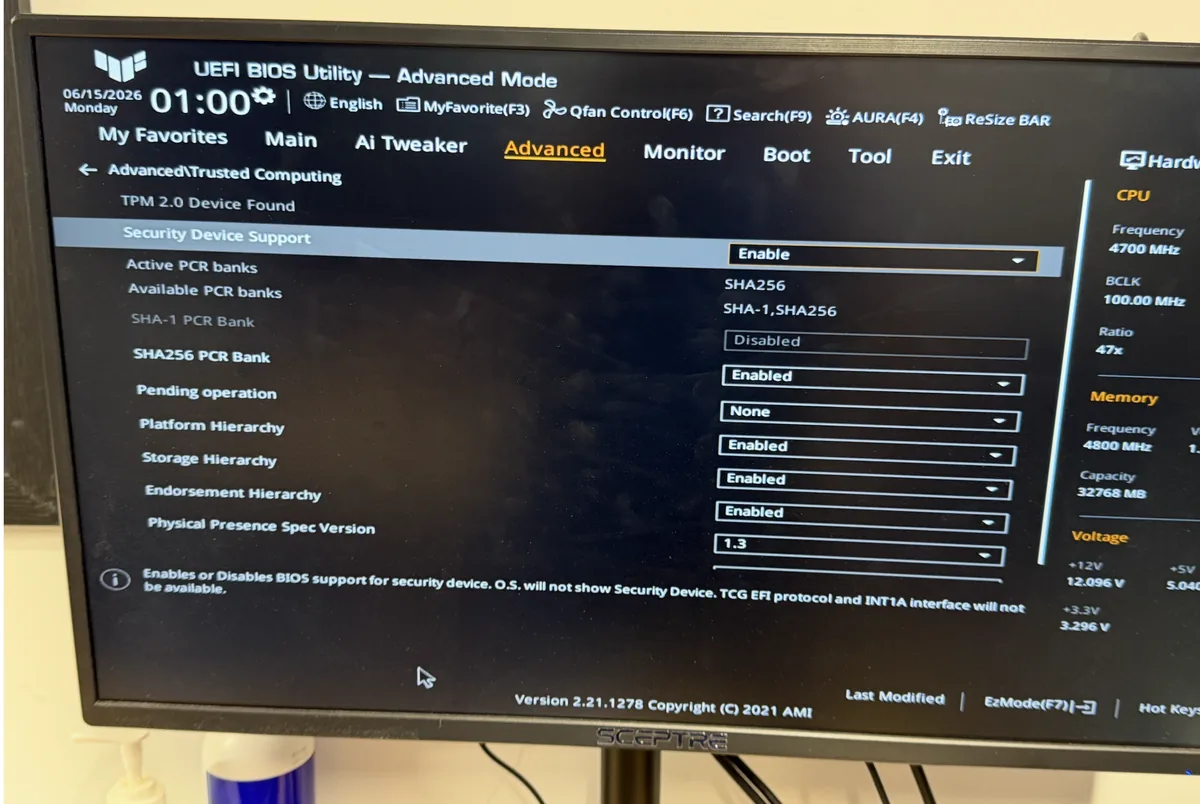
- Not eligible, but the machine is otherwise good: enroll in ESU and plan calmly. Windows 11's requirements, TPM 2.0 and a relatively recent processor, exclude a lot of perfectly serviceable hardware, and that is exactly who ESU is for. Enroll, and you have until October 2027 to decide on your terms instead of in a panic. Workarounds exist for installing Windows 11 on unsupported hardware, but they come with real drawbacks around updates and reliability, and we do not recommend building your daily machine on an asterisk.
- The machine was on its way out anyway: put the money toward what's next. If the laptop is a decade old, the hinges creak, and the battery lasts twenty minutes, ESU just delays a decision you have already made. Our post on whether a computer is worth fixing covers the math, and when the answer is "replace," we make the landing soft: help choosing right, a custom build if off-the-shelf does not fit, and new computer setup with full data transfer so day one on the new machine has all your files, photos, and settings waiting.
- The old machine retires: retire it properly. A Windows 10 tower in a closet still holds every password and tax return you ever typed into it. Our computer recycling service destroys the drive data and keeps the hardware out of a landfill, which is the only correct ending for a retired computer.
The part nobody says out loud
Extensions like this one happen because Microsoft knows what we see at the counter: for a lot of people, Windows 10 machines still do everything they need, and replacing a working computer on a vendor's schedule feels wrong. Fair enough. Our advice threads that needle: take the free year, enroll every Windows 10 machine in the house today, and then use the breathing room to make a deliberate choice instead of an October one. And if you want a second set of eyes on any of it, eligibility, an upgrade done cleanly, or the fix-versus-replace math for your specific machine, that is an easy conversation at our computer repair counter in Somerville, and the diagnosis-first approach means you hear your options before you spend anything.
Still on Windows 10? Make it a plan, not a panic.
Bring the machine in and we will check its Windows 11 eligibility, get ESU squared away, and give you the honest upgrade-or-replace math.