
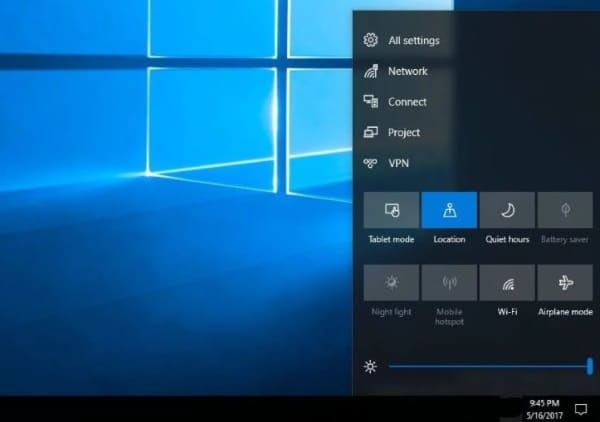
The Windows 10 Fall Creators Update, due tomorrow, is expected to bring several improvements building on the previous Creators Update, including stability enhancements and new features. The computer repair team at Dave’s Computers is already preparing to explore these updates on a test rig. Key expectations include a range of enhancements across the Windows Desktop, Settings, System, and Edge browser.
So what can we expect from the Windows 10 Fall Creators Update?
What changes are coming to the Windows Desktop?
The Windows Desktop is the shop window for this OS and the place we all do most of our work. There are changes coming that should make that experience even better than it already is. Those changes include:
- Better resizing of Windows, menus and Taskbar.
- A new flat Action Center UI with a similar look to the Start menu.
- New notifications look and feel.
- New Contacts cards that can be fixed to the Taskbar.
- My People Hub for Contacts.
- Shareable Contact cards.
- New file sharing mechanics and Share option in Explorer.
- New emoji panel with dozens of emojis to use wherever you like.
- New Photo Story Remix feature.
What changes are coming to Windows Settings?
The Windows Settings panel took over from Control Panel for most users and it is getting the love too in the Windows 10 Fall Creators Update.
- Cortana has its own Settings panel.
- Windows Updates will now be individually tracked as they download.
- New tooltips and help panel will appear.
- New Android device link panel.
- New eye-tracking panel for Tobii products.
Windows System improvements
As we all expect, the Windows 10 Fall Creators Update is bringing a selection of OS improvements, including:
- Windows will throttle unused programs to better use resources.
- Cortana and Windows desktop can display Android device notifications.
- Windows Defender and Exploit Guard are both enhanced.
- Cortana has new commands including log out, shut down or reboot.
- New UI elements are being introduced.
- Various bug fixes.
- You will be able to recover your Microsoft Account password from the lock screen instead of having to log into the Microsoft website.
What improvements are coming to Windows Edge?
Improvements coming to the Edge browser include the ability to write on PDF files directly within the browser, significantly improved PDF display and handling, and the capability to read ePub documents. Additionally, new UI enhancements are being introduced to align Edge more closely with the Windows 10 look, alongside general stability improvements.
- The ability to write on PDF files from within the browser.
- PDF display and handling is much improved.
- Ability to read ePub documents.
- New UI enhancements including bringing it more into line with the Windows 10 look.
- New stability improvements.
The Windows 10 Fall Creators Update has a lot to offer in terms of content but nothing that will truly amaze. The more reliability improvements that are introduced the better as far as we are concerned. There are mixed reality updates and more VR compatibility included here too but it is very early days for both of these technologies. From what we discuss with our customers, not many people in Hillsborough, New Jersey have either device yet.
Join us again tomorrow where we discuss whether you should get the Windows 10 Fall Creators Update immediately or wait a while.