
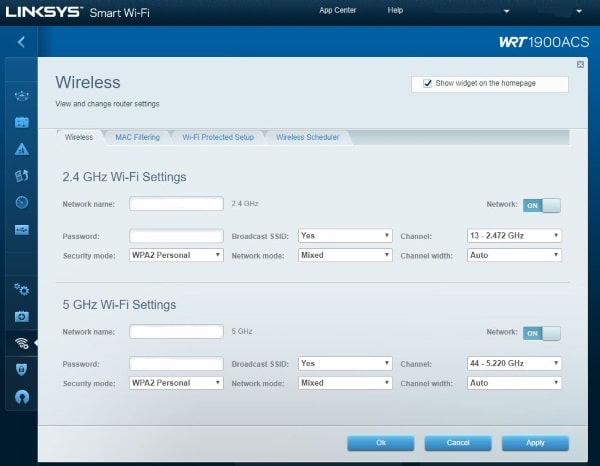
Today’s computer repair post is about prevention rather than cure. When securing your wireless network, what security protocol should you use? WPA2-TKIP or WPA2-AES?
If you’re setting up a WiFi network, you are going to come up against security. Now the WPA and WPA2 question has been answered, (only ever use WPA2), we get to the other acronyms, TKIP or AES. What does it mean and which should you choose?
Here is Dave’s quick guide to WiFi security.
What is TKIP and AES
TKIP and AES are encryption protocols used in 802.11 to secure traffic over wireless networks. TKIP or Temporary Key Integrity Protocol is a legacy protocol that was originally used to replace WEP encryption. It used a similar setup to WEP and had many of the same weaknesses.
AES, Advanced Encryption Standard, is a newer and more secure encryption protocol. It is compatible with 128, 192 and 256-bit encryption and is much more secure than TKIP. It is as secure as consumer-level wireless encryption gets and is the only protocol allegedly approved by the National Security Agency.
Which WiFi security settings should you choose during wireless router setup?
When setting up your wireless router, WPA2-AES is the ideal security setting to choose for securing your WiFi network. If you have legacy devices like old printers or computers that require it, you can use a mixed mode AES/TKIP, though this is less secure. You may see options like WEP, WPA2 Enterprise, WPA2/WPA-mixed personal, and WPA2/WPA-mixed Enterprise. For home or small business networks, choose the 'Personal' option, which uses PSK (Pre-Shared Key) authentication. WPA2-PSK is the same as WPA2-AES and refers to this Pre-Shared Key authentication. The 'Enterprise' option is for corporate networks with a dedicated authentication server and is not suitable for home or small business use.
Enterprise vs. Personal. The Enterprise option is for corporate networks with a dedicated authentication server. This is not suitable for home or small business networks. Personal uses PSK, or Pre-Shared Key authentication which allows access using a password. This is the setting you need if you’re at home or setting up a small business network.
The short answer to which should you use to secure your WiFi. TKIP or AES? WPA2-AES is the only setting you will ideally use. If you have legacy devices such as old printers or computers, you can use a mixed mode AES/TKIP. This is less secure but is the only way you may attach older devices to a WiFi network.
Depending on your model of router, you may see WPA2-PSK instead of WPA2-AES. This is the same thing and just refers to Pre-Shared Key authentication which is what AES uses.
So there you go, a brief overview of securing your WiFi network. If you live in New Jersey and need IT Support service or help in any way, don’t hesitate to get in touch!