
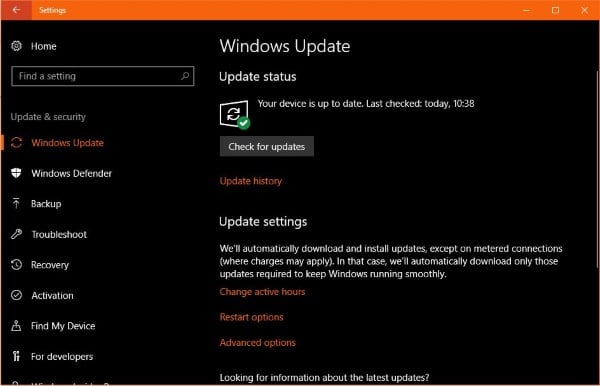
Today, October 17, Microsoft releases the Windows 10 Fall Creators Update. It has been months in the making and if you read ‘What to expect in the Windows 10 Fall Creators Update’ yesterday, you will know that there is quite a lot happening in this update. But should you download and install it right away or wait a little while?
The computer repair team here at Dave’s Computers is still undecided and the subject has been hotly debated for the last week or so.
Why should you get the Windows 10 Fall Creators Update right away?
You should get the Windows 10 Fall Creators Update right away for several reasons, including reliability enhancements to Windows core, Edge, and the Windows Desktop, updates to Windows Defender and Exploit Guard for enhanced security, and access to new features like mixed reality, virtual reality boosts, and Android device connectivity. Microsoft releases updates in phases, but jumping the queue allows immediate access to these improvements and new functionalities.
Why should you get the Windows 10 Fall Creators Update immediately? A couple of very good reasons. The first is that the update brings some reliability enhancements to Windows core, Edge and the Windows Desktop. While Windows 10 is fairly reliable now, improvements are always welcome.
Second, Windows Defender and Exploit Guard both receive updates. If you depend on either or both of these to protect your system (which you shouldn’t), any update to these could enhance your security.
New toys. The final reason for getting the Windows 10 Fall Creators Update right now is that you get to play with some new features. Mixed reality and virtual reality both get a significant boost and you can now also have your Android device connected and recognized by Windows. Plus, we all like to check out new stuff!
Why should you wait to get the Windows 10 Fall Creators Update?
You should wait to install the Windows 10 Fall Creators Update to avoid risking your computer's current stability, potential compatibility issues (as seen with previous updates), and to learn from other users' experiences regarding any unforeseen problems or specific details. If your computer is critical for work or college, introducing an unknown element like a major update could cause disruptions. Past updates have shown that initial releases can have compatibility issues that take time to resolve, making it beneficial to observe how the update performs for others first.
If you depend on your computer to work, for college or whatever, why risk its current stability? If your computer is running well and you need it, adding an unknown element such as this update could mess things up for you. We here at Dave’s Computers in Hillsborough can always fix it for you but that’s time you may not be able to spare.
If you followed the last Creators Update, you may have heard Microsoft’s plea to not install the first version of the release. It was found after release that come Windows 10 computers were not compatible with the update. It took almost two weeks for the issue to be discovered, identified and communicated to users. That will be too late if you get the update right away.
Learn from other’s experiences. Getting in there first means you will be teaching others from your experiences with the Windows 10 Fall Creators Update. Wouldn’t you rather learn from other people’s experience? Learn the specifics of the update? It’s good points and weaknesses? Any glaring issues missed in the QA phase?
I’m not going to tell you what to do with regards the Windows 10 Fall Creators Update. All I will say is give it some thought before installing it. Things may go perfectly well but given Microsoft’s history with large deployments, they also may not go so well.