Save $25 First-time repair — call today
75 North Bridge St, Somerville NJ 08876 - (Behind Bank of America) Hours M-F 10am-5pm Sa 9-2 (908) 428-9558

How Virus Removal Services Work: A Guide to Protecting Your PC

In an age where digital threats are ever-evolving, knowing how virus removal services work is crucial for protecting your PC. Whether it's pesky malware, intrusive spyware, or harmful ransomware, understanding these services can save your device from significant harm. Our guide will walk you through the process — what to expect, how professionals handle threats as described in our virus removal New Jersey service, and tips to prevent future infestations. By the end, you'll be equipped with practical insights to keep your PC running smoothly and securely. Let's delve into the world of virus removal and safeguard your digital life.

Man using a desktop computer with a red “VIRUS ALERT” message on screen. The desk is equipped with cables, a smartphone, a potted plant, and a pencil holder, representing virus detection and a realistic home office setup.

Understanding Virus Threats and Their Impact on Your PC

Viruses can seriously mess with your PC, impacting performance, security, and more. It's important to know the threats lurking online and identify symptoms of computer infections to help you act swiftly and protect your system. For example, our virus protection tips for beginners offer a great starting point for building your defenses. Read on to identify when something's amiss and take steps to safeguard your computer, whether it's a personal device or part of your business operations. Knowing what signs to look out for is your first line of defense against these digital invaders.

Common Symptoms of Computer Viruses

You might think your computer's just having a bad day when it's slow or behaves erratically, but these could be signs of a virus. For instance, if you notice your device is sluggish without any recent increase in workload or applications, a virus might be overworking the CPU as it operates stealthily in the background. Unfamiliar pop-ups and applications that suddenly appear can also point to a malware infection, as viruses often bring along unwanted guests that clutter your screen and system. Another clue is the constant crashing of applications. If your usual programs start to misbehave or close unexpectedly, a virus could be tampering with system files. Similarly, if you experience a spiking number of error messages, it might be a red flag warning you of a deeper issue at play. Files disappearing or being renamed without your action is another notorious sign. Viruses often target files, encrypting or moving them to wreak havoc on your data and routines. Unexpected activity, like emails or messages being sent from your accounts without your initiation, can indicate that malware has taken control. Additionally, a sudden lack of hard drive space might occur if a virus is creating multiple copies of its files. It's a headache no one wants, yet identifying these signs empowers you to act. To combat these threats, it's vital to have reliable antivirus software and consider reaching out to professionals like Dave's Computers. We can help secure your PC with expert virus removal services tailored to keep your digital life running smoothly and security a priority.

The Virus Removal Process: Steps to Secure Your System

Understanding how viruses affect your PC is just the beginning. The next step involves removing these threats to secure your system effectively. This section of our guide will delve into the necessary steps to cleanse your computer and maintain its performance. We'll highlight the importance of professional diagnostics and tools, ensuring you're well-equipped to handle any virus invasion. Whether you're facing a pesky pop-up or a deeply embedded malware, knowing the detailed process can empower you to prevent future infections and keep your data safe.

Importance of Professional Diagnostics and Tools

When it comes to tackling computer viruses, it's tempting to rely on free software or quick-fix solutions that promise immediate results. However, these often lack the thoroughness and precision needed to truly eradicate complex threats. This is where professional diagnostics come into play. At Dave's Computers, we emphasize the importance of an in-depth analysis of your system. We use advanced tools that aren't typically available to the average user. These tools provide a comprehensive scan of your computer, identifying even the most stealthy and deeply embedded malware that standard antivirus programs might miss. One key advantage of professional diagnostics is the ability to detect virus signatures and behaviors that are continuously evolving. With cyber threats becoming more sophisticated by the day, it's crucial to rely on experts who are one step ahead. Professionals have access to up-to-date databases and techniques to identify new threats swiftly. In addition, professional tools are equipped to handle diverse systems, whether it's Windows, macOS, or Linux, ensuring cross-platform protection. Beyond detection, the actual removal process benefits significantly from these expert tools. Many viruses are designed to resist deletion, embedding themselves into system files and critical software components. Standard removal attempts often leave behind traces that can allow the virus to regenerate. That's why our team at Dave's Computers leverages state-of-the-art removal technologies. We ensure not just immediate virus eradication but also long-term protection by addressing root causes and strengthening system defenses. By investing in professional diagnostics, you're fixing today's problem and safeguarding tomorrow's digital well-being. For anyone serious about protecting their data and computing resources, expert assistance is not just a luxury; it's a necessity.

Why Choose Dave's Computers for Virus Removal Services

When it comes to safeguarding your PC from the myriad of viruses out there, choosing the right service provider is critical. At Dave's Computers, we pride ourselves on delivering exceptional virus removal services tailored to meet your specific needs, whether remotely or in person. Our dedicated team ensures that your computer receives the utmost care to restore its performance quickly and efficiently. In this section, we'll explore the unique benefits of our remote and in-person virus removal services, designed to keep your digital life uninterrupted and secure.

The Benefits of Our Remote and In-Person Service

There's nothing more reassuring than knowing your computer is in good hands, and at Dave's Computers, we offer the versatility of both remote and in-person services to suit your convenience. Our remote services allow us to connect to your device virtually, diagnosing and fixing issues without you having to leave the comfort of your home or office. It's an effortless and efficient way to tackle virus issues, especially for those with busy schedules. With just a call or online message, we begin addressing the virus dilemma swiftly, delivering solutions that cater to emergent situations. On the other hand, sometimes a hands-on approach is what you need, and that's where our in-person services shine. Bring your PC directly to us and experience a no-hassle repair process. Our technicians are equipped with cutting-edge tools to provide a thorough physical inspection, diagnosing issues that might be missed through remote assessment alone. We keep you informed every step of the way, ensuring transparency and peace of mind. The real magic happens with our blended approach, combining the immediacy of remote services with the thoroughness of in-person diagnostics when necessary. This hybrid model ensures that you receive the best of both worlds with convenience and comprehensive care. We make sure no stone is left unturned, removing not just the virus but also advising on future-proof measures that help ward off future infections. Our services are about more than fixing a problem; they're about building a shield around your computer so that it's protected long after you walk out of our doors. This adaptable and client-focused service is why we've become New Jersey's go-to choice for virus removal, offering peace of mind in a digital age that's anything but peaceful.

Let Dave's Do The Work For You

At Dave's Computers, we understand how crucial it is to keep your PC virus-free and performing at its best. Our expert team is committed to providing thorough virus removal services along with proactive suggestions to prevent future infections. By partnering with us, you're not just getting a service; you're gaining a team dedicated to your computer's health. If you suspect your PC has a virus or want to safeguard it from potential threats, don't hesitate to contact us. Let's work together to ensure your device remains secure and efficient.

Related Posts

Common IT Issues for Small Businesses NJ

Running a small business in New Jersey comes with plenty of challenges, but IT support in New Jersey can help ensure that IT problems aren’t one of them. Yet, many business owners struggle with slow networks, cybersecurity threats, and outdated software. These common IT issues for small businesses NJ can lead to lost productivity, security risks, and unexpected costs.

IT technician assisting a small business owner with a computer issue at a desk in a modern office, representing real-world IT support challenges.

Common IT Challenges Faced by NJ Businesses

From daily operations to customer service, small businesses rely on tech more than ever. Let’s look at some of the biggest challenges and how to handle them. Hackers often target small business networks because they tend to have weaker security measures than larger corporations. A network breach can compromise sensitive data, disrupt operations, and even lead to financial losses. Preventative security measures like firewalls, multi-factor authentication, and regular security updates can help protect your business. Cyberattacks are on the rise, and small businesses are not immune. Phishing emails trick employees into revealing sensitive information, ransomware locks important files until a ransom is paid, and malware can spread through unprotected systems. The best defense is a strong cybersecurity strategy [link to: "how can i protect my small business from cyberattacks?"]. Regular employee training, strong passwords, and secure data encryption help reduce the risks. Losing important files can be devastating for a business. Hard drive failures, accidental deletions, and cyberattacks are common causes of data loss. Without a solid backup plan, recovering lost information can be expensive or even impossible. Cloud backup solutions keep your data safe and accessible from anywhere. A disaster recovery plan is also a good idea as it ensures your business can bounce back quickly after an IT emergency. Many small businesses rely on outdated software, often because upgrading seems too expensive or complicated. But old systems come with serious risks, including security vulnerabilities and compliance violations. Businesses in NJ must follow data protection laws to avoid fines and legal trouble. Slow networks, system crashes, and aging hardware can drain productivity. Many small businesses struggle with IT support, either due to limited budgets or not knowing where to turn. Investing in reliable IT support services can prevent common IT issues, keeping your business running smoothly. Additionally, managed IT services provide proactive monitoring and troubleshooting, so small business owners can focus on growth instead of tech problems. With the right IT support, small businesses in NJ can avoid these common challenges and keep their operations secure and efficient.

The Impact of IT Issues on Small Business

When IT problems strike, they do more than just slow you down. They can cost your business time, money, and even its reputation. Small businesses often don’t have the luxury of an in-house IT team, making even minor issues feel like major challenges. Let’s look at how common IT problems can impact your business. Imagine your internet goes down in the middle of a busy workday. Employees can’t access cloud services, customers can’t reach you, and transactions come to a halt. IT issues like network failures, security breaches, or system crashes can disrupt daily operations, leading to lost productivity. For small businesses, even an hour of downtime can cost hundreds or thousands of dollars in lost revenue. IT inefficiencies can be expensive in ways you may not realize. Slow computers, outdated software, and cybersecurity threats increase operational costs over time. Many small businesses hesitate to invest in IT support, but waiting until something breaks can be far more costly. Managed IT services help businesses avoid these problems by offering proactive monitoring, security, and tech support to reduce downtime and long-term expenses. A single data breach can expose sensitive customer information, leading to financial losses and legal penalties. New Jersey businesses must comply with strict data security laws, and failure to do so can result in hefty fines. Investing in strong cybersecurity services protects your small business from threats, ensuring your data, reputation, and bottom line stay secure.

IT Solutions & Best Practices for Small Businesses

Every small business faces IT challenges, but the right strategies can keep things running smoothly. Whether it’s improving cybersecurity, protecting data, or streamlining operations, investing in IT solutions helps prevent common problems before they disrupt your business. Here are some best practices that can make a big difference.
  1. Managed IT Services
Handling IT problems on your own can be overwhelming, especially when you’re focused on running your business. Managed IT services provide regular expert support, ensuring your systems stay updated, secure, and efficient. By outsourcing IT support, small businesses gain access to 24/7 monitoring, proactive troubleshooting, and regular maintenance. Instead of waiting for issues to happen, managed services help prevent downtime, security threats, and costly disruptions.
  1. Cybersecurity Strategies
With cybersecurity threats on the rise, small businesses need a strong defense against attacks. A well-rounded security plan includes firewalls, antivirus software, and endpoint protection to block threats before they reach your network. Password security is also critical. Weak passwords are one of the most common security risks. Using strong, unique passwords and enabling multi-factor authentication (MFA) can significantly reduce the chances of unauthorized access.
  1. Cloud Computing Solutions
Cloud computing has transformed the way businesses operate. By storing data in the cloud, small businesses can improve flexibility, collaboration, and security. Cloud services allow employees to access important files from anywhere while providing automatic backups. However, security is key. Using encrypted cloud storage and setting user permissions helps protect sensitive business data from cyber threats.
  1. Data Backup & Disaster Recovery
Data loss can be a nightmare for any business, but using the right tools for protecting company data and having a solid disaster recovery plan ensures you’re prepared. Regular data backups, both locally and in the cloud, help prevent permanent loss due to cyberattacks, system failures, or human error. Small businesses should schedule frequent backups and test their recovery plans to ensure data can be restored quickly when needed.

Choosing the Right IT Support in New Jersey

Finding the right IT support is crucial for keeping your business secure and efficient. You need a provider that understands the challenges small businesses face and offers reliable solutions. Look for services like 24/7 monitoring, cybersecurity protection, data backup, and proactive maintenance to prevent common IT issues. At Dave’s Computers, we specialize in IT support for small businesses in NJ. Don’t let IT challenges slow you down. Contact us today to learn how our managed services can keep your business protected. Dave's Computers is proud to service NJ businesses in the following areas: Edison, Somerset, Piscataway, East Brunswick, Princeton, North Brunswick, Westfield, North Brunswick, Hillsborough, Flemington

Related Posts

Common Small Business IT Challenges

Running a small business is tough, and dealing with IT issues makes it even harder. You’ve got enough on your plate without worrying about cyber threats, outdated tech, or surprise downtime. These are just a few of the common small business IT challenges businesses face—many of which can be solved with reliable IT support in New Jersey. The key is to stay ahead of problems before they happen. A strong IT strategy keeps your business running smoothly, protects your data, and helps you scale. IT technician assisting a small business owner at a desk, both facing a computer screen displaying cybersecurity icons.

Most Common IT Challenges for Small Businesses 

Running a small business comes with plenty of challenges, and IT issues can quickly become a major headache. The following are the most common IT related challenges small businesses face.
  1. Cybersecurity Threats and Data Breaches
Cyber threats are everywhere, and small businesses are prime targets. Malware, phishing attacks, and ransomware can cripple operations, steal sensitive data, and cost thousands of dollars in recovery. Many small businesses believe they’re too small for hackers to notice, but that is just not the case. To boost security, start with multi-factor authentication (MFA), which adds an extra layer of protection to logins. Use firewalls and antivirus software to block threats before they cause damage. Training your employees to recognize suspicious emails and links is also critical. Investing in managed security services ensures around-the-clock protection, keeping your business safe from ever-evolving cyber threats.
  1. IT Costs and Budget Constraints
Many small businesses struggle with balancing IT needs and budgets. Hiring an in-house IT team is expensive, and technology upgrades can feel out of reach. But ignoring IT issues can lead to costly breakdowns. The solution? Outsource IT support to cut costs without sacrificing quality. Many businesses save money by using cloud computing instead of maintaining expensive hardware. Subscription-based software offers affordable, scalable solutions. Investing in the right IT tools prevents bigger, more expensive problems down the road.
  1. Outdated Technology and System Compatibility Issues
Using outdated technology slows down productivity and creates security risks. Older systems may not support new software. That results in compatibility issues and frequent crashes. And that leads to frustrated employees and lost revenue. Upgrading hardware and software boosts efficiency and reduces downtime. Investing in cloud-based solutions ensures systems stay up to date without massive upfront costs.
  1. Lack of IT Expertise and Resources
Finding and retaining skilled IT professionals is tough, especially for small businesses with limited budgets. Without proper IT support, small businesses risk security breaches, downtime, and inefficiencies. The solution? Work with an IT consulting service to fill the expertise gap. Another option is managed IT services. They provide 24/7 support, system monitoring, and troubleshooting without the cost of a full-time IT team.
  1. Network Security
Network security is a major concern. A weak or outdated network exposes businesses to cyber threats, slow connections, and data loss. To minimize risks, businesses should implement firewalls, data encryption, and routine backups. A strong disaster recovery plan ensures critical data is protected in case of failure.
  1. Compliance and Regulatory Challenges
Small businesses must follow compliance regulations like GDPR, HIPAA, and PCI DSS, depending on their industry. Non-compliance can lead to fines, legal trouble, and lost customer trust. Staying compliant requires secure data storage, regular audits, and updated security protocols. Many small businesses turn to managed IT providers to ensure compliance without the headache. These experts help businesses meet security requirements while maintaining smooth operations. By tackling these common IT challenges, small businesses can operate efficiently, protect sensitive data, and stay competitive in an increasingly digital world.

How Your Small Business Can Overcome These IT Challenges 

Running a small business comes with its fair share of challenges, but the right technology solutions can make all the difference. Here are the most basic ways to tackle the most common IT issues detailed above and keep your business running smoothly. By taking these steps, small businesses can minimize IT challenges, enhance security, and keep operations running smoothly.

Need help with IT challenges?

Navigating IT challenges in your small business doesn’t have to be overwhelming. By addressing security issues, outdated technology, and budget constraints, you can keep your business running efficiently and securely. Proactively managing IT challenges with managed services, cloud solutions, and expert support ensures long-term success. You don’t have to face these challenges alone. Dave’s Computers specializes in IT solutions tailored for small businesses. Whether you need security enhancements, technology upgrades, or ongoing support, we’re here to help. Contact Dave’s Computers today for expert IT support!

Related Posts

How Can I Protect My Small Business from Cyberattacks?

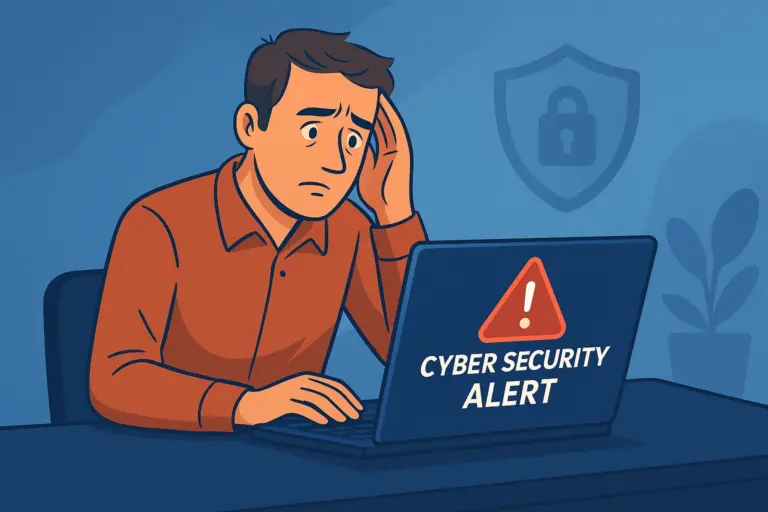
If you run a small business, cybercriminals see you as an easy target. You might think hackers only go after big corporations, but approximately 43% of cyberattacks target small businesses. Even worse, around 60% of small businesses that suffer a cyberattack shut down within six months. So, how can I protect my small business from cyberattacks? It starts with understanding the risks. Hackers use phishing emails, weak passwords, and outdated software to steal data or hold it for ransom. The good news? With the right strategies like training employees, securing your network, and partnering with trusted IT support in New Jersey, you can stay one step ahead of cyber threats. A small business owner sitting at a desk, looking concerned at a laptop showing a cybersecurity alert warning.

Understanding the Risks: Why Small Businesses Are Targets

You might think cybercriminals only go after big companies, but small businesses are often prime targets. Why? Because many lack strong cybersecurity measures, making them easy prey. Because of this, hackers are able to steal sensitive information like customer records and financial data. Take, for example, a small accounting firm that fell victim to a phishing scam. One employee clicked a fake email, and hackers gained access to client tax records. Another case involved ransomware shutting down a local retailer, demanding thousands to unlock their system. These attacks don’t just disrupt operations; they cost businesses money, trust, and time. A single cyberattack can drain your finances, damage your reputation, and even lead to legal trouble. That’s why it’s crucial to take cybersecurity seriously.

Essential Cybersecurity Strategies for Small Businesses 

Cyber threats are growing, but the good news is that small businesses can take simple, effective steps to stay secure. Here are four key strategies to protect your business from cyberattacks.
  1. Train and Educate Your Employees 
Most cyberattacks start with human error. Phishing emails, weak passwords, and suspicious links can put your small business at risk. That’s why employee cybersecurity training is essential. Start by educating your team on recognizing scams and protecting sensitive data. The FCC and other organizations offer free resources to help businesses create security awareness programs. You can also run simulated phishing tests to see how well your team responds. By building a security-first culture, you reduce the chances of costly breaches.
  1. Use Strong Passwords and Multi-Factor Authentication 
Weak passwords make it easy for hackers to break into your business accounts. Every employee should use strong, unique passwords with a mix of letters, numbers, and symbols. Better yet, use a password manager to keep them secure. Adding multi-factor authentication (MFA) is another must. It requires a second step, like a text code or authentication app, before granting access. This extra layer of security can stop cybercriminals even if they steal a password. Many platforms, including FCC.gov, recommend MFA to protect businesses from cyber threats.
  1. Secure Your Business Network 
Your business network is a common entry point for hackers. One weak spot, like an unsecured Wi-Fi connection, can expose your entire system. Start by using a firewall to block unauthorized access and encrypt your data to keep it safe. When it comes to Wi-Fi, never use public networks for sensitive business operations. Secure your own network with a strong password and limit guest access. Small businesses should also consider a virtual private network (VPN) for remote employees. By securing your network, you add a protective shield against cyber threats.
  1. Regularly Update and Patch Software 
Hackers love outdated software because it contains known vulnerabilities. If you don’t update your systems, you’re leaving the door open for attacks. That’s why businesses should enable automatic updates for all devices, including computers, apps, and security tools. Cybercriminals also target third-party software, like accounting or customer management tools. Make sure your vendors follow best practices and release regular patches. External updates from gov agencies or security firms often contain critical fixes that protect small businesses from new threats. Staying up to date is one of the easiest ways to secure your company’s data and systems.

Create a Data Protection Plan for Your Business

Your business data is one of your most valuable assets, and losing it can be devastating. Cyberattacks, hardware failures, or even simple human mistakes can wipe out crucial information. That’s why every small business needs a strong data protection plan. What does that look like? Backing up your data is the best way to ensure you can recover from cyber threats. A mix of cloud and local backups provides the best protection. Cloud storage keeps your business files safe from physical damage, while external hard drives offer quick access if needed. Creating a disaster recovery plan is also key. Outline steps to restore data, assign responsibilities, and test recovery processes regularly. The FCC and other agencies provide guidelines to help businesses stay prepared.  Strong cybersecurity policies help prevent data breaches. Start with access controls. Limit who can view or edit sensitive business information. Employees should only have permissions necessary for their roles. Additionally, require encryption for emails and sensitive files. Educate your team on secure file-sharing practices to protect small businesses from accidental leaks. Compliance with industry standards and government regulations helps avoid fines and improves overall security. Investing in cybersecurity policies is as essential as insurance for your company’s future.

Legal and Financial Protection for Cybersecurity

Cyber threats can do more than just steal your business data. They can also leave you with legal and financial trouble. That’s why it’s essential to understand cybersecurity regulations and consider insurance to protect your small business. Many of these risks are tied to common small business IT challenges that companies face daily.

Understanding Cybersecurity Regulations

Agencies like the FCC and SBA provide guidelines to help small businesses stay secure. Compliance with regulations ensures that your company follows best practices for data protection, reducing the risk of fines or legal action.

Investing in Cyber Insurance

A cyber insurance policy helps cover the costs of a data breach, ransomware attack, or fraud. Policies may include financial support for recovery, legal fees, and even compensation for lost revenue. When choosing insurance, look for coverage that includes external threats and back-up support for disaster recovery. A strong cybersecurity plan combined with insurance can help keep your business safe from unexpected risks.

Secure Your Small Business Today

Cyber threats aren’t going away, but you can protect your small business with the right security measures. Training employees, using strong passwords, securing your network, and keeping software updated are simple steps that help prevent cyberattacks. Regular data backups, following FCC and government guidelines, and considering cyber insurance add extra layers of protection.
Don’t wait until it’s too late—take action today. A strong cybersecurity plan keeps your business safe and your information secure. Need expert help? Dave’s Computers offers reliable IT support to small businesses and addresses common IT issues for small businesses in New Jersey. Contact us to help secure your business today.

Related Posts

Preventing Data Breaches in Small Businesses

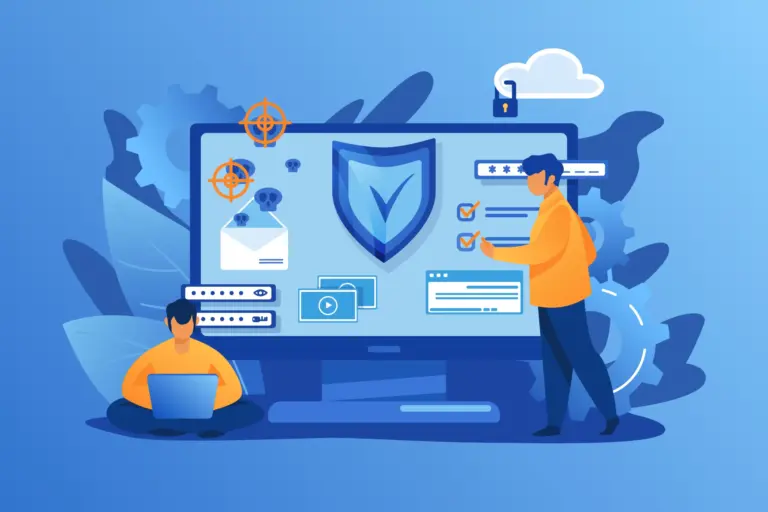
If you own a small business, cybercriminals see you as an easy target. Data breaches can cost you thousands of dollars, damage your reputation, and even shut down your business. Preventing data breaches in small businesses isn’t just about IT support in New Jersey. It’s also about protecting your customers, your finances, and your future. In this guide, we’ll walk you through the biggest risks, practical security strategies, and steps to take if a breach happens. Let’s make sure your business stays secure. Illustration showing cybersecurity protocols against threats like phishing and malware, representing strategies for preventing data breaches in small businesses.

Understanding the Impact of a Data Breach on Small Businesses

The following are some of the major repercussions your business could face after a data breach.

Financial Consequences

A data breach can be devastating for a small business. The costs go beyond just fixing the problem. Businesses often face lost revenue, legal fees, and fines. In 2023, the average cost of a small business data breach was over $3 million. If you don’t have cyber insurance, you’ll pay out of pocket for customer notifications, security upgrades, and lawsuits. The best way to go about preventing data breaches is to educate your employees about security risks. Additionally, strong access controls and regular security updates can help protect your business data from future breaches.

Reputational Damage

Trust is everything in small businesses. When a data breach happens, customers start questioning if their personal data is safe. Many never return. In fact, 60% of small businesses shut down within six months of a major breach. Take Code Spaces, a small cloud service provider. A breach wiped out their business overnight. They couldn’t recover. The best way to prevent data breaches? Control access to sensitive information. A strong security plan protects both your business and your reputation.

Legal Implications

Ignoring data security can land small businesses in serious legal trouble. Laws like GDPR and CCPA require companies to protect customer data. A data breach could mean fines, lawsuits, or even business closure. Businesses can be liable in the millions of dollars in penalties for failing to preventing data breaches. Taking security seriously helps businesses avoid costly legal battles.

Key Strategies to Prevent Data Breaches

Employee Training and Awareness Programs

Most data breaches happen because of human error. That’s why it’s critical to train your employees on cybersecurity threats. Small businesses are top targets for phishing scams, where hackers trick employees into giving away passwords or business data. It is estimated that up to 90% of breaches started with phishing emails. Teaching staff to spot suspicious links and limit access to sensitive files can prevent attacks. Regular training sessions keep security top of mind. The more aware your team is, the better protected your business will be from preventing data breaches.

Implementing Robust Network Security Measures

A strong network is your small business’s first defense against a data breach. Firewalls block unauthorized access, while intrusion detection systems alert you to suspicious activity. Without these protections, businesses are easy targets for hackers. To help prevent data breaches, always secure your Wi-Fi with strong encryption and limit employee access to sensitive data. Also be sure to regularly update software to patch security holes.

Regular Software and System Updates

Outdated software is an open door for hackers. Small businesses that skip updates risk a data breach because cybercriminals exploit old security flaws. Many breaches result from unpatched vulnerabilities. To prevent breaches, enable automatic updates for your systems, firewalls, and antivirus programs. This ensures your business stays protected without extra effort. Additionally, maintaining regular updates is a key aspect of the importance of backups for small business data, ensuring both your files and security protocols remain intact. Also, educate your employees on recognizing update alerts. Keeping your software current is one of the easiest ways to secure your data and limit unauthorized access to your business systems.

Utilizing Managed IT Services

Cyber threats are always evolving, and small businesses often lack the resources to keep up. That’s where small business IT support through managed IT services comes in. By outsourcing, you get 24/7 monitoring, expert support, and proactive security updates, reducing the risk of a data breach.
A breach can cost thousands, but managed IT providers help prevent data breaches by securing networks, controlling access, and ensuring compliance. They also provide training on cybersecurity best practices. Investing in expert protection keeps your business data safe while letting you focus on growing your business.

Data Encryption Practices

If hackers steal your business data, encryption can stop them from using it. Small businesses handle sensitive customer information, and failing to encrypt it increases the risk of a data breach. Your business should regularly encrypt emails, files, and transactions. Use strong encryption standards like AES-256 to protect stored data. Also, limit access to encrypted files to only those who need them. Encryption adds an extra layer of security that keeps your business and customer data safe from breaches.

Access Control and Authentication Protocols 

Not everyone in your business needs access to sensitive data. Limiting entry reduces the chances of a data breach. Use multi-factor authentication (MFA) to add extra security. This practice requires a password and a second verification step. Weak passwords are a major cause of breaches. To avoid this, always require strong, unique passwords and update them regularly. Your employees should also be briefed on safe login practices. Small businesses can stay secure by restricting data access to only those who truly need it. Controlling who gets in keeps your business data safer from cyber threats.

Keep Your Business Secure From Breaches

Protecting your small business from a data breach takes effort, but it’s worth it. Strong security measures help prevent data breaches, saving you from financial loss and damaged trust. Cyber threats won’t stop, but with the right steps, your business can stay secure. Take action now to protect what you’ve built. Need help securing your business from cyber threats? Contact Dave’s Computers for a free data security consultation.

Related Posts

The Importance of Backups for Small Business Data

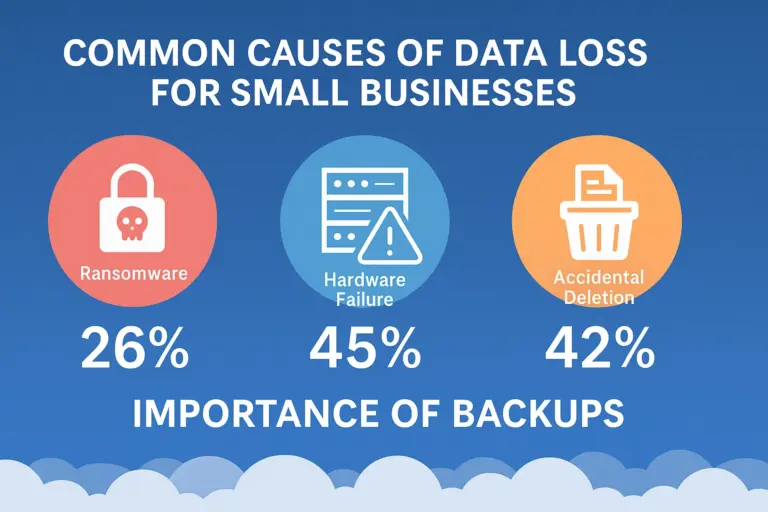
Imagine waking up to find all your business data like customer records, invoices, and important files, just gone. Scary, right? Unfortunately, small businesses are prime targets for cyberattacks. Even without hackers, simple mistakes like accidental deletions or hardware failures can wipe out years of work. That’s why the importance of backups for small business data can’t be overstated. A recent study found that 140,000 hard drives fail in the U.S. every week. Without a backup, recovering lost data can be costly or even impossible. Read on to learn more about what is at risk, strategies for data backup, and when to consider professional IT support in New Jersey. Common causes of data loss for small businesses, including ransomware, hardware failure, and accidental deletions, highlighting the importance of backups.

Understanding Small Business Data Risks

We rely on business data every day. Digital customer records, invoices, and essential documents keep everything running smoothly. But what happens if that data suddenly disappears? Data loss can strike in many ways, and small businesses are often unprepared. What are the most common causes of data loss? Without a backup plan, data loss can mean weeks of downtime, costing thousands in lost revenue. Worse, customers lose trust, and compliance fines can add up. Investing in data backup and recovery plans, like cloud backups, is an important step in protecting your small business from disaster.

Types of Data Backup Strategies for Small Businesses

When it comes to data backup, having the right strategy can mean the difference between your business operating regularly and total data loss. That’s why preventing data breaches in small businesses goes hand in hand with choosing a secure backup approach. Let’s go through your options for data backup strategies.
  1. Local Backups: On-Premise Protection
Local backups store your business data on physical devices like external hard drives or Network Attached Storage (NAS). This method is fast and keeps your data within reach. But there’s a risk. If your office suffers fire, theft, or hardware failure, your backups could be gone too.
  1. Cloud Backups: Secure & Remote
Cloud backups store your data offsite on secure servers. This protects against local disasters and allows easy recovery from anywhere. However, cloud storage depends on internet access and may have data recovery speed limitations.
  1. Hybrid Solutions: Best of Both Worlds
A mix of cloud and local backups is the safest bet. If your small business suffers data loss, you can recover files from either backup plan, ensuring minimal downtime.

The Importance of Automated & Regular Backups

No matter the method, automated backups are important. Forgetting to back up your business data manually can lead to unexpected loss. Setting up regular, automated backup plans ensures your small business stays protected.

The 3-2-1 Backup Strategy

When it comes to data backup, the 3-2-1 strategy is one of the most important methods to protect business data from loss. It’s simple, effective, and keeps your small business safe from unexpected disasters.

3 Copies: Multiple Versions for Security

You should always have three copies of your data—the original file and two backups. This ensures that if one fails, you still have another to rely on.

2 Different Storage Types: Local + Cloud Backup

Storing business data in two different formats prevents complete data loss. This could be an external hard drive, NAS, or cloud backup. If a local failure occurs, your cloud version remains intact.

1 Offsite Backup: Disaster Protection

Keeping at least one backup offsite, whether in the cloud or a secure remote location, protects against theft, fires, or natural disasters. By following the 3-2-1 backup plan, businesses can ensure quick recovery and prevent permanent data loss in case of an emergency.

How Backups Support Business Continuity & Compliance

When disaster strikes, whether from a cyberattack, hardware failure, or accidental deletion, having a data backup can mean the difference between a minor setback and a total shutdown. Small businesses often don’t realize how much is at stake until it’s too late. Backups can help minimize downtime and ensure business continuity. A business data loss event can bring operations to a halt. Without proper backup plans, businesses may spend days, or even weeks, trying to recover lost files. Cloud backups and automated recovery plans ensure that your files can be restored quickly, keeping downtime minimal. The faster you bounce back, the less impact on your revenue and customer trust. Backups can help your business meet compliance requirements. Many industries have strict data protection laws like HIPAA, GDPR, and PCI DSS that require businesses to store and secure sensitive information properly. Failing to maintain backup solutions can lead to legal penalties and loss of credibility. Backups can help maintain your business’ reputation. A single data loss incident can damage your business reputation, especially if customer information is lost or exposed. Reliable backups keep your business data protected, ensuring compliance and keeping your company’s reputation intact.

Choosing the Right Backup Solution for Your Business

Not all data backup solutions are created equal. When picking the right one for your small business, you need to consider security, accessibility, and recovery speed. Key Factors to Consider Choosing the right backup plan ensures that your business data is always protected, minimizing the risk of data loss and keeping operations running smoothly.

Common Myths & Mistakes About Data Backups

When it comes to data backup, many small businesses make mistakes that can lead to data loss. Let’s clear up some common myths.

Get Professional IT Support for Reliable Backup Solutions

Protecting your business data is too important to leave to chance. At Dave’s Computers, we specialize in data backup, recovery plans, and cloud solutions to keep your small business secure. Don’t risk data loss. Let us handle your backups. Contact us today for expert IT support and managed backup services.

Related Posts

If your computer is more than a few years old and broken or has lots of issues, you might be wondering, “Is it worth it to fix my computer?” Or would it just be better to buy a new computer? As a computer repair store, we spend a lot of time fixing computers and we often get customers asking us just this question. We assess each case individually depending on the age of your computer, the issues you’re experiencing, your budget, and other factors. We’ll always be honest and let you know if it makes more sense to buy a new desktop computer or laptop than fixing the computer. If you’d like to get our personal opinion on fixing a computer and you’re in one of our service areas in New Jersey, just get in touch and we’ll be happy to give you more advice.   [Contact a computer technician near me]   We’ve laid out some helpful tips in this guide to help you decide if you should fix or update your computer or trade it in for a new model. Of course, the final decision is up to you, but we’ll give you our honest opinion if you contact our PC repair shop. There’s even the option for us to come to you with our in-home computer repair service in NJ.  

Is it worth it to fix my computer?

  If you’ve been wanting to upgrade your computer for a while anyway, a broken computer could be just the incentive you need to take the plunge and invest in that brand-new laptop or PC. But if you are reasonably happy with your existing computer or you’re on a tight budget and cant really afford to upgrade right now, it’s not so easy to make the decision to pay for a replacement. If this is the case for you, the first step is to find out how much it will cost to fix your computer. If the cost of the repair is high, you may decide that it’s a better decision to pay a little more for a new one. However, if the computer fix is relatively simple and easy, it makes sense to opt for the repair. Once you have an accurate quote for fixing the computer, you can weigh up your options. Computer repairs are usually significantly cheaper than buying a new model. But that doesn’t mean you should always opt for the repair. Usually, if repairing a PC or laptop is going to cost more than half the price of a new one, it doesn’t make sense to fix it. However, this does depend a bit on your individual circumstances. The best way to get an accurate quote for the repair is to contact a computer repair shop in your local area. If you’re in our New Jersey service area in Somerset, Middlesex, Hunterdon, or Mercer County, give the team at Dave’s Computers a call at (908) 866-8173 or fill out our contact form, and we’ll be more than happy to help you out. If you’re in another area of the country, you can find your nearest computer repair shop by googling “repair computer near me” or “fix computer near me”. Make sure you choose a computer repair service with good reviews and double-check they offer a free repair estimate before you take your computer in for assessment.

How do I know if my computer needs replacing?

Apart from the cost of the repair, there are a few questions you should ask yourself that may help you decide whether replacing your computer is a better option than repairing it:

How old is my laptop or PC?

If your computer is less than a year old, there’s a good chance it’s still covered by the manufacturer’s warranty, which will cover the cost of repairs.    The length of this warranty will depend on the brand of your computer and where you bought it from. Check the documentation that came with your computer as well as sales receipts and any emails you have confirming the sale or registration.   Some computer brands offer an extended warranty (for example, Apple Macs users may opt to extend their warranty to the AppleCare+ plan for an additional fee, which provides support, service, and mac repairs for up to 3 years after purchase.) So even if your computer is up to around 4 or 5 years old, it’s still worth checking your paperwork to see if it may be covered for repairs.   If your computer is well out of the warranty period and you’re wondering “Should I repair a 5-year-old computer?” The answer depends on whether you are planning to upgrade within the next couple of years anyway.    Most people replace their laptop every 3-8 years, and desktop computers a little longer at 5-8 years so it comes down to personal preference whether you think you can squeeze a few more years out of your computer.   On the other hand, is an 11-year-old computer worth fixing? Probably not. It really depends on what you’re using it for and the quality of the build.   Computer components do wear out over time, and 10 years is a pretty good lifespan for a computer. But if you’re just using your computer for web browsing and emails, you might be able to get a few more years out of it by just replacing the worn-out part.   It’s best to get in touch with your local laptop computer repair or PC repair shop and see whether they think it’s worth fixing or not.   [Get PC repair near me]

Does my insurance cover computers?

  Standard warranties don’t usually cover accidental damage. So if you drop your laptop and need to repair the screen or you spill a drink on the keyboard, you may be out of luck.   But all is not lost. It’s worth checking your insurance policies and if you can claim for a broken laptop on your insurance.   Many renters and homeowners insurance policies cover laptop and desktop computers as part of your personal property coverage. However, this may be an optional extra and may not cover all causes of damage, so you’ll need to check your policy wording to see if it might be covered.   Typically insurance will cover damage due to fire, a falling object, or water damage caused by a leak, for example. But if you leave your laptop on the floor and step on it, this type of “negligent” damage will not normally be covered.   If you use your laptop for work, you may be able to claim on your company insurance. Some people also take out separate insurance policies for computers and other electronics. Some credit cards even include travel and other types of insurance that may cover your computer, so it’s well worth checking all your policies.   If your insurance will pay for all or most of the repair, then getting it fixed is a no-brainer. However, if you have to cover the cost of the repair yourself, you’re back to deciding whether it’s worth it.  

Is my computer running well?

  Were you using your laptop or PC happily before it broke? If so, it may just be a case of replacing a component or making another fix and we can get you up and running in no time at all.   Some people get very attached to their computers: they’re set up exactly how they want and they don’t want the hassle of moving to a new machine. If this is the case for you, great! We’ll fix and refurbish your existing computer to the best of our abilities so you can keep using it for as long as it keeps running!   If your computer has an outdated operating system or is running slow, oftentimes it’s just a case of upgrading the OS and cleaning up the hard drive to get it operating smoothly again.    On the other hand, if you’ve been looking for an excuse to make the switch from PC to Mac or you bought a cheap computer and it’s been a slow and frustrating experience since day one, it may be time to call it quits, and buy a new computer.  

Is it a hardware or software problem?

  Generally speaking, it’s more expensive to repair or replace a hardware component on your computer than it is to fix a software problem.   Of course, it’s not always easy to tell what exactly the problem is. For example, if your computer is crashing frequently or keeps showing error messages, this could be a simple problem for us to fix such as removing viruses, removing spyware, or reinstalling or upgrading Microsoft Windows or MacOS. However, sometimes these errors can be an indication of a hardware problem.   We’ll be able to tell what the problem is after assessing your computer, so get in touch with our IT technicians for help.   [Computer repair near me]

Is it the right time to buy a new computer?

  As we mentioned previously, if your old computer has come to the end of its natural life, it may just be the right time to invest in a new one.   But it’s also worth considering if there are any big discount sales like Black Friday coming up. If this is the case, you could get a bargain on a new machine, which would make it less worth fixing your computer.

What is the average life of a computer?

So, at what age should a computer be replaced?   For most laptops: 3-8 years For most desktop computers: 5-8 years   Why the difference? Well, laptops tend to take a lot more wear and tear. They’re often carried from place to place and unless you use a separate keyboard and mouse, you’re putting stress on the inner components every time you type and click too.   Laptops can also be a lot harder and more expensive to fix if you physically break something. For example, if you spill a drink in your desktop keyboard, you can just buy a new keyboard. However, this could mean you need a whole motherboard replacement if you do the same to your laptop.   In general, desktop computers are easier to upgrade, so you can get a longer lifespan out of your computer by upgrading and replacing parts over time.    It’s not as easy to replace laptop parts but this is still worth considering. For example, if you’re simply running out of space, you can upgrade your Windows laptop SSD or HDD or replace your Macbook hard drive with a higher-capacity version.   Essentially, the lifespan of a computer depends on its components:     The figures given above are just an average and depend greatly on how and how much you use your computer (for example several hours of intensive gaming each day will wear out components much faster than if you just use your computer occasionally for emails and web browsing.)   There’s no need to replace your computer just because it’s old. If it’s still working fine for your purposes and you can get away with a new hard disk or upgrading the memory, it’s probably worth doing. (We can even recover data from broken HDDs or SSDs in many cases.)   However, if you’re an avid gamer and you like to have the latest specs, or you use your computer heavily for work, it may make sense to upgrade to a new model.   Still confused? No worries! That’s why we’re here!   Contact Dave’s Computers in Hillsborough Nj to have a chat with our dedicated “computer fixers” about what you need from your computer and how much a repair or upgrade will cost. If you’re thinking about a replacement, we can help with that too! With our custom PC build service we can design and build a computer specifically for your individual needs.   Call us or fill out our contact form today!   [Computer repair services near me]  

Related Posts

Are you looking for the best way to get a PC that fits your needs? A custom-built PC may be your answer. A custom PC builder can help make this process easier and more efficient. With the right components, knowledge, and expertise, it is possible to construct a powerful computer with superior performance compared to off-the-shelf models. In this blog post, we will explore the benefits of getting a custom-built PC as well as what goes into building one from scratch. We’ll also cover how business owners can benefit from having their own customized desktop computers in order to run proprietary programs efficiently. Finally, we'll discuss potential drawbacks of going this route so you have of the information before making an informed decision about whether or not they should get a custom PC builder involved in constructing your dream machine! Table of Contents:

Benefits of Custom-Built PCs

Custom built PCs offer several advantages over pre-built models. Increased speed and reliability are two of the key benefits that make custom-built PC’s worth the investment. When you build your own PC, you can choose the components that best suit your needs, allowing for optimal performance and speed. This means faster loading times when gaming or running memory intensive programs such as video editing software. Custom PCs also tend to be more reliable than pre-built models since they’re designed with specific tasks in mind, meaning fewer hardware issues down the line. Proprietary programs are another benefit of building a custom PC. If you need specialized software for work or play, having a computer tailored to those needs can make a huge difference in terms of performance and usability. For example, if you’re an avid gamer and play high-end games like Call of Duty or Battlefield V on high settings, then having a custom built machine with a powerful graphics card will ensure smooth gameplay without any lag or stuttering due to inadequate hardware. While custom-built PCs offer many advantages, it is important to understand the components of a custom PC in order to build one that meets your needs. Key Takeaway: Custom built PCs offer improved speed, reliability and proprietary software for specific tasks. Advantages include: faster loading times, fewer hardware issues, tailored performance and usability.

Components of a Custom PC

Motherboard: The motherboard is the main circuit board of a computer, it connects all the other components together. It contains slots for memory, storage devices, graphics cards, and more. When selecting a motherboard for your PC, you'll want to make sure that it supports the processor you plan on using as well as any additional components you may need. Processor: The processor is one of the most important components in a PC. It's responsible for running programs and applications, so choosing one with enough power to handle whatever tasks you have planned is essential. You'll also want to consider how many cores are available on the processor, clock speed, and cache speed since these will affect performance when multitasking or running multiple programs at once. Memory: Memory (RAM) helps your computer run faster by allowing it to store data temporarily while processing information from different applications or programs. When selecting RAM for your custom PC build, make sure that it’s compatible with both your motherboard and processor as well as having enough capacity to meet your needs without being too expensive. Storage: Storage devices such as hard drives or solid-state drives provide permanent storage space for files like documents, photos, music, videos etc., which can be accessed whenever needed without needing an internet connection. For best performance choose an SSD over HDD if possible due to their faster read/write speeds. Keep in mind that SSD’s cost more than HDD’s so budget accordingly when making this decision. Graphics Card: A graphics card processes images sent from the CPU before displaying them onscreen. They're especially important if you plan on playing games or doing video editing work since these activities require a more powerful GPU than what comes standard with most computers. Make sure that the GPU model you select has enough power output to meet whatever graphical requirements necessary for whatever tasks you plan on performing with ease and efficiency. Power Supply: When shopping, look out for wattage ratings listed alongside each unit since this will determine how much energy can be supplied by each device safely without causing damage elsewhere within the system itself. Higher wattages usually equate to better overall performance but also come at a greater expense. Finally, there is the case/chassis which provides physical protection against dust particles entering into internal parts like motherboards and processors. The case also provides mounting points for components. Some cases even offer additional features like sound dampening materials which help reduce noise levels coming outwards during operation times, meaning less distraction when working away quietly at a home office environment. Now that you have an understanding of the components that make up a custom PC, it's time to start looking into selecting the right parts for your needs. Key Takeaway: When building a custom PC, make sure to choose the right components for your needs such as processor, memory, storage device, graphics card and casechassis. Consider wattage ratings and additional features like sound dampening materials when selecting each part.

Selecting the Right Parts for Your Needs

When selecting the parts for your custom PC build, it is important to research your options. This includes researching different components such as motherboards, processors, memory, storage devices, graphics cards, and power supply units (PSUs). It is also important to consider the compatibility between these components and any other peripherals you may want to use with your computer. Additionally, it is helpful to read reviews of components in order to get an idea of their performance and reliability. Understanding Your Budget: Once you have researched the various components available on the market, it is time to determine how much money you are willing or able to spend on each component. It can be tempting to purchase the most expensive parts but this isn’t always necessary or practical depending on what type of performance you need from your computer. Consider what features are essential for your needs and try not go over budget if possible. While price should certainly be a factor when choosing which parts you will buy for your custom PC, quality should also be taken into consideration. Make sure that the components you choose meet industry standards in terms of quality and reliability so that they will last longer and perform better than cheaper alternatives. Additionally, it is important to check warranty information before making a purchase so that if something does happen during assembly or after setup there will be some form of protection against unexpected costs associated with repairs or replacements down the line. Selecting the right parts for your needs is an important step in building a custom PC. Now that you have the knowledge to do so, it's time to move on to assembling and testing your new machine. Key Takeaway: When building a custom PC, research and understand your budget to ensure you purchase quality components that are within your price range. Consider compatibility, reviews, performance needs, and warranty information.

Building a Custom PC Step-by-Step Guide

Building a custom PC can be an intimidating task, but with the right parts and tools it doesn’t have to be. This step-by-step guide will walk you through the process of building your own computer from start to finish. Preparing the Parts and Tools Needed: Before beginning any project, it is important to make sure that you have the necessary components and tools on hand. When building a custom PC, this includes items such as motherboards, processors, memory modules, storage devices (HDD and/or SSD), graphics card, power supply units (PSUs), cases/chassis and various cables for connecting components together. Additionally, having basic tools such as screwdrivers, anti-static strips, and pliers will come in handy when assembling your new machine. Installing the Motherboard: The motherboard is often referred to as “the backbone” of any computer system since it houses most of its essential components including processor sockets and RAM slots. Installing a motherboard requires careful handling since many pins are easily damaged if not handled properly during installation. Once set correctly into its case/chassis, it will be screwed into place which helps secure it firmly in place before proceeding further with other component installations. After installing the motherboard, comes installing both processor(s) and memory module(s). Processors require special attention when inserting them into their respective socket while memory modules simply snap into their designated slots on either side of each processor socket type. Once seated mare sure they are securely seated within each slot before moving onto other component installations. Installing Storage Devices: HHD’s or SSD’s can now be inserted directly onto their respective mounting points located near where CPU fan connectors were previously connected prior to adding additional hardware components inside your newly built machine's chassis/case enclosure. After this, SATA data cables must then be connected between these two device types so that information may flow freely between them once powered up later down during the testing phase. Next comes installing both the graphics card and power supply unit (PSU). Graphics cards typically require some extra effort due to needing more space than what regular PCI expansion slots provide. Removal of backplate covers from the outside rear panel area may be necessary depending on the size requirements needed by the graphics card being used. The PSU installation involves attaching multiple 4 pin molex connectors along with a 24 pin ATX connector cable coming off the main power supply itself towards the backside portion underneath bottom half section near I/O ports found there too. This will complete the power connection setup needed for powering up the whole system. Now comes the time for the final assembly stage, involving putting everything together within the same case/chassis enclosure. This is followed by a testing phase wherein users must ensure proper functionality exists across board by checking BIOS settings first and then running benchmarking software programs. Lastly, any issues encountered throughout the entire process should be troubleshot until satisfactory results are achieved. Lastly, users need to install the operating system and all necessary software applications. This is followed by finalizing the setup procedure using the maintenance tips provided earlier in order to achieve optimal performance levels over a long period of time. Building a custom PC is a rewarding and enjoyable experience. It allows you to have the perfect machine for your needs, while also giving you the satisfaction of having built it yourself. Now that we understand how to build a custom PC, let's take a look at some of the advantages businesses can gain from using them. Key Takeaway: Building a custom PC requires careful handling and the right parts, tools, and steps. The process involves: preparing components & tools; installing the motherboard; adding processors & memory modules; inserting storage devices; connecting graphics cards & power supply units (PSUs); assembling everything together in the case/chassis enclosure; then finally testing for proper functionality across board via BIOS settings & benchmarking software programs.

Advantages of Custom-Built PCs for Businesses

Custom built PCs offer businesses several advantages over pre-built models. With custom built PCs, businesses can enjoy increased productivity due to faster speeds and better security measures as well as cost savings from being able to upgrade components as needed. Increased Productivity: Custom built PCs are designed with the latest technology in mind, allowing them to run faster than their pre-built counterparts. This means that tasks such as data processing and web browsing can be completed more quickly, leading to increased productivity for businesses. Additionally, custom built PCs are often more reliable than pre-built models since they have been assembled with care by experienced technicians who understand how each component works together. Better Security: Pre-built computers come with standard security features that may not be enough for business needs. Custom built PCs allow companies to install additional software or hardware solutions tailored specifically for their individualized needs. For example, if a company deals with sensitive customer information, then they may opt for an extra layer of encryption on their hard drives or install specialized firewalls on their networked computers. Businesses can save money by building custom PCs because they only need to purchase the components necessary for their specific needs, rather than buying an entire system at once which could include parts that won't be used right away or at all in some cases. Furthermore, companies don't have to pay extra fees associated with purchasing pre-assembled systems such as shipping costs and warranties. These can add up quickly over time if multiple machines are purchased at once instead of just one at a time as is typical when building a custom computer. Companies also benefit from having the flexibility of upgrading components individually as needed without having to replace an entire system every few years like is routinely necessary when using pre-assembled systems. This is due to technological advancements becoming available quicker than most manufacturers release new products onto the market, making it difficult to keep up without replacing outdated equipment frequently. Custom built PCs can provide businesses with many advantages, from increased productivity to cost savings. However, there are also some disadvantages that should be taken into consideration before investing in a custom build PC. Key Takeaway: Custom built PCs offer businesses increased productivity, better security and cost savings compared to pre-built models. Benefits include: faster speeds, improved security measures, individual component upgrades and no extra fees.

Disadvantages of Custom-Built PCs

The most obvious disadvantage is the time-consuming process involved in building it from scratch. It requires careful research into compatible parts, as well as assembly of all components and installation of the operating system. This can take several hours to days to complete depending on your level of expertise. Another disadvantage is the high initial investment required for quality parts. Depending on what you’re looking for, a custom-built PC could cost significantly more than buying one off-the-shelf due to its tailored nature and higher quality components used in its construction. When something goes wrong with a custom-built PC, troubleshooting can be difficult without manufacturer support or warranty coverage. Since each component was handpicked by you, there may not be any technical support available if something breaks down or fails to work properly after assembly has been completed. Finally, lack of support from manufacturers is another issue that must be taken into consideration when building a custom PC. Without access to official drivers or software updates directly from the manufacturer(s), keeping your machine up-to-date may require additional effort and resources on your part which could lead to problems. Overall, the disadvantages of custom-built PCs are outweighed by their benefits and should not be a deterrent for consumers looking to invest in one. Key Takeaway: Building a custom PC can be rewarding, but it also comes with some potential drawbacks. Don't forget to factor in the time and money involved - and don't get stuck without manufacturer support. #CustomPCBuilder

FAQs in Relation to Custom-Built PC’s

What is the best custom PC builder website?

The best custom PC builder website depends on the individual's needs and budget. For those looking for a comprehensive selection of components, Newegg is an excellent choice. It offers a wide range of parts from top brands like Intel, AMD, ASUS, Corsair and more. Additionally, it has helpful customer reviews to help you make informed decisions about your purchase. If you are looking for personalized service and advice then building your own computer through iBuyPower or Origin PC could be the way to go as they provide expert guidance throughout the entire process.

Is it cheaper to build a PC or buy one built?

It depends on the individual needs and budget of the consumer. Building a custom PC can be more cost-effective than buying one pre-built, as it allows you to choose components that are tailored to your specific requirements. However, if you don't have the time or technical know-how to build a PC yourself, then purchasing a pre-built system may be the better option. Ultimately, it is up to each consumer to decide which route best suits their needs and budget.

How much does it cost to have a custom PC build?

The cost of a custom PC build can vary greatly depending on the components chosen and the complexity of the build. Generally, you should expect to pay anywhere from $500 to $2000 for a basic setup with standard parts. If you are looking for higher-end components or more complex builds, then costs could easily exceed this range. It is important to research all available options before making any decisions as prices can fluctuate significantly between brands and retailers. Ultimately, it is up to you how much money you want to invest in your new custom PC build.

Can I build a PC with $800?

Yes, it is possible to build a custom PC with $800. However, the exact components you can get for that price will depend on your budget and needs. You may be able to get a basic setup with an entry-level processor, some RAM and storage, as well as a graphics card if needed. Alternatively, you could opt for more expensive parts such as higher end processors or more powerful GPUs. Ultimately, it's up to you to decide what kind of system best suits your requirements and budget. Conclusion Custom PCs are becoming increasingly popular among consumers, and for good reason. The benefits of a custom-built desktops far outweighs the disadvantages. Custom PCs offer a level of customization that is simply not available with pre-built models. From hardware to software, users can tailor their PC to fit their exact needs and preferences. This makes them ideal for gamers, video editors, or anyone who wants an optimized computing experience tailored specifically to them. Building your own PC has many advantages over buying a pre-built model from a store or online retailer. For starters, you get exactly what you want in terms of components and performance without having to pay extra for features you don’t need or won’t use. You also have more control over the quality of parts used in the build which can help ensure your system runs optimally for years to come with minimal maintenance required on your part. Additionally, building your own PC allows you to save money by only purchasing components you need and to be able to fit them within your budget. Custom PCs are worth investing in if you plan on using it regularly or heavily, as they provide superior performance compared to off-the-shelf models. They can still be relatively affordable depending on how much time and effort is put into researching compatible parts beforehand as well as finding discounts through retailers like Amazon or Newegg. Furthermore, custom builds allow users greater flexibility when it comes time to upgrade certain components since there isn't any proprietary hardware preventing them from doing so unlike some branded systems out there today which severely limit upgradability options and potential longevity of the PC. Consider professional assistance: If this is your first time building a computer, it may be wise to consider professional assistance from someone who has done this before. This could be through friends or family members who know what they are doing, or even local computer repair shops that specialize in custom builds if needed. Most experienced builders will tell you that assembling one yourself isn't too difficult provided proper research was conducted beforehand regarding compatibility issues between different pieces of hardware (i.e., motherboards and processors). All things considered, building a custom desktop can be an incredibly rewarding experience both financially speaking as well as the customization options. Are you looking to build a custom desktop computer? Look no further! Our custom PC builder service is here to help. We offer comprehensive solutions for any kind of computer needs, from selecting the right components and parts, building your system from scratch, as well as repair services if something goes wrong down the line. Contact us today and let's get started on creating your dream machine!  

Related Posts

What is a Computer Technician As a computer technician, your primary responsibility is to help individuals ensure that their computers and computer networks are running smoothly. Suppose an individual is having an issue with their computer or network. In that case, that is where a computer technician will come in and troubleshoot the problem. As a technician, you will identify problems promptly by listening to your client's concerns about their system's performance and running diagnostics on software. Several solutions can be offered, including installing updated software or hardware, repairing existing equipment, scanning for malicious programs, or replacing computer components. As a result of service contracts, manufacturers often employ computer technicians to fulfill their obligations. The technician may install computer equipment upon delivery to the client's business or follow up with subsequent visits for preventative maintenance. It is typical for an organization to have at least one technician always available if any part of the system malfunctions. To determine the extent and nature of the problem, these professionals use specialized equipment to perform diagnostic tests. Repairs include replacing hardware components, swapping peripherals, and rewiring internal components. They are usually equipped to handle a wide variety of tasks. When a technician cannot fix a machine on-site, he or she may take it back to his or her employer's office for further analysis or more complex repairs. Requirements to Become a Computer Technician If you plan to become a computer technician, there will be some "must-know" information and "must-have" certifications and degrees before you can land your first job. Look at this the following: We have listed common requirements; however, it is important to research what company you hope to work with to understand their full prerequisites. Some employers require skills and knowledge that other employers may not. Staying informed can help set you up for success right off the bat. Additional Certifications for Employment Certification as a computer technician can enhance your employment prospects. The Electronics Technicians Association (ETA) and CompTIA are two of the most prominent organizations which offer certifications. To obtain the ETA's Computer Service Technician (CST) designation, you must pass the Associate Electronics Technician exam. In this exam, you'll be evaluated on your proficiency in 16 areas of PC maintenance, including assembling and disassembling computers, memory and storage, motherboards, processors, and peripherals. As well as covering networking and security, CompTIA A+ certifications are also for computer repair technicians, but they are more comprehensive than CST certifications. A+ certification requires passing CompTIA's essentials and practical exams. A+ certification is a requirement for employment at several major computer companies. Is a Computer Technician a Good Career Choice? In general, if you enjoy working with computers, becoming a computer technician is a worthwhile career choice. However, since computer technicians do not get paid highly, you might want to gain experience and hone your skills to advance. The article will discuss career advancement paths you can take after becoming a computer technician in the future! The career options for computer technicians are also flexible. All kinds of organizations use computer technology and need employees to maintain their infrastructures. Educational institutions, nonprofits, and public offices need computer technicians. Although computer technicians are often considered entry-level IT employees, U.S. News and World Reports point out that their value to employers is significant. They assist in developing and maintaining company network technology, debugging issues, resolving server and computer problems, and identifying virus infections. Computer technicians are also less expensive than IT specialists and directors. The result is that businesses rely on them to perform as many tasks as possible (instead of paying higher-paid IT professionals) to lower costs and increase profits. Training and support of employees using technology in major client-facing business activities, such as sales and service, are provided by techs. Many software certifications are available to computer technicians, which increase their skills, make them more valuable, increase their promotion opportunities, and raise their salaries. What Skills Will You Learn? Within the first couple of years after getting a technician job, while you are in the process of getting a degree to become a computer technician, you will gain a variety of skills in the meantime. These skills will help you succeed in your job and climb the technician ladder. A few examples of these skills would include preventative computer maintenance, installing and upgrading software and hardware, computer repair, networking, and implementing computer security measures. Preventative Computer Maintenance There is a mountain of reasons why a computer may break or malfunction. Understanding these factors can help you identify preventative solutions to avoid any real issues from arising. This is a part of a computer technician's job and a skill they often learn while in school, getting their degree. Computer repair classes provide you with an understanding of what can damage your computer and how to prevent this damage from occurring. While troubleshooting is an important computer repair skill, you will also learn how to test the computer's efficiency and determine potential problems. Your skills will also include how to recover data after loss or damage. Data can be destroyed by human error or by natural occurrences such as floods or lightning. You will need to create backups to minimize the impact of data loss. Installation, Upgrade, and Repair Computer repair courses will teach you how to upgrade desktop and laptop software, hardware, and operating systems to ensure your computer system's health. Additionally, you may have to build a computer from scratch using the components provided. These components include operating systems, software, and hardware components like memory, processors, hard drives, multimedia drives, and peripherals. Computer Electronics The study of computer electronics focuses on designing and operating digital circuits. You may study logic gates, Boolean algebra, and other topics relevant to circuit operations. Often, computer repair degree programs combine this class with one that covers general concepts related to electricity, such as direct and alternating current, inductance, and capacitance. Networking and Network Management Typically, computer repair courses provide instructions on connecting computers to a network and installing, configuring, managing, and troubleshooting networking equipment and cabling. In some courses, the focus is on a broad background in networking, whereas in others, the focus is on specific vendors. As part of this training, computer repair technicians will learn how to install and maintain a computer network with the help of laboratory work and instructions, as well as data transmission, networking hardware, and network security protocols. Security A computer repair course can also provide you with the skills necessary to secure computer systems and networks. You will also learn how to install anti-virus programs and security software to protect computers from viruses and hackers. In addition to setting up and using antivirus software and firewalls, you will also learn how to update the operating system and software. Both the fundamentals of computer security and best practices will be covered. Computer Programming The majority of computer repair programs offer computer programming courses. In addition to designing, coding, and testing programs, students may be taught how to anticipate, identify, and eliminate bugs. The courses may use one or more common programming languages, including Visual Basic.NET and C++, among others. Qualities Of a Computer Technician In order to succeed as a computer technician, you must be equipped with excellent problem-solving and critical thinking skills, a wide range of technical knowledge, and the ability to manage multiple tasks. To be considered a top-notch computer technician, one must optimize systems' efficiency, improve network security, provide timely technical support, and introduce cutting-edge technology to a company if necessary. It is equally important to be self-disciplined, have good time-management skills, and be passionate about your career choice. These qualities help because many computer problems occur outside of regular business hours, such as late at night or on the weekends. In the event of an IT issue occurring within the organization, the company's IT support technicians must be able to always respond quickly and resolve the problem as soon as possible. Computer Technician Work Environment Some computer technicians are permanent employees of an organization, while others are employed by companies that send their technicians to various locations as necessary. Computer technicians typically work indoors in an office setting. Computer technicians can work regular daytime hours as well as evenings, nights, weekends, and holidays based on the job. Average Salary The use of computer technology aids at least some parts of a business's operations. The technician is called in as soon as problems occur to restore function. The demand for computer technicians is high; a recent report on the recruitment website ZipRecruiter indicates that the average salary of a computer technician is $17 per hour, or $35,892 per year, as of June 2021. Employment Rate It is estimated that about 11% of job openings will be filled by computer and information technology roles between 2019 and 2029, according to the U.S. Bureau of Labor Statistics (BLS). According to the BLS, the number of computer-related occupations is predicted to grow as companies use new technologies. Career Options in Computer Repair Customer Support Specialist: Computer support specialists answer users' questions about computer malfunctions over the telephone or via email. These computer repair professionals help users determine the cause of errors and fix them, whether they are next door or across the globe. In some cases, computer support specialists assist employees in a business, while in others, they assist customers. In addition to running diagnostics and monitoring computer systems, computer support specialists may help computer users troubleshoot their software and communicate with them. Computer Repair & Maintenance Specialist: If you like the hands-on aspect of computer maintenance, an entry-level career as a computer repair technician might be right for you. It is likely that they will be responsible for repairing hardware components and troubleshooting computer systems. The following job responsibilities might be expected of someone who wishes to pursue a career as a computer repair technician. Installing computer systems and software, maintaining computer hardware, testing systems, and upgrading them are just some of these tasks. Average Computer Support Specialist Salary The average salary of a computer support specialist in the United States is $63,926 per year or $30.73 per hour. The bottom 10% make about $44,000 a year, and the top 10% make $91,000 a year. Washington, California, Hawaii, New Mexico, and Pennsylvania are the states where computer support specialists earn the most. Average Computer Repair & Maintenance Specialist Salary According to the Bureau of Labor Statistics (BLS), the average salary for computer repair specialists in America is $73,042 per year or $35 per hour. The top 10 percent of computer repair specialists earn over $108,000 annually, while the bottom ten percent earn less than $49,000 annually. Related Career Fields After gaining the skills to become a computer technician, you will have the opportunity to explore various other career paths. Although there are countless careers, we have chosen 5 popular choices to provide you with a bit more detail about, Network Support Specialist, Computer Programmer, Information Systems Technician, and System Administrator. Network Support Specialist A Network Support Specialist's responsibility is to analyze, test, troubleshoot, and evaluate existing network systems, including local area networks (LANs), wide area networks (WANs), and Internet networks or segments of those networks. As a part of their responsibilities, Network Support Specialists perform network maintenance to ensure that networks operate as intended while causing as little interruption as possible. In a typical Network Support Specialist job, you will perform tasks such as testing network equipment to fix issues, monitoring network performance, and installing and maintaining network equipment. In addition, you will install network systems. In order for an organization's network systems to run smoothly and efficiently, a Network Support Specialist will have to work with the local area network (LAN), wide area network (WAN), and internet systems. Network Support Specialist Salary In today's world, IT professionals like Network Support Specialists are in high demand and extremely well-paid. Based on the U.S. Bureau of Labor Statistics, IT careers are expected to grow at 12% over the next decade, which is significantly greater than the national average for all occupations. Network Support Specialists earn an average hourly wage of $32.46, which is also above the national average. There is also a range of pay ranges for Network Support Specialists, with a median annual salary of $67,510, and a top 10% of these professionals earning a salary that exceeds $100,000 each year. Computer Programmer An expert in computer programming writes logical sequences of instructions, known as 'code', to control a computer. A software developer and an engineer usually work together to create a program using programming languages like C++ and Java. As well as writing and troubleshooting innovative programs and applications, they fix code errors and update and maintain existing software and programs. They are also expected to have a solid understanding of mathematics, electronics, and computer science to create and use code libraries. Computer Programmer Salary It is estimated that the average salary for a computer programmer in the United States is $69,428, but the salary range typically ranges from $59,650 to $77,977. A person's salary range can vary widely based on important factors, such as educational background, certifications, additional skills, and the number of years they have worked in their field. Information Systems Technician Assembling data sets and other details needed to build databases are among the responsibilities of information systems technicians, which operate and maintain information systems, facilitating system utilization. This includes data management, procedures, job setup instructions, and performing program librarian duties. Integrated information system databases are designed and maintained by information system technicians. Besides maintaining Internet and Intranet websites, information systems technicians also use software and equipment to create digital multimedia and presentations. Technology specialists in the information systems field install and maintain computer environments, data networks, and telecommunication infrastructures across multiple platforms. In a multi-system environment, information systems technicians schedule information gathering for content. They operate, program, and configure various electronics, hardware, and software. Typically, IT technicians investigate, troubleshoot, and resolve end-user problems. They plan, develop, test, and implement new and revised software and hardware solutions for companies. Information systems technicians work together with other staff to inventory, maintain, and manage computer and communication systems. Information systems technicians can also modify and install equipment by providing communication and connectivity to organizational departments. Information Systems Salary There is an average income of $46,346 per year for information systems technicians in the United States or $22.28 per hour. The lower end of the spectrum, the bottom 10%, makes approximately $28,000 per year, while the upper end makes $74,000 per year. The most lucrative cities for information systems technicians are New Jersey, New York, Pennsylvania, Massachusetts, and Virginia. System Administrator When a company's network users encounter technical problems, the systems administrator will be their first point of contact. It is important for computer system administrators to make sure that the Internet connection in their office is working and that the mail server is running and that the emails are processed so that all employees within the organization or company are receiving and sending emails regularly. To define and resolve problems, system administrators collect information from network users, troubleshoot hardware and software, and work with vendors to obtain additional information. To pinpoint the solution to specific network problems, it is typically necessary for a systems administrator to document multiple troubleshooting attempts. To meet the needs of network users while not exceeding the company's budget, systems administrators ensure that the performance and security of the computers they manage are adequate. To satisfy these needs, they may purchase, install, or upgrade computer components and software, perform routine automation, maintain security policies, troubleshoot, train, and/or supervise employees, and provide technical support. System Administrator Salary System administrators in the United States earn approximately $77,156 per year or $37.09 per hour. A systems administrator on the lower end of that spectrum earns roughly $59,000 yearly. In contrast, on the top end, they make approximately $100,000. Wrapping it Up Becoming a computer technician can be a wonderful career choice for anyone with a passion for computers. You will need a degree and some certifications to become a computer technician. However, some companies may hire simply with certifications. It is possible to pursue various career paths after becoming a computer technician. Furthermore, when you train to be a computer technician, you will gain tremendous skills you can use to move your way along the technician or computer career path. The ability to take on more responsibilities and influence you can be as important as increasing your salary and taking on more responsibilities. Computer related career fields are on the rise as more and more technology is created. Every business utilizes computers and other forms of technology in one way or another. That said, there will always be a need for employees with computer backgrounds, such as computer technicians. Becoming a computer technician can help you get your foot into the tech and digital career world, where you can continue to advance. Sources: https://www.ziprecruiter.com/Salaries/Computer-Technician-Salary-per-Hour How To Become a Computer Repair Technician in 6 Steps | Indeed.com Computer Programmer Salary | Salary.com https://www.zippia.com/information-systems-technician-jobs/salary/#:~:text=Information systems technicians make %2446%2C346 per year on,an information systems technician can expect to make. https://www.zippia.com/systems-administrator-jobs/salary/#:~:text=How much does a Systems Administrator make%3F Systems,a year%2C while the top 10%25 makes %24100%2C000. Computer Support Specialist Salary (November 2022) - Zippia | Average Computer Support Specialist Salaries Hourly And Annual Computer Support Specialist Salary (November 2022) - Zippia | Average Computer Support Specialist Salaries Hourly And Annual

Related Posts

Unfortunately, just like humans, computers can get sick. Malware is like the flu but for computers—whether that be your laptop, phone, or any other smart device. Malware can take many different forms from being a silent, sabotaging ninja to being a tank—mowing down everything in its path. However, thankfully, with some knowledge and preventive “medicine,” you can help safeguard your computer from Malware attacks.

Malware (Malicious Software) Definition

First, what is Malware? At its base, it is a malicious program or code aimed at harming your computer in some way. Malware is designed to break into your computer and damage, disable, steal, or just troll the user. Just like how the flu disrupts normal human functions, malware will disrupt your computer’s normal functions. Unlike the flu, malware has an agenda behind it such as ransoming your data, stealing sensitive information, keeping you from getting any work done, and more. Whatever it is, one thing remains true—it’s bad.

How to Know if Your Computer Is Infected by Malware

Sometimes it can be hard to know if your computer is just getting old, or if it is infected by malware. However, there are eight signs that you can look for:
  1. Computer Crashes or Freezes—This is a sign that something is wrong with your computer and the culprit could very well be malware.
  2. Loss of Disk Space—If you find that your disk space is suddenly being used up, then it could be because a malware program has just installed itself into your device.
  3. Computer Slows Down—Malware feeds off of your computer and needs its power to operate. So, if you notice that your computer is a lot slower than usual, then it could be the result of malware gorging itself in the background.
  4. Antivirus Software Shuts Down—If your antivirus software is not working or was turned off, then it is very possible that malware is the culprit.
  5. Browser Settings Change—If your browser settings changed or you notice different plugins/extensions were installed, then it could be because you unintentionally downloaded malware.
  6. Access to Your Files or Computer Have Been Taken Away—Ransomware will typically take something of value from you and will demand money in return for your data or access to your computer’s systems.
  7. Spike in Internet Activity—Oftentimes, malware will download itself onto your computer. As a result, it uses up your internet and can lead to slower internet speeds.
  8. Pop-up Ads Take over Your Screen—If you notice a spike in pop-up ads, then you may have a type of malware infecting your computer called “adware.”

How Does Your Computer Get Malware?

Unless someone goes the old fashion route by installing malware onto your computer via a physical USB drive, then you’ll find that most malware comes from the internet. Malicious emails, ads, websites, and more can all be a gateway for malware to infect your computer. Even legitimate websites may unintentionally have malicious ads or were hacked—giving malware free reign over others’ information. For phones, apps and random texts with links are two common forms of how malware can infect your device.

Types of Malware

There are many different types of malware, but the 10 most common types are:
  1. Ransomware—Takes valuable data from you or locks you out of your device and then proceeds to ransom your data or device access back to you.
  2. Malicious Cryptomining—Uses your computer’s power to mine cryptocurrency and send it back to the malware’s owner.
  3. Trojan—Disguises itself as something desirable or valuable so that you end up installing it onto your device. Once installed, those behind the trojan can steal valuable data such as your financials.
  4. Virus—Attaches itself to a program on your computer and then proceeds to replicate itself and infect other programs.
  5. Adware—Typically uses a web browser to continually hound you with advertisements to trick you into installing a more deadly or damaging malware.
  6. Spyware—Spies on your activities and reports its findings to its creator.
  7. Worms—Similar to viruses but can spread across systems on their own, whereas viruses require an action from the user in order to infect a system.
  8. Keylogger—Records the user’s keystrokes to gather sensitive information such as passwords, credit card details, and more.
  9. Exploits—Seeks out vulnerabilities in a system to give the attacker access or to plant malware.
  10. Rootkit—Gives the attacker control over your system.

How to Remove Malware

The best way to remove malware is to go on the offensive. First, you’ll want to download a good anti-malware/cybersecurity program. Next, you’ll want to have the anti-malware program scan your computer for any malicious software. If the program finds any malware, it will then proceed to remove it from your device. Lastly, once your computer is malware free, you’ll want to change all your passwords as, even though the malware is gone, it is very likely that it sent your personal data to its creator. So, it is critical that you change your passwords before they are used against you.

How to Protect Against Malware

Prevention is always the best medicine and so when it comes to protecting your computer against malware, there are many preventive measures you can take: When it comes down to it, avoid any unknown sources that do not have a track record. Usually, sites or programs with many users are a safer bet than sites or programs with few or no users.

Final Thoughts

All in all, malware is a very real and common threat that can be hard to spot. Most malware will operate in the background and can be hard to identify. However, there are common signs you can look for and a good cybersecurity program should be able to identify such threats.

Related Posts

📞 Call Dave's — 908-428-9558