Save $25 First-time repair — call today
75 North Bridge St, Somerville NJ 08876 - (Behind Bank of America) Hours M-F 10am-5pm Sa 9-2 (908) 428-9558

How to Fix Unbootable Laptop Hard Drive: Step-by-Step Repair Guide

When your laptop suddenly won’t boot, it can feel like everything has come to a halt — especially if it holds important work or personal files. At Dave’s Computers, we help New Jersey residents with laptop repair in New Jersey to recover from hard drive failures quickly and safely. In this guide, we’ll walk you through how to fix unbootable laptop hard drive issues, restore your data, and get your laptop running again.

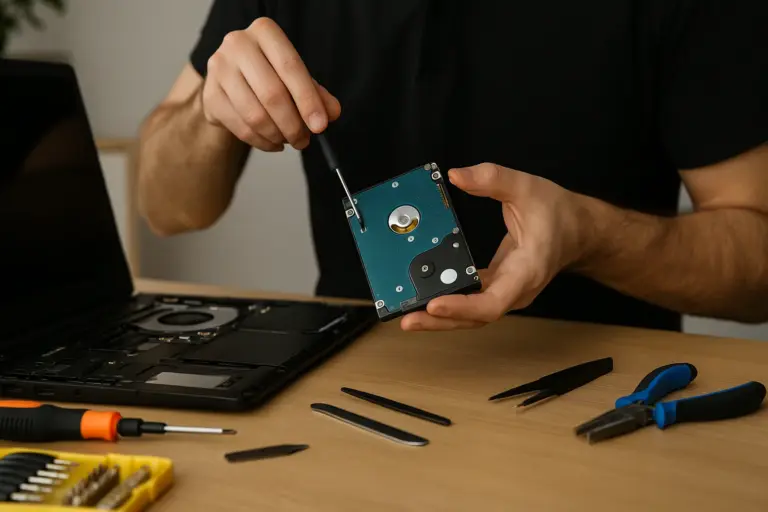
Technician repairing an unbootable laptop hard drive on a workbench with tools.

Signs Your Laptop Has a Boot Problem

Not all startup issues point directly to the hard drive. Some are tied to software glitches, power failures, or system updates gone wrong. Here's what to look for: Before jumping into repairs, try to restart the computer and enter the BIOS or UEFI setup (usually by pressing F2, Del, or Esc at startup). If your hard drive is not listed, you may have a hardware issue. If it is listed but Windows won’t load, there’s a good chance the boot failure is fixable.

Run Diagnostics to Identify Hard Drive Issues

Determining whether the drive has failed physically or logically is important. Many laptops include built-in diagnostics:

If your drive isn’t detected at all, or if accessing it causes strange noises, stop immediately to prevent permanent data loss. While data recovery tools might help if the drive is still accessible, it’s best to consult a professional — especially if you need to recover data from a hacked laptop or deal with business-critical files.

Use System Restore to Repair a Non-Booting Laptop

If the hard drive is intact but Windows refuses to start, a system restore may fix the issue.

Here's how:

1. Create or Insert a Bootable USB Drive with Windows recovery tools.

2. Restart the Laptop and enter the boot menu (F12, Esc, or similar).

3. Choose the USB Drive as the boot device.

4. Go to Troubleshoot > Advanced Options > System Restore.

5. Select a Restore Point created before the problem started.

System restore rolls back system files and settings without affecting personal files. If it

completes successfully, your computer may boot as normal. If not, try the "Startup Repair"

option, also available under Advanced Options.

Avoid repeated restart attempts on a damaged drive. This can make recovery harder. If

you're unsure, Dave’s Computers offers in-shop and remote support for clients throughout

New Jersey.

Additional Boot Repair Options to Try

When system restore doesn’t work, don’t give up. Here are other options that may help:

Make sure to back up any readable data before trying these commands. Improper use may cause more harm if the issue is physical.

Recovering Data with Partition and Drive Recovery Tools

Even if Windows won’t start, your data may still be recoverable. If partitions are missing or the drive appears unallocated, use partition recovery software. These tools scan for deleted or corrupted partitions and allow you to recover files. If you see files but they won’t open or display errors, drive recovery tools like: Can often help recover your data without overwriting it. For sensitive files or business data, professional help is the safest option. At Dave’s Computers, we offer secure, in-depth data recovery services using industry-standard methods.

When to Contact a Professional Repair Service

If the problem persists after trying system restore, boot repair, and recovery tools, it’s time to seek expert help. Here’s when to call in the pros: Dave’s Computers provides walk-in, mail-in, and remote support. We specialize in hard drive repairs, laptop troubleshooting, and full data recovery solutions across New Jersey.

Fast, Safe Repairs from Dave’s Computers

If your laptop still won’t boot, don’t risk making it worse. Our team at Dave’s Computers is here to help. We diagnose unbootable hard drives, recover lost data, and repair laptops fast. All at affordable rates. Whether you’re dealing with a software issue or total hard drive failure, we offer repair solutions you can trust. Visit our store or call us for immediate support. Let us help you get back to what matters, with your laptop working and your files safe.

Related Posts

How to Recover Data from Hacked Laptop: Steps to Restore Files and Secure Your Device

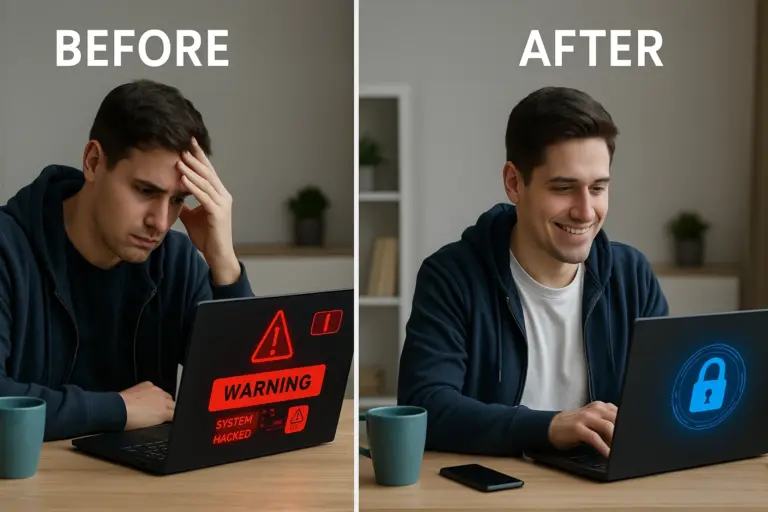
If your laptop has been hacked, you're likely feeling overwhelmed and unsure of what to do next. The good news? You can take action to recover your data and secure your device. At Dave’s Computers, we help individuals and businesses with laptop repair in New Jersey to protect and restore their digital lives. This guide walks you through how to recover data from hacked laptop computers and how to secure your system from future threats. Whether it’s lost files or locked accounts, we’re here to help you recover data from a hacked laptop quickly and safely. Before and after image showing how to recover data from a hacked laptop using professional support.

Recognize the Signs of a Hacked Laptop

Before you can recover anything, you need to confirm whether your laptop was actually hacked. Hackers use remote access to take control of systems, often without leaving obvious traces. So being aware of the red flags is important. Common signs of a hacked laptop: If you notice any of these warning signs, act quickly. The sooner you respond, the higher the chance of successful data recovery.

Take Immediate Action to Limit Damage

Once you suspect your laptop has been compromised, follow these steps:

Disconnect from the Internet:

Unplug your ethernet cable and disable Wi-Fi immediately. This prevents ongoing data theft or further malware installation.

Avoid Logging In to Sensitive Accounts:

Hackers could be monitoring keystrokes or screen activity. Use a separate, safe device to change passwords for important accounts—especially banking, email, and cloud services.

Document Any Issues:

Take screenshots or jot down any odd behaviors like error messages, strange files, or unknown logins. These details help professionals assess the breach.

Do Not Run Generic Antivirus Scans:

While tempting, running antivirus on an infected computer without proper setup can make things worse. You could trigger hidden malware or delete recoverable files.

Contact a Professional:

At Dave’s Computers, we provide fast diagnostics and can guide you through safe next steps, either remotely or in person. Getting expert help early reduces long-term risks.

Safely Recover Lost or Deleted Files

With your laptop quarantined and urgent accounts protected, the next step is file recovery.

Account Recovery Method 1: Use Backups

If you’ve used cloud services like Google Drive or Dropbox, or backed up to an external hard drive, check those platforms first. Before restoring:

Account Recovery Method 2: Try Data Recovery Tools

If you didn’t back up: At Dave’s Computers, we use professional recovery tools that work even when files are corrupted or partially overwritten. Whether you lost business documents, personal photos, or critical spreadsheets, we’ll help determine what can be saved.

Restore System Integrity with Caution

Recovering your data is only part of the process. It’s essential to restore your system to a safe state to prevent reinfection.

Start by booting your laptop in Safe Mode. This allows you to run trusted scans and system checks while preventing nonessential programs (including many types of malware) from launching. If you’re unable to access the system normally, here’s how to fix an unbootable laptop hard drive so you can begin the recovery process.

Perform a Full System Scan Using Verified Antivirus Software:

Use a reliable antivirus solution—like Malwarebytes, Bitdefender, or Windows Defender—to locate and remove known threats.

Run a System Restore (If Available):

If your computer created restore points before the hack, use the System Restore feature to roll your system back to a clean state.

Reinstall Windows (If Necessary):

If malware persists or data corruption is extensive, a full reinstall using installation media may be required. Always back up recovered data before reformatting.

Secure Your Laptop to Prevent Future Hacks

After restoring access and recovering files, it’s important to focus on long-term protection. Many laptop hacks happen due to outdated software, weak passwords, or poor network security. To reduce future risks, follow these practical steps on how to extend the laptop lifespan and keep your system running securely for years. Steps to Secure Your Device: Install updated antivirus software and enable real-time protection. To simplify management, consider using a password manager like LastPass or 1Password.

Consider Ongoing IT Support

Getting through a laptop hack is challenging. Ongoing professional support ensures your computer stays protected. At Dave’s Computers, we offer: If you’ve been hacked once, prevention is your best defense moving forward. Whether you need help today or want long-term protection, our team is here to support you.

Final Advice: Recover Quickly, Protect Smartly

If your laptop was hacked, don’t panic—but don’t delay either. Quick action can save your data, your accounts, and your digital security. At Dave’s Computers, we help clients throughout New Jersey recover from digital attacks with smart, secure solutions tailored to each situation.

Need urgent help with a hacked laptop?

Contact Dave’s Computers now or visit our repair shop for hands-on support. We’ll help you recover what matters and prevent future breaches—so you can get back to work with confidence.

Related Posts

Why Can't I Recover Files After Reset?

A factory reset is supposed to give your computer a fresh start, but if you didn’t back up your files, you may find them completely gone. Why can’t I recover files after reset? The answer depends on how your system stores and deletes data. 

In some cases, you can get them back, but not always. This guide will walk you through the recovery process, from checking backups to using reliable recovery software and professional services.

Why can't I recover files after reset? A comparison of HDD vs. SSD Data recovery

Understanding the Impact of a Factory Reset on Data Storage

A factory reset wipes all personal files, settings, and installed programs, restoring your system to its original state. However, whether your files are recoverable depends on your storage type.

How Factory Resets Affect HDDs vs. SSDs

Permanent vs. Recoverable Data Loss

Whether you can recover lost files after a factory reset depends on a few key factors. Storage type plays a major role while HDDs may allow some recovery. SSDs with TRIM enabled erase files permanently, making retrieval nearly impossible. 

Another critical factor is overwriting. If new data has replaced the deleted files, no recovery software will be able to bring them back. However, if you have a backup, whether on an external drive or cloud storage, restoring your files becomes much easier.

Can You Recover Data After a Factory Reset on Windows?

In some cases, you can recover files after a reset, but it depends on the situation. The chances of recovering your files after a factory reset depend on several factors. If you continue using your PC after the reset, new data may overwrite the lost files, making recovery impossible. The file system type also plays a role. NTFS allows for partial recovery in some cases, while FAT32 and SSDs with TRIM enabled make retrieving deleted files much more difficult.

Ways to Recover Your Files

    1. Check Windows Backup & Restore – Go to Control Panel > Backup and Restore to see if a backup exists.
    2. Look in OneDrive or Cloud Backups – Many users unknowingly save files in the cloud.
    3. Search for Restore Points – Control Panel > Recovery > Open System Restore lets you roll back settings (but not personal files).

    If these don’t work, you’ll need a reliable recovery program.

Step-by-Step Guide to Recover Files After Factory Reset

A. Checking for Backup Options First

B. Using Windows Built-in Recovery Features

C. Trying Third-Party Data Recovery Software

When Windows tools fail, you’ll need recovery software like:

Select a safe recovery program, and don’t install it on the same drive where your lost files were stored to prevent overwriting.

D. Understanding When Data is Unrecoverable

If SSD TRIM has erased your files or new data has overwritten them, even the best recovery software won’t help. That’s when professional recovery might be your only choice.

Choosing the Right Recovery Tool for Lost Data

Not all recovery software works the same way, and choosing the right one can make a big difference in whether you get your files back. The best data recovery software programs offer different levels of scanning, recovery success rates, and ease of use. Before selecting a tool, it’s important to understand what features matter and when paying for software is worth the investment.

A reliable recovery tool should support various file types, including documents, photos, and videos. It should work on both HDDs and SSDs, have a safe scanning mode to avoid further damage, and allow users to preview files before recovery. These features ensure you don’t waste time recovering files that are already corrupted or beyond repair.

When deciding between free and paid recovery programs, it helps to understand their limitations. Recuva, a free option, is useful for quick recoveries but may not always find deeply buried files. In contrast, Disk Drill, a paid solution, offers more advanced scanning and a higher success rate. If the lost files are important or valuable, investing in a paid recovery program is often the better choice for maximizing your chances of success.

Why Professional Data Recovery Services Might Be Necessary

When software recovery fails, professional data recovery services may be the only option. If your drive is physically damaged, files have been overwritten, or your SSD has TRIM enabled, no recovery software, no matter how advanced, will be able to retrieve your lost data. In these cases, specialized data recovery labs use advanced tools and techniques to recover files. 

Experts can repair damaged drives, extract lost data from broken storage devices, and perform deep scans beyond what consumer recovery software can achieve. These methods are useful when dealing with hardware failure or complex storage issues.

The cost of professional data recovery varies based on the level of damage and the complexity of the recovery process. Basic recovery services typically start at $300–$1,000, but prices can go higher for severe cases. If your files are critical, choosing a reliable service like Dave’s Computers ensures the best chance of getting your data back

What Should You Do Next?

If you’ve lost important files after a factory reset, start by checking backups. If that doesn’t work, use safe recovery software like Disk Drill or Recuva. For serious cases, a professional data recovery service may be the best choice.

Need expert help? Contact Dave’s Computers for professional file recovery solutions.

Related Posts

When your computer crashes, there is a real fear of losing important files and documents. However, it is possible to recover lost files regardless of whether the computer hardware is broken or there is the presence of malware. There are several different types of data recovery software in addition to steps you can take to attempt to recover any lost data from your computer or laptop. It is important to note that if you are unable to get your files back, you can bring your computer problems to Dave’s Computers.  Our data recovery services are available seven days a week, and we know these items are confidential, which is why we take privacy seriously..

How to Tell if a Hard Drive is Dead

The best way to avoid any disastrous data loss is to catch any issues as quickly as possible. If you experience any of the following items, your computer’s hard drive could be close to failure.

In this situation, the best option is to bring your computer to a repair specialist. Not only can a professional fix the problems quickly and avoid more serious damage, they can also provide methods to prevent issues from happening in the future. If you are unsure about any computer issues, Dave’s Computers of Hillsborough New Jersey provides free estimates! Simply give us a call or stop by our shop to get more information. 

Steps to Recover Data from a Hard Drive

Follow these steps at home to recover data from your dead hard drive. And, if you have any hesitation or confusion along the way, Dave’s Computers is here to help. 

  1. Install a trusted data recovery tool. We recommend some of the top data recovery software tools below. 
  2. If the hard drive is external, plug it into your computer. 
  3. If the hard drive is internal, you can remove it from its current machine and utilize a USB cord to plug into a working computer. 
  4. Scan the damaged hard drive. 
  5. Once the scan is complete, you should be able to see files that you can recover and save elsewhere. 
  6. After data recovery is successful, it is important to regularly backup files to avoid any permanent loss. 

What are the Best Data Recovery Software?

Whether you have a PC or Mac, it is important that you use a high-quality, effective data recovery tool. Here are some of the best file recovery tools. 

Many of these tools have a very simple interface with straightforward instructions that make it easy for you to get your files back. As mentioned, if you have trouble using these tools, or if you are unable to get your files back, the computer repair technicians of Dave’s Computers are highly experienced when it comes to data recovery. Bring us your hard drives today! 

Choose Dave’s Computers Instead of Data Recovery Software

Although there are numerous methods and tools to recover files at home, the quickest way to get your data back is to hire a professional. Our technicians can solve most problems within an hour or less, and we can implement processes to prevent future computer problems. We can recover data from 

When it comes to retrieving your deleted files, family photos, business documents, financial records, and any other important information, Dave’s has you covered. Our experienced technicians can retrieve your files from virtually any kind of computer data storage device. Once your files are retrieved, we can also transfer it to any new storage devices that we install on your computer. When disaster strikes, Dave’s Computers of New Jersey is here to help home and business users alike. Get your free estimate today to get your files back!  

Related Posts

Cyber security tips often scrape the surface of what it means to be a sitting duck online. However, for a Bridgewater, NJ business that uses technology, keeping up with the latest cyber security threats is something that you absolutely need to do, no matter what.

Remember that your cybersecurity absolutely needs to be your first priority, no matter what, because a security breach can impact your clients and your brand's reputation - which could harm you forever.

So what should you do? Start with these cyber security tips:

Understand Your Online Presence

You need to understand that if you are a business owner or even a person who does a lot on computers, you are going to be an attractive target for those who want to use the internet for nefarious purposes.

If you have any type of money, data (including usernames, passwords, emails or anything else), or just a place to work, you are going to be a target.

You cannot operate with the "it won't happen to me" mindset - it can, and it might.

Pay Attention To New Cyber Security Tips

There are new tools, patches, and options for cyber security coming out all the time, so it is important to keep your ear to the ground when it comes to them. Make sure you keep your applications updated and you talk to your employees, family, and friends about being safe when using your technology.

Think About What You Plug Into Your Computer

One thing many people don't do when they think about their cyber security is be careful about what you plug into your computer. This is one of the most important cyber security tips of all.

Never use a USB whose source you don’t know - or even if you do know them, you never know what can be spread from computer to computer! It can be infected with malware that can even resist formatting. Someone could infect your computer without even meaning to.

You Still Need Antivirus

One of the weirdest trends of the last few years is that people think that they don't need antivirus anymore, but that just isn't the case: Antivirus is still very necessary, so don’t skip it.

Even those people who follow cyber security tips to the letter might experience attacks, so you should put up the best defense.

Cyber Security Tip: Prioritize the Most Important Accounts

If you don't have time to focus on the security of all of your accounts, at least focus on the most important ones. Heimdal Security gives a great list of where to start:

Use your best passwords for these websites and do not, under any circumstances, give them out.

Clean Out Apps You Don't Use

If you haven't used an app in the last six months, it is time to get rid of it. There isn't much else to say when it comes that - keeping around old applications, especially those that you don't update, will never help you to stay safe.

Stick To Your Own Devices

cyber security tips

How badly do you really need to get on the internet? If you don't have your phone with you and want to do something, make sure that it is absolutely necessary before you do it. The more devices you enter your information on, the more chances you have to make a mistake.

Make Your Passwords Difficult

Gone are the days when you want to make your passwords something easy to guess like your pet's name followed by your birthday. If even that seems complicated to you, then you are putting yourself in serious cyber trouble.

One of the best (and easiest to follow) cyber security tips that you can follow is to just make your password difficult. What does a good password look like? Something like this: h295p!$%rvi***

It might seem complicated, but it will keep you safe. Even better, you can get a password manager to help you keep track of them.

Check For The S

If you are going to a website you've never been to before (or even one that you have been to), check to see if it starts with httpss. The added “s” is the key cyber security tip here. A website that starts with an "httpss" encrypts the data you put into the website as well as the data that you get from it, so no one can break into it or tamper with it.

If a website does not start with httpss, you can still use it, just do not give them confidential info (credit card details, social security number, address, etc.).

Disconnect When You Can

A short but sweet cyber security tip? Disconnect from the internet when you can - it will help to keep you safe at all times.

Be Smart About What You Post

Cyber security is about more than just keeping your information safe, if can keep you safe as well. Don't check into airports, hotels, or other places that will advertise the fact that you won't be at home. This just opens up the chance that someone will see it and know that your home is unoccupied.

You don't just have to be careful about posting those though, make sure you don't post vacation pictures until you are home, you don't leave reviews in real time, and try not to do "live" videos.

Our team takes pride in being the most experienced team of IT professionals in Montgomery and all of New Jersey. You can count on us to have solutions to problems that you may not have had luck with before. When it comes to data recovery in New Jersey, you simply cannot go to anyone better. We have technical support available to the public every day of the week: you’ll have the option to talk to an experienced technician if a problem arises.

Looking for the Best Computer Services in New Jersey? Call: (908) 332-5051

Related Posts

Recovering from a natural disaster can be extremely difficult on all fronts - both on the physical and emotional side. What can be even more difficult, however, for most businesses, is a data disaster.

It is likely that you have prepared your business for disasters of all kinds. You have emergency kits to sustain the people inside of you need to shelter in place, you've practiced fire drills, you have insurance for flooding. but what happens if it is your infrastructure that is struck by the disaster?

There are many things that can trigger an infrastructure disaster, including things that you cannot predict. Things that can bring your data center to a halt. How can you protect yourself?

One of the best ways to keep yourself, your business, your reputation, and your data safe is to incorporate a disaster recovery plan (DRP) that has backup and redundancy built into it.

In fact, it is so important to so many businesses that the United States Government actually recommends creating a DRP plan: " An information technology disaster recovery plan (IT DRP) should be developed in conjunction with the business continuity plan. Priorities and recovery time objectives for information technology should be developed during the business impact analysis. Technology recovery strategies should be developed to restore hardware, applications and data in time to meet the needs of the business recovery. "

Here's what we classify a strong DRP:

Create A Sound Disaster Recovery Plan

data disaster data loss

Planning for a disaster might be difficult because you have to think about anything and everything that can go wrong AND THEN figure out how to tackle them. We suggest starting with the most basic (therefore, the most likely) situations and moving on from there.

You want to define what will keep your business running: emails, applications, computer equipment, and backups. You will need to determine how long you can go without other processes and create a chain of replenishment.

From there, you will be able to figure out who is responsible for declaring the disaster, how to keep your employees informed, and how you will communicate to your clients.

Carry Out The Plan

As soon as you have established a strong plan, you want to put all of the requisite steps into play and make sure that everything is implemented properly. Sometimes, you will have to anticipate new parts of the plan when you build new applications. It is always best for the project (in an agile sense) to build with the security team during your development phase.

You want to monitor your data recovery plan and update it if needed. Remember that you have to change it up and edit it as time goes by, which will result in fewer IT problems and less downtime if you do have a disaster.

Test Your Data Recovery Plan - Before A Disaster

data disaster loss

If you take the time to write a data recovery plan, you may want to actually make sure it works. The sad truth is that not enough people do that. You are leaving yourself open for an even bigger disaster.

If you have a plan in place, test it. Simulate different circumstances a few times a year and see how your plan responds. You will be extremely thankful you that you did this when a real disaster does come.

Even better, you will be able to evaluate your plan and fix the areas where you spot weaknesses.

Back-Up Your Data And Store It For A Data Disaster

If there is a disaster, most people don't know that the data they store on site isn't completely safe, especially when a disaster occurs. That is why it is so important to store your backed up data offsite. Create a backup file of the data and transfer it (securely) to an offsite data storage center.

From there, keep backing up at least once a day.

Make Sure Employees Follow Suit

Many companies tell their employees to store data on the company's network and back it up - that doesn't mean that everyone does it. Some are too lazy and some just don't remember to do it.

Make sure that your employees have incentives to follow suit and, at least, back up desktops and laptops on site so that you can get it back in the case of a disaster or if the device gets damaged, stolen, or lost.

Regularly Update Your Virus Scanners

The security you use in your IT infrastructure is so important. You need to make sure that everything is protected against viruses, malware, and spyware. Protect your infrastructure as soon as you can and as regularly as you can by installing regular virus pattern updates as part of your data recovery plan.

This is one of the best steps you can take to stop a data disaster from occurring - and prevention is always the best policy.

No matter what, you need to remember that every single business out there, no matter how big or small it is or how much tech it really uses is vulnerable to experiencing a data related catastrophe. Arm yourself and your employees against disaster by working to put a disaster recovery plan into place. It will be one of the very best things you will ever have done for your company, even if you don't ever use it.

Our team takes pride in being the most experienced team of IT professionals in New Jersey. You can count on us to have solutions to problems that you may not have had luck with before. When it comes to data recovery in New Jersey, you simply cannot go to anyone better. We have technical support available to the public every day of the week: you’ll have the option to talk to an experienced technician if a problem arises.

Looking for the Best Computer Services in New Jersey? Call: (908) 332-5051

Related Posts

Data recovery is one of the scariest things you don't know about until it is too late. While most people don't keep all that much on their laptops, businesses and organizations have years and years of important information stored on something that could fail at any given time.

Sometimes, it doesn't even have to be a bunch of files - it can be one big file that was critical but it was deleted by mistake.

These things happen all the time and it can be quite frustrating to get your information back quickly, if you can get it back at all. However, data recovery is possible in some cases.

How much does data recovery cost?

There isn't really a "one size fits all" answer here and we can't even give you an estimate over the phone. The realities of data recovery are intricate and can require a bit of time before someone can even determine if they can help you.

As such, the cost of data recovery varies significantly. There are so many different types of hard disks, drives, USB drives, SD cards, and other storage options that require an IT professional to take their time when making an estimate or even providing an answer about if they can recover anything.

Is data recovery a lot of work?

Depending on the situation, data recovery can take quite a bit of work. Sometimes it can take just a few seconds. You are paying for the time, labor, and skills when you seek out someone to help with data recovery, so be sure to put everything into perspective.

Just like we can't tell you how much data recovery will cost, we also can't estimate how much work it will take without looking at your laptop or drive.

What is the data recovery process?

The process begins with an IT professional looking over your equipment to see if recovery is even possible. Once that is complete and you turn your device over to us, it can take a few business days to complete an evaluation and get it back to you. (If you have a flat rate IT plan with us, you will get it sooner.)

Once the data recovery specialists look at it and determine the next course of action, you should get a quote. We will tell you the cost and give you an estimate on the timeline.

Then, we get to work recovering what we can. We will work until we have exhausted all of our resources and recovered everything we could.

How long does it take to recover my data?

There is no set time, it can take a few minutes or a few weeks, depending on the level of complication. It can take as long as two weeks for certain companies, especially those that you have to mail your product to. Taking it to someone in your area will significantly cut back on the time you are away from your device.

Does the amount of data recovered change the price?

This is a common question and the answer is no - most often, the prices will be about the same because it requires the same amount of work.

Can I choose what data I get back?

Most customers probably don't need to get everything on their devices back - for example, those silly memes you saved probably don't mean as much to you as your family photos.

However, most data specialists won't pick and choose the data to recover, they will recover everything that they can. Still, it is important to mention what data is the most important to you so that we can define our goals and helps us target the most important stuff first. These drives can be delicate and working on them can degrade them - so sometimes we have to lose some data to save other data.

7. How do I get my data back?

data recoer

Once you have paid for your services and we have discussed what was found, the data recovered will be placed on a new, healthy storage system and given back to you. In most cases, we cannot reload the data back onto the device that you gave us, mostly to protect you from having to go through the entire process all over again.

You can provide your own system for storage or we will include that in our price.

Once again, losing your data can be an absolute nightmare, especially for people who keep very important information on their computers. The best thing to do is plan ahead: have an IT company on retainer or as a monthly service so that you can get the help you need quickly.

At Dave’s Computers, our team of specialists has the skills and experience necessary to recover your personal data from all kinds of data storage devices. Not only that, but our recovery center is conveniently located in New Jersey so that you do not have to lose working time to shipping or travel.

We can recover deleted files from flash drives, thumb drives, external USB drives, hard drives/hard disks, RAID systems, and Apple / Mac devices. Regardless of the storage capacity, or the size of the device, you can depend on us to recover lost files and take care of your storage needs quickly and efficiently.

Our team takes pride in being the most experienced team of IT professionals in New Jersey. You can count on us to have solutions to problems that you may not have had luck with before. When it comes to data recovery in New Jersey, you simply cannot go to anyone better. We have technical support available to the public every day of the week: you’ll have the option to talk to an experienced technician if a problem arises.

Looking for the Best Computer Services in New Jersey? Call: (908) 332-5051

Related Posts

Yesterday I mentioned how important it is to ensure your disk drive is cool and that your fans are working properly. Cooling is an essential part of computing and something you need to keep a close eye on. That’s especially true for smaller form factors or laptops. But why? Why do you need to keep your disk drive cool?

Computer cooling is a huge subject and something of a passion of mine. We sell all sorts of cooling products here at Dave’s Computers in New Jersey and I have taken it as a personal mission to improve computer cooling for everyone. So what’s the fuss about?

Heat is a byproduct of energy conversion. In the case of computing, turning the potential energy of electricity into an electronic process. Whether that’s powering your computer processor to perform calculations, powering your RAM to store and retrieve data or your disk drive to read and write files. All computer components generate heat to one degree or another.

Computers and heat

Computer components are heat tolerant but only to a certain point. The hotter they get, the more susceptible to failure they are.

Heat damages electronics in a number of ways. It begins to break down the chemical bonds within components. Breaks down glues and adhesives. Causes components to expand and contract at different rates causing material fatigue and by altering the materials themselves to make them brittle or distorted.

All of these things can affect a disk drive and cause you to lose data which is why it is important to make sure they stay cool. They are able to cope with the heat a typical PC produces and then some but there are limits.

The cooler you can keep your computer, the less fatigue and heat damage takes place. Then, the normal lifespan of those electronics is able to keep them running for longer.

Keeping it cool

Fortunately, it is relatively simple to keep a hard drive cool. Make sure all your PC fans are working and are free of dust and debris. Upgrade your fans to larger ones if you can fit them into the case. Keep the air intake at the front of the PC clear of dust and debris and make sure air and enter freely.

Keep all of your computer as clean as possible as dust is an insulator and can raise the temperature of your PC. Make sure the exhaust ports can push hot air out freely too.

If your computer is close to central heat or a radiator, move it. If you have a high ambient temperature, consider an external fan pointing at the computer. Or upgrade those fans.

Backups are also important if your computer runs hot. You don’t want to lose your files just because you like your apartment or house to be warm!

If you have issues with cooling or want a cooling upgrade for your computer, bring it to our store in New Jersey. We can handle everything for you.

Related Posts

We tend to store everything on our phones and computers. The humble hard drive has quite the responsibility keeping all that data safe and accessible. That makes it very important to know what’s wrong if you’re having hard drive problems and how to fix them. That’s what this page is all about.

If you’re having problems with your hard drive, you can always bring it to Dave’s Computers in New Jersey. Our team of hardware and data recovery experts can troubleshoot and fix all manner of problems and recover data should any be lost.

There are some things you can do yourself too.

Overheating disk

If your computer keeps shutting itself down or doesn’t sound the same, it could be overheating. Computers produce a lot of heat and use fans to keep components cool. If your computer begins sounding quieter or different, check all your fans to make sure they are working. If your computer shuts down for no reason, download a temperature monitor program and see if your computer is getting too hot.

To fix, check fans and keep them free of dust and debris. Make sure the exhaust port on your computer is free of dust too.

Files won’t open

If you cannot access a file, this could be down to file corruption, being accidentally damaged or malware. You need to be careful here. Run an antivirus scan and malware scan to make sure you’re not infected. Open a CMD window in Windows and type ‘chkdsk /f’ and hit Enter. Allow the process to fix anything it finds.

If your data is still not accessible, bring your drive to us to recover the data.

Human error

If you have accidentally changed the disk type from Dynamic to Basic, deleted files or folders, used a disk cleaner and deleted files, you’re not the first and won’t be the last. I have done this a few times myself.

First check the Recycle Bin or Trash depending on your computer. Recover all files from there. If you deleted files, right click the folder that held them and select Recover Previous Versions. If that doesn’t work, bring your computer to our data recovery team.

Virus or malware

As well as contributing to files not opening, some malware and viruses delete files altogether. Ransomware does the same thing if you don’t pay up. Some malware will overwrite the data so it cannot be recovered but not all of them do. Try running a full antivirus and malware scan and cleaning up anything it finds.

For most malware situations, you’re going to need professional help. Most home data recovery programs just aren’t powerful enough to recover data from a malware or ransomware attack. While you can do the basic cleaning, it’s up to us to recover your data.

Related Posts

We talk a lot about backups here at Dave’s Computers in New Jersey. They are a cheap and easy way to keep your data safe and stops you needing our expert data recovery services. Rather than waiting for us to recover your data, you could do it yourself and be up and running again in no time.

Even if you’re making backups of your important data, I bet you’re making one of these three common mistakes.

Single backup

For business or critical personal data, a single backup just won’t cut it. It is a single point of failure and is almost as susceptible as your original data. To be truly effective, you need three copies of critical data. The original on your hard drive, a copy on a different medium and a copy either in the cloud or stored offsite.

Then, whatever happens, you have at least one copy of your data to work with. With cloud storage being so cheap, I tend to recommend a copy in the cloud and a copy on an external drive. Cheap, simple, secure.

Scheduling backups

Taking a single backup and then forgetting to do it again is another common mistake. That’s fine for static data that doesn’t change but not much good for data that is continually updated. If your data is updated frequently, you need to update your backup just as frequently.

For most businesses, a daily backup is sufficient. For home users, a weekly backup may work. Much depends on what you want to back up. As you can automate the entire process, it makes sense to do it as often as you need to.

Not verifying your backup

Creating backups is all very well but have you checked them? Have you made sure your files are accessible and that nothing is missing or corrupted? File copying is now very accurate but not infallible. Regularly testing your backups when any significant changes are made is essential. If you don’t check, you could be adding bad data to bad data and that isn’t good for anyone.

This may all sound like a lot of work for a simple data backup but it’s important if you value that data. We store more and more in digital format now so it pays to keep it all safe with backups and then to keep those backups safe.

If you have any questions about backups or data recovery, contact Dave’s Computers in New Jersey. We would be happy to help!

Related Posts

📞 Call Dave's — 908-428-9558