How to Extend Laptop Hard Drive Life
A laptop’s hard drive is one of its most important components. It stores your files, your system, and everything you need to stay productive. But like any mechanical part, hard drives wear out over time. Luckily, a few simple habits can help you extend its lifespan. Whether you use your laptop for school, work, or personal use, getting expert laptop repair in New Jersey can help you protect your drive and avoid unexpected failures. Let’s look at how to extend laptop hard drive life and keep your device running smoothly.
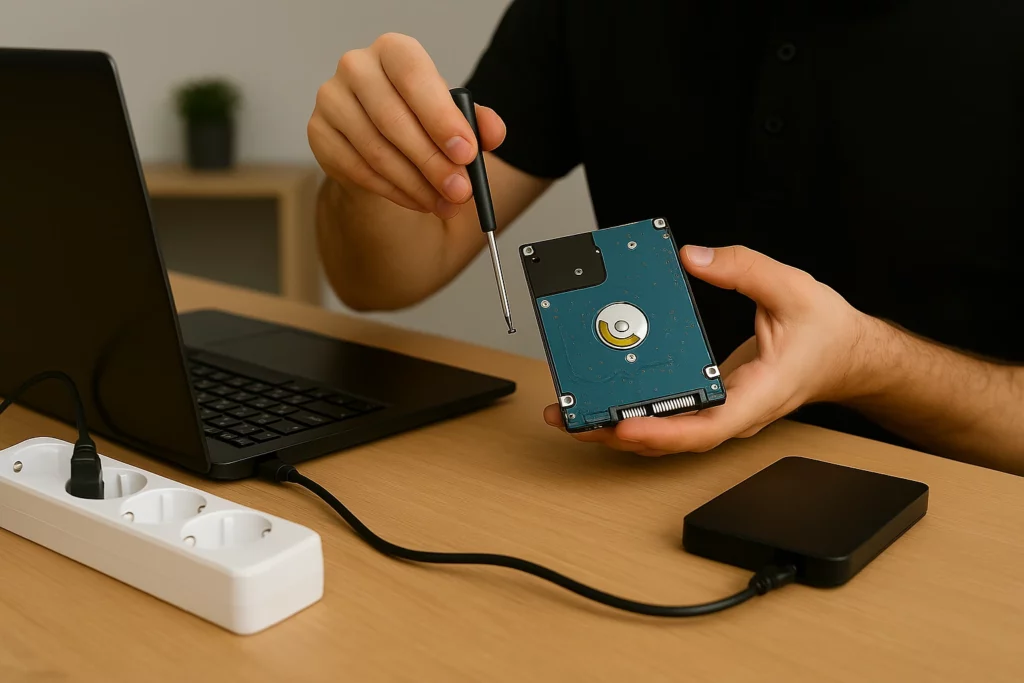
What Damages a Laptop’s Hard Drive?
Hard drives don’t last forever. They’re sensitive to wear, heat, movement, and power
problems.
Here are some of the most common things that can shorten a hard drive’s life. One of the most overlooked factors is poor temperature control, as how cooling affects laptop efficiency clearly shows, blocked vents and overheating can have serious consequences:
-
Power surges and improper shutdowns
-
Overheating due to blocked vents or dust buildup
-
Bumps or drops while the laptop is running
-
Running too many background apps
-
Old age, especially for mechanical HDDs
Mechanical hard drives (HDDs) have moving parts. Over time, the spinning disks andread/write heads wear down. If you hear clicking sounds or slow access to files, your drivemay be in trouble. Frequent forced shutdowns or system crashes can also damage the drive. These oftenresult in corrupted files and sectors, making recovery harder. Environmental factors matter too. Using your laptop in a hot car or humid environment addsstress. Spills and poor airflow can cause overheating or even short circuits. Even overfilling your drive, leaving less than 15% free space, can cause performanceissues and reduce its lifespan. Always leave some breathing room for your system tooperate smoothly. Understanding these risks helps you take action before failure happens.
Use a Surge Protector and Smart Power Settings
Power surges are a common reason for drive failure. A sudden spike in voltage can damagethe internal parts of your hard drive. This risk increases when you're charging your laptop inplaces with unstable power.Use a surge protector any time you plug in. If you work remotely or travel often, invest in aportable power strip with surge protection.Avoid leaving your laptop plugged in 24/7. Instead, unplug it once it's charged. This reduceswear on the drive and the battery.Set your laptop’s power settings to turn off the hard drive when idle. On Windows, you cando this in the “Power Options” settings. It reduces wear and keeps the drive cooler.
Keep Your Software Clean and Your System Healthy
Hard drives don’t just fail from physical issues. Digital clutter matters too. Running too manyapps or letting files pile up puts stress on your drive. Here are some simple habits to keep your system clean:
- Uninstall programs you don’t use
- Delete duplicate and unnecessary files
- Use tools like Disk Cleanup or CCleaner
- Run defragmentation (for HDDs only, not SSDs)
Defragmenting your hard disk helps keep files organized and reduces how much your drivehas to “work” to find what it needs. This can help extend your drive’s lifespan over time.Run a malware scan regularly. Viruses and spyware often run background processes thatput extra strain on your hard drive.
Store Files on External Drives
The more you store on your laptop, the more your hard drive has to work. That adds up overtime. Offloading files to an external hard drive is one of the best ways to reduce daily wear. Use an external HDD to store large files like photos, videos, and backups. This helps free up space and lowers the workload on your internal drive, and if something ever goes wrong, knowing how to recover data from a hacked laptop can make all the difference. Backups are not just for emergencies. They also act as off-site storage that reduces the riskof losing everything if your hard drive fails. Cloud storage is another option, but externaldrives are often faster and more secure. Make a habit of backing up weekly, if not daily. Many apps automate this process for you.
Avoid Heat and Physical Stress to Protect Your Hard Drive
Heat is one of the biggest enemies of any hard drive. Excessive heat can warp parts andreduce performance over time. Keep your laptop on a hard surface so air can flow underneath. Avoid using it on blankets orbeds. Clean the vents regularly to remove dust and debris. Consider using a cooling pad if you notice your laptop gets warm often. Also, be careful when moving your laptop. Sudden bumps or drops, especially when thedrive is active, can cause damage. Store your laptop in a padded case when not in use. If you're traveling, shut it downcompletely instead of using sleep mode. This helps protect the disk drives from beingdamaged while spinning.
Be Proactive with Maintenance and Monitoring
Just like a car needs tune-ups, so does your laptop. Use tools like CrystalDiskInfo or Hard Disk Sentinel to check the health of your drive.These tools let you monitor temperature, read/write errors, and other warning signs. Set reminders to clean up files, run security scans, and check storage health each month. Itdoesn’t take long and can help you catch problems early. The sooner you act, the better your chances of preventing failure.
Build Better Habits for Long-Term Use
You don’t need to be an expert to keep your laptop hard drive healthy. Just following a fewhabits can go a long way:
- Use surge protection
- Back up to an external hard drive
- Clean up files regularly
- Avoid heat and drops
- Monitor your drive’s health
Making small changes today can help your laptop’s hard drive last longer, and give youpeace of mind.
Need Help? Dave’s Computers Has You Covered
If your laptop’s hard drive is acting up or you just want expert help to keep it running longer,Dave’s Computers is here for you. We offer professional laptop repair, hard drive replacement, and data recovery services,whether you're dealing with slow performance, system errors, or total failure. Located in New Jersey, we provide fast, local service you can trust. Bring your laptop in orcall us for support. Our team will help you protect your data and extend the life of yourdevice. Let us handle the repairs, so you can stay focused on what matters.