The 5 Most Common Failures in Prebuilt Gaming PCs (and Which Ones You Can Head Off)
Prebuilt gaming PCs from iBUYPOWER, NZXT, CyberPowerPC, Skytech, CLX and the rest have gotten genuinely good, and for most people they are the right call. But a prebuilt lives a hard early life: it gets assembled fast, boxed up, and then handed to a shipping carrier that treats "fragile" as a suggestion.
After years of these machines coming across our bench in Somerville, the failures fall into surprisingly few buckets. Here are the five we see most in prebuilt gaming PC repair, in rough order of how often they walk through the door, and which ones you can catch before they
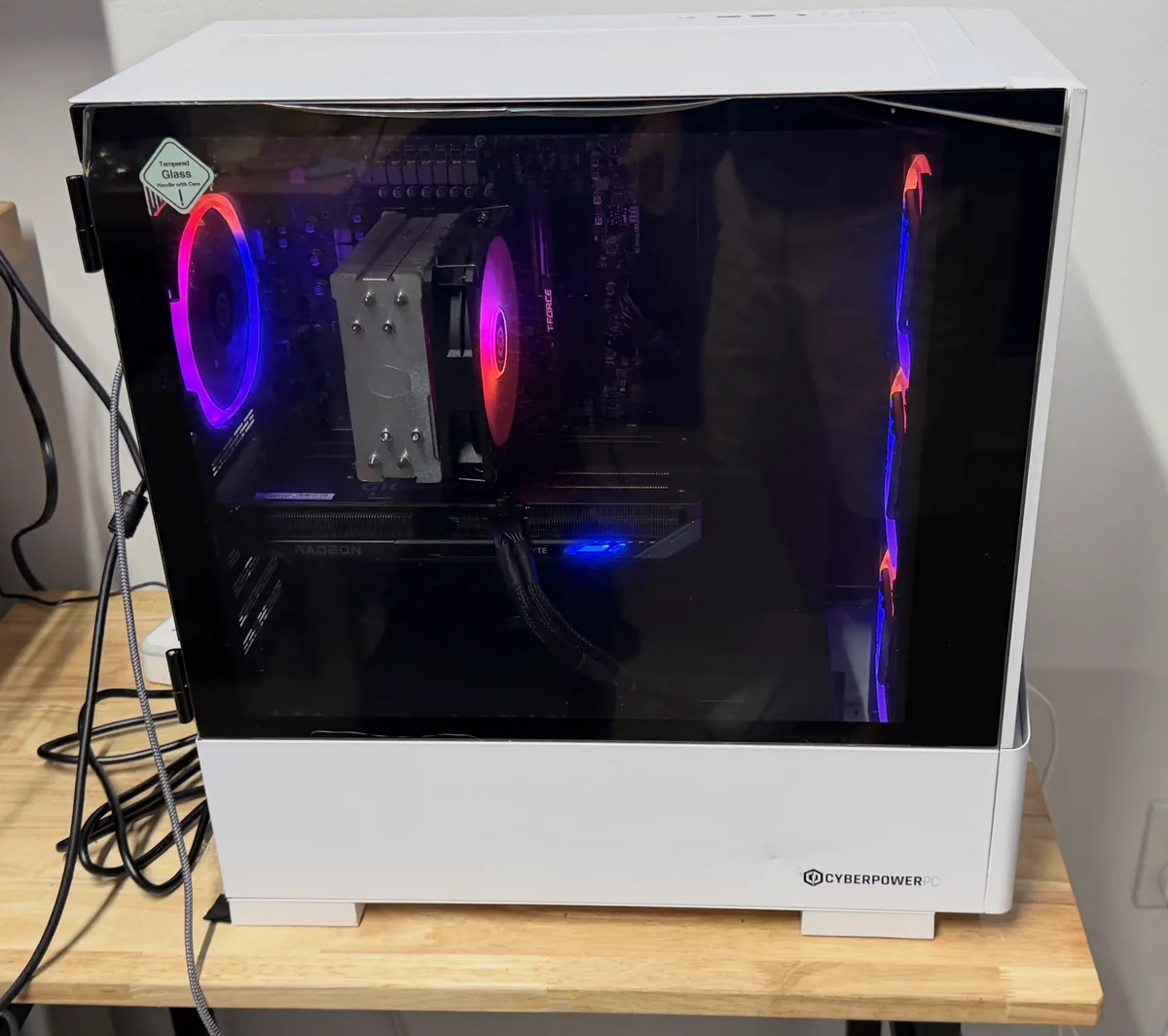
1. Shipping knocked something loose
The single most common "dead on arrival" or "died in month one" story is not a bad part at all. It is a heavy graphics card, a chunky air cooler, or a power connector that shifted in transit. A modern GPU can weigh several pounds and hangs off one slot; a hard box drop can unseat it just enough to kill video while everything else lights up. RAM sticks work loose the same way, giving you fans that spin with a black screen.
The tell: the machine was fine at the factory (they burn-test them) and wrong out of the box, or it fails after being moved between rooms or houses. This is also the failure people accidentally make worse, reseating everything with the power supply still switched on or forcing a card at an angle. If the machine is under warranty, photograph everything before you touch it.
2. Thermals: paste, mounting, and airflow theater
Prebuilts are assembled quickly, and cooling is where speed shows. We see coolers torqued unevenly so one corner of the CPU barely makes contact, paste applied like frosting or barely at all, and cases packed with RGB fans arranged for looks rather than airflow. The machine works, but the CPU throttles under load, games stutter after twenty minutes, and summer makes everything worse.
The tell: performance that degrades the longer you play, fan noise that ramps to jet-engine levels, or a machine that shuts itself down in demanding titles but idles fine. This one is worth fixing properly because heat quietly shortens the life of everything else in the case.
3. The power supply that was chosen by a spreadsheet
The GPU and CPU get the marketing bullet points; the power supply gets whatever kept the machine at its price. A borderline or low-tier PSU runs fine at the desktop and then produces the most confusing symptom in PC repair: random shutdowns or restarts under load, no blue screen, no error, just off. People chase drivers and Windows settings for weeks when the real problem is a power supply sagging under a transient spike from the graphics card.
The tell: crashes that only happen in games or benchmarks, especially ones that black-screen instantly rather than freezing. On high-end cards this is also where connector problems begin, which is a big enough topic that we wrote about melted GPU power connectors separately.
4. The budget SSD nobody mentioned
A prebuilt spec sheet will happily say "1TB NVMe SSD" without saying which one, and the difference matters. The bargain drives that ship in some builds are DRAM-less designs that bench fine when new and empty, then crawl once they fill up, and some models simply fail young. When a two-year-old gaming PC starts freezing for seconds at a time, taking forever to load, or throwing file errors, the storage is one of the first things we test.
The tell: long pauses where the whole system hangs but the mouse still moves, games that load dramatically slower than they used to, or disk usage pinned at 100% doing nothing. The good news: this is one of the most satisfying fixes there is, and if the drive is failing rather than just slow, catching it early means your saves, clips, and files come along instead of becoming a data recovery job.
5. Software rot: bloatware, drivers, and broken updates
Prebuilts ship with the builder's utility suite, RGB software from three component vendors, and whatever else the factory image included. A year of Windows updates later, some combination of those utilities is fighting a driver, and the machine stutters, audio crackles, or wake-from-sleep dies. This is the least dramatic failure on the list and the one people tolerate longest, because everything technically still works.
The tell: problems that survive part swapping and appear across different games. A clean, methodical software rebuild, keeping your files and games, fixes what months of tinkering will not. If the machine has slowed since an upgrade, our guides on a prebuilt that got slower after an upgrade and a prebuilt that won't start after an upgrade cover those specific traps.
The one check worth doing yourself
With the PC shut down, unplugged, and the power supply switched off, open the side panel and gently confirm the graphics card and its power cables are fully seated. That single inspection catches the most common prebuilt failure there is. Anything beyond that, especially with a machine under warranty, is worth having done by someone who documents as they go.
Where the brands fit in
These five patterns show up across every builder, but each brand has its own quirks: case airflow choices, proprietary utility software, and which corners the budget tiers cut. That is why we keep dedicated pages for the boutique brands we service most, including iBUYPOWER, NZXT BLD, CyberPowerPC, Skytech, CLX, and Origin PC. Whatever the sticker on the front says, the full rundown of what we handle lives on our gaming PC repair page.
And the honest note that belongs in every one of these posts: if your machine is inside its warranty window, we will tell you when a manufacturer claim is the smarter first move and help you document the problem, rather than doing work that could complicate it. A repair shop you can trust is one that occasionally tells you not to pay them yet.
Prebuilt acting up? Bring it to the bench.
We diagnose the actual cause before you spend a dollar, whether it came from iBUYPOWER, NZXT, CyberPower, or anyone else.