On Our Bench: Overheating Gaming Laptop With Clogged Vents and Dust-Caked Fans (NJ)
A real repair from the bench at Dave's Computers in Somerville, NJ. A gaming laptop came in overheating. Once the bottom cover came off, the reason was obvious: the vents were fully clogged and the fan blades were even worse.
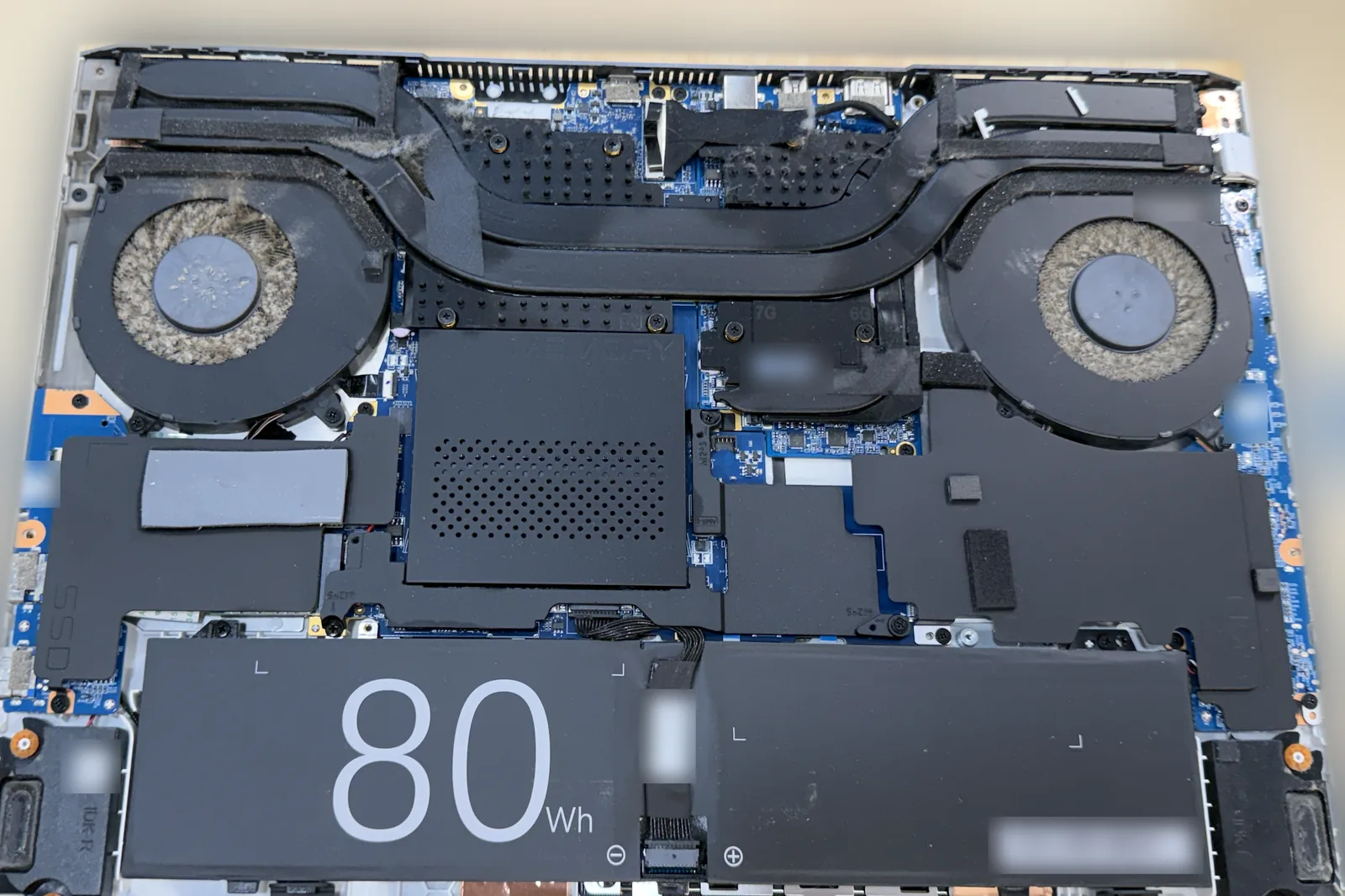
What came in
A customer brought in an unbranded gaming laptop because it was overheating. Gaming laptops pack a fast processor and graphics chip into a thin case, so they depend completely on their fans and vents to push heat out. When that airflow is blocked, the heat has nowhere to go.
What we found
We took the bottom cover off and found the vents fully clogged with dust. The fan blades were even worse off, with buildup packed between every blade. The laptop's dual fans and the heat pipes that run between them could not move air through the heatsink fins, so the system was cooking itself.
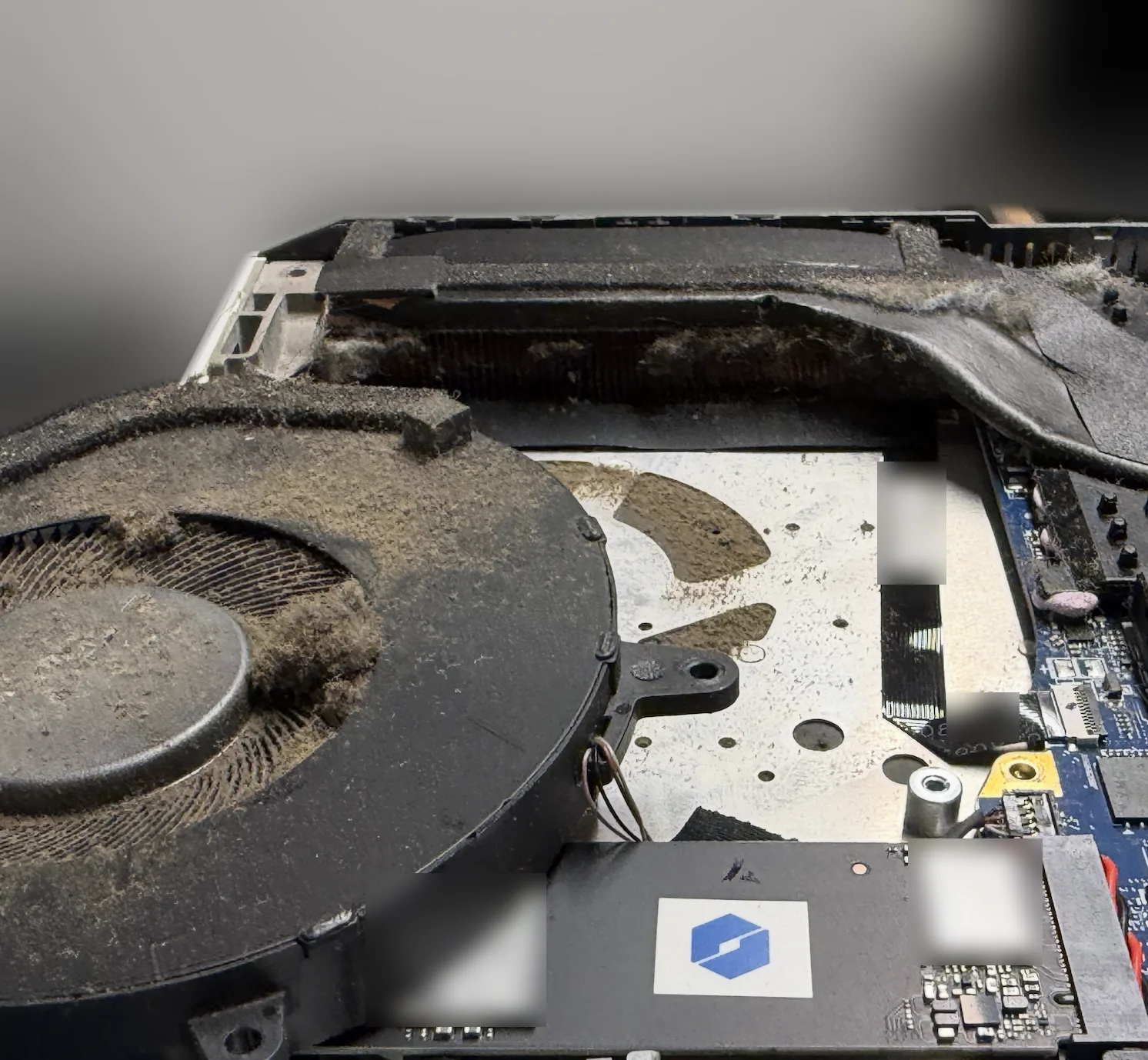
What we did
- Cleaned the fan blades with tiny brushes, working the packed dust out from between each blade by hand.
- Blew out the vents and heatsink fins with an air compressor to clear the buildup the brushes could not reach.
- Wiped away the loose, floating dust inside the case so it would not get pulled right back into the fans.
The result
With the vents and fans clear, the laptop was able to breathe again and move heat out the way it was designed to.
Curious what this buildup looks like up close and why it happens? Read how to clean a laptop fan and why summer is our busiest season for overheating laptops.
Parts on This Job
What we could identify in this laptop.
| Part | Brand / model | What we did |
|---|---|---|
| Laptop | Unbranded gaming laptop (no manufacturer branding) | Bottom cover removed for a full internal cleaning |
| Cooling | Dual fans with shared heat pipes | Fan blades brushed clean, vents and heatsink fins blown out |
| Battery | 80Wh internal battery | No work needed |
Laptop Running Hot? Bring It to Dave's in Somerville, NJ
Stop by our shop and we will open it up, clear out the dust and get it cooling properly again. Call to schedule or send a repair request.
📞 (908) 428-9558