Laptop Screen Repair & Replacement in New Jersey
Searching for laptop screen repair near me in New Jersey? Dave's Computers in Somerville, NJ fixes cracked, black, flickering, and dim laptop and notebook screens for customers across central NJ. Most repairs done in 2–3 days. Free estimate at drop-off. All brands. 90-day warranty.

Somerville NJ
Sat 9–2
Sometimes same day
On every screen
The Local NJ Shop for Laptop Screen Repair
Searching for laptop screen repair near me in New Jersey? Dave's Computers in Somerville has been fixing cracked, broken, black, and flickering laptop screens for central NJ customers since 2011. We're your local alternative to waiting weeks for a mail-in repair or overpaying at a big-box store.
Whether you need laptop screen replacement after a drop, a cracked screen repair on a work laptop, or a new display for a flickering MacBook. We handle it all in-house at our Somerville shop. No shipping your laptop across the country. No waiting on hold with a national service. Walk in, get a free estimate, and have your screen back in 2–3 days.
We fix laptop screens for customers from Bridgewater, Raritan, Hillsborough, Edison, Princeton, and across Somerset and Middlesex counties. If you're looking for laptop screen repair in New Jersey, you've found the right shop.
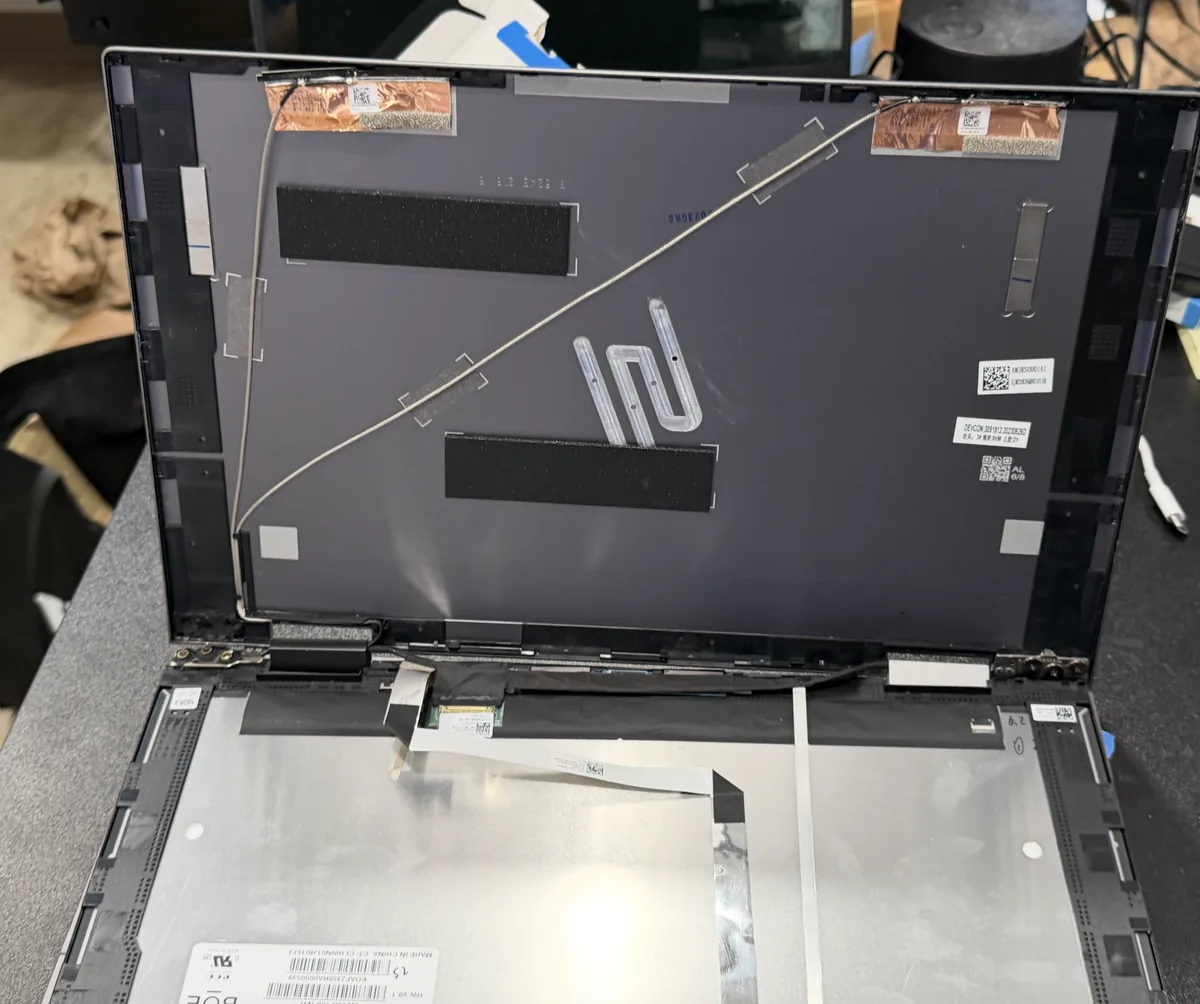
Laptop Screen Repair & Replacement Near You in New Jersey
Whether you call it screen repair, a display swap, or an LCD screen replacement, it's the same fix. Not sure if yours qualifies? Bring it in. We'll check and give you a free estimate on the spot.
Cracked Glass
Drops and impacts. Spiderweb cracks, shattered corners, broken display.
Black Screen
No display, no image. Laptop turns on but screen stays dark or blank.
Lines & Flicker
Vertical stripes, horizontal bands, flickering image, or display glitches.
Dim / No Backlight
Screen is barely visible. Image shows but only at very low brightness.
Spots & Bleeds
Dark blobs, pressure marks, ink spreading across the display.
Loose Hinge
Screen won't hold its angle, wobbles, or falls shut on its own.
Touch Not Working
Touchscreen or digitizer issues: screen displays fine but won't respond to touch.
Not Sure?
Bring it in and we'll diagnose it. Free assessment, no obligation.
Mac Owners: Text Us Before You Come In
MacBook screen parts are model-specific and availability varies. Before making the trip, text us your Mac's serial number and we'll confirm whether we have your screen or can source it quickly. Saves you a wasted trip.
Serial number is printed on the bottom of your MacBook. Please type the numbers in your text, no photos needed.
Laptop Screen Replacement for Every Brand in NJ
If it runs Windows or macOS and has a screen, we can repair or replace it at our Somerville, New Jersey shop.
Laptop Screen Repair Near Me: Four Steps
No appointments, no guessing, no surprises. Drop it off at our Somerville NJ shop and pick it up fixed.
Drop It Off
Bring your laptop to our Somerville shop. No appointment needed. Walk-ins always welcome.
Free Estimate
We inspect it in person and quote the exact screen and price, upfront, no obligation.
We Install It
New screen fitted and fully tested. Quality panel, clean install, no shortcuts.
Pick It Up
Good as new. Usually 2–3 days. In-stock screens sometimes same day.
Get a Free Estimate: At Drop-Off
We don't give estimates over the phone. We need to see the laptop to quote accurately. The estimate is free at drop-off, with no obligation. Here's what the process looks like:
Laptop Screen Repair Done Right the First Time
We don't rush, cheap out, or ghost you. Here's what you get with every laptop screen repair or replacement in New Jersey.
Quality Screens
OEM or premium aftermarket panels. We don't install junk, if we wouldn't accept it on our own laptop, we won't install it on yours. Bright, accurate, properly fitting screens every time.
90-Day Warranty
Something off with the new screen? Bring it back within 90 days. We stand behind every screen we install. No hassle, no argument: we make it right.
Fast Turnaround
Most screens done in 2–3 days after parts arrive. If your screen happens to be in stock, sometimes same day. We'll tell you honestly at drop-off what to expect.
What Laptop Screen Repair Customers Say
"Came from Jersey City with a MacBook Pro that had a shattered screen. Dave's quoted me same day, finished in two days, and charged less than two local shops quoted me over the phone. The screen looks perfect."
"Fixed my Lenovo Thinkpad screen fast and less than Staples."
Serving Laptop Screen Repair Customers Across Central NJ
Customers drive from across New Jersey to our Somerville shop for laptop screen repair and replacement. A short trip beats ordering parts and waiting weeks.
Laptop Screen Repair for Your Town
Every screen is replaced on our bench at 75 N Bridge St in Somerville. Pick your town for turn-by-turn directions, local details and how drop-off works from where you live.
Laptop Screen Repair & Replacement FAQ: New Jersey
Do you do LCD screen replacement?
Do you fix Chromebook screens?
How much does laptop screen repair cost in NJ?
Can you fix a cracked laptop screen near me in New Jersey?
How does the $75 deposit work?
Do I need an appointment, or can I just walk in?
What happens when I drop off my laptop?
What should I bring when I drop off my laptop?
How long does the diagnostic take before I get my exact quote?
How long does laptop screen replacement take?
Will I lose my files during a screen replacement?
What if my screen is just flickering, not cracked?
My laptop turns on but the screen stays black. Is it definitely the screen?
My laptop display is damaged but the glass isn't cracked. Can you repair the display?
Can you fix my laptop's built-in monitor?
Do you repair notebook screens, or just laptops?
Can you fix a hairline crack in a laptop screen?
The bezel or hinge around my screen is cracked. Do you fix that too?
Do you repair screens on older or discontinued laptops?
Can you recover my files or fix other problems while it's in?
Do you come to my home or office, or is it drop-off only?
Do you fix touchscreen laptops?
Is it worth fixing my screen or should I buy a new laptop?
Why bring it to you instead of Geek Squad or the manufacturer?
What warranty do you offer on a replaced screen?
How do you test the new screen before I pick it up?
Who actually does the repair?
How do I find my laptop screen model number?
What laptop screen sizes and resolutions do you replace?
How is laptop screen size measured?
What's the difference between dead pixels, stuck pixels, and hot pixels?
My screen has lines, ghosting, or backlight bleed. What does that mean?
Should I replace my laptop screen myself?
Do you sell laptop screens by themselves?
Do you use OEM or aftermarket replacement screens?
IPS vs TN laptop screens. What's the difference?
Do you replace 120Hz, 144Hz, 165Hz, and 240Hz gaming laptop screens?
Can you replace an OLED laptop screen?
Do you replace 4K and UHD laptop panels?
Matte vs glossy laptop screen. Can I switch when replacing?
Do laptop screen repair kits work?
What does it mean when a laptop screen is cracked internally?
What's the difference between eDP 30-pin and 40-pin connectors?
Laptop Screen Repair Kits: Why They Don't Fix a Laptop Display
"Screen repair kits" are one of the most searched screen products online, and most of them were never made for a laptop LCD. Here is what each type actually does.
| Kit type | What it's made for | Will it fix a laptop screen? |
|---|---|---|
| Resin or "crack filler" kit | Small chips in windshields and phone cover glass | No. Most laptop screens have no separate cover glass to fill. The crack is inside the LCD panel, where resin can't reach and can't bring dead pixels back. |
| Scratch polish or "scratch remover" | Hard glass and plastic surfaces | No. It strips the anti-glare coating off a matte laptop screen and leaves a permanent shiny patch. |
| Window or door "screen repair kit" | Mesh window and door screens | No. Same name, different product. |
| Replacement panel "kit" | A bare LCD panel, sometimes with a small screwdriver set and adhesive strips | Only if the panel matches your model exactly (size, resolution, connector, touch or non-touch, refresh rate) and the bezel and ribbon cable come apart without damage. That is where most DIY swaps go wrong. |
The honest answer: a cracked, blacked-out, or lined laptop display is fixed by replacing the LCD panel, not by patching it. If you still want to try it yourself, read our step-by-step guide to replacing a laptop screen yourself first. If you'd rather not risk the ribbon cable, bring it to the Somerville shop for a free estimate.
Laptop Screen Cracked Internally? Here's What Actually Broke
One of the most common calls we get: "The screen isn't cracked, but half of it is black." That's an internal crack, and it is still a broken screen.
A laptop LCD is a stack of thin layers: a polarizer film on top, two very thin sheets of glass with the liquid crystal between them, then the backlight and diffuser sheets behind. On most non-touch laptops the top layer is a soft film, not a thick cover glass. When pressure hits the lid, the thin glass inside the panel cracks while the film on top stays smooth. The damage is real; you just can't feel it with your finger.
Signs of an internal crack
An "ink blot" of black or purple that spreads over days, lines that fan out from one point, a rainbow bar across part of the screen, or a dead zone where touch no longer responds.
What usually causes it
Closing the lid on a pen, earbuds, or a mouse left on the keyboard; lifting the laptop by one corner of the screen; or a heavy book pressing on it in a backpack.
Quick test at home
Plug the laptop into a TV or monitor with an HDMI cable. If the picture there is perfect, the laptop is fine and only the panel needs replacing.
Internal cracks don't heal and usually spread, so the fix is a new LCD panel, priced the same as any other screen replacement. Manufacturers treat this as accidental damage, not a defect: Dell states that a cracked or broken LCD is not covered without Accidental Damage coverage, and HP's standard warranty excludes damage from falls, impacts and spills. That is why most internally cracked screens end up as a paid repair no matter where you take them.
What's Wrong With My Laptop Screen? Match the Symptom
Not every screen problem needs a new panel. Find what you're seeing, then read the full guide for that symptom.
| What you see | What it usually means | New screen needed? |
|---|---|---|
| Black spots or dark patches | Pressure damage or an internal crack in the LCD | Usually yes |
| Vertical or horizontal lines | Damaged panel, or a loose or pinched display cable | Often, but test first |
| Pink or purple tint | Display cable, graphics driver, or a failing panel | Sometimes |
| Green screen or green lines | Driver or cable issue, or panel failure | Sometimes |
| Flickering | Refresh rate or driver setting, cable wear at the hinge, or backlight trouble | Not always |
| Turns on, screen stays black | Backlight, cable, panel, or a problem that isn't the screen at all | Test with an external monitor first |
| Light glowing at the edges | Backlight bleed (often normal) or LCD damage | Only if it's spreading or blotchy |
| Tiny dots that never change | Dead or stuck pixels | Only if there are many or they bother you |
| Stains or keyboard marks on the screen | Skin oil and keyboard imprints on the coating | No, clean it the right way |
Weighing a new screen against a new laptop? Read why replacing the screen usually beats replacing the laptop, and see the laptop screen repair cost guide for pricing by panel type.
Laptop Screen Repair Near Me in New Jersey
Call or stop by the Somerville shop: central NJ's trusted laptop and notebook screen repair and replacement service since 2011. Free estimate, 90-day warranty, done in 2–3 days.